


Participant
April 26, 2023
Question

Problem with Distributed form via email, completed form stuck in senders email outbox

  • April 26, 2023
  • 1 reply
  • 583 views

I created a form and Distributed it via email to a few test email addresses here at the office.  The user was able to fill out the form as expected.  When the user went to "Submit Form" (or something), 2 of the 3 users, all on Outlook, got this message:
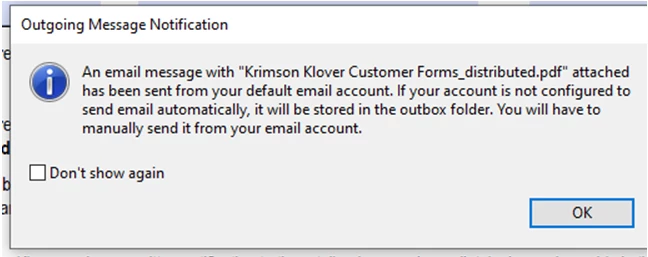
 

These users don't have a special configuration that keeps their email in the outbox for any reason.


I plan to send this to around 600 customers that are not techincal users.


Thanks in advance for your help!

Lori


This topic has been closed for replies.

1 reply

AkanchhaS8194121
Legend
May 17, 2023

Hi @Lori29609170asno 


Sorry to hear about the trouble caused. And we apologize for the delay in response.

As the error message indicates, those users who do not have their Outlook settings enabled for sending the email automatically while filling out the form are more likely to receive such a notification.

To send out/submit a form, Outlook preferences should be enabled so that email should be triggered automatically.

This needs to be checked and corrected at the receiver's end. 


Thanks,

Akanchha