


Known Participant
January 26, 2017
Question

Square annotation and text

  • January 26, 2017
  • 1 reply
  • 983 views

Hi, I placed a square annotation on top of my text so that a "pop up box" will show when I mouse hover the text. Like this:
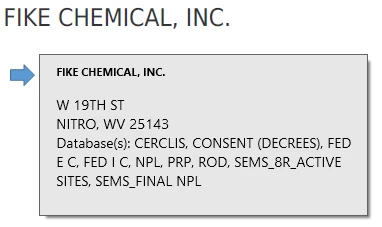
When I click the text though, the box for the annotation appears.

Is there a way to make the annotation not clickable but the "pop up box" will still show upon mouse hover? If not, is there another way to achieve the "pop up box" capability?

Thanks in advance!

This topic has been closed for replies.

1 reply

try67
Community Expert
Community Expert
January 26, 2017

No, you can't do that. What you can do is to put a transparent button field on top of your text and set its Tooltip property to the value you want. If that text has multiple lines that's more tricky, though. It is possible to create a multi-line tooltip, but it requires using a script.

Another option is to use two fields: One to hold the text/image of the popup and another to trigger showing that field when the user enters it (the trigger field), and hide it when they exit it.

Known Participant
January 26, 2017

Does the tooltip for a button field look like the pop up box for a comment?

try67
Community Expert
Community Expert
January 26, 2017

Not exactly. It looks like this: