


jeffk18918898
Inspiring
April 27, 2018
Answered

Text Fields - changing the background colour - problem on a Mac

  • April 27, 2018
  • 3 replies
  • 1541 views

I did not have this problem on a PC !!

I want to change the colour in a Text Field. If it is preset as transparent like this

and I try to change the colour - notice that the fill colour on the right has a greyish colouring
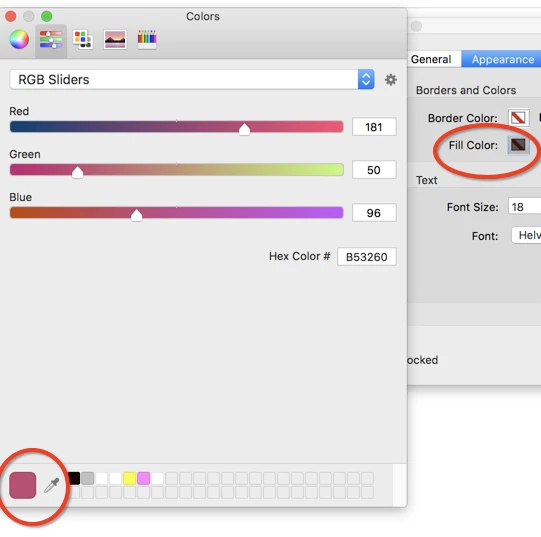
I click the exit red button and nothing changes. Same problem with the border colour.

The same in reverse. If I reuse an old field which had a coloured background I cannot make the background or border transparent again.

I have spoken to Support - who tried everything including the tried and tested uninstall and reinstall but no success.

Strangely a colleague of mine (with a Mac book) has an extra box for ¨transparency¨ which is not on mine. Maybe it only for the French  ... Mon Dieu ?
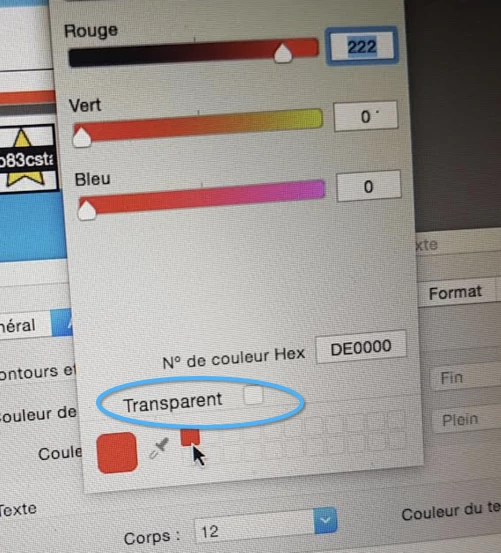
 

Is this a setting problem  ??

This topic has been closed for replies.
Correct answer BhavnaNegi

The fix for this issue has been officially rolled out with latest Acrobat update

Please update.

More details here: 19.008.20071 Planned update, October 02, 2018 — Release Notes for Acrobat DC Products

3 replies

BhavnaNegiCorrect answer
Adobe Employee
October 30, 2018

The fix for this issue has been officially rolled out with latest Acrobat update

Please update.

More details here: 19.008.20071 Planned update, October 02, 2018 — Release Notes for Acrobat DC Products

Adorobat
Community Manager
Community Manager
May 29, 2018

Hi Jeffk,

Sorry for the delayed response.

If you are using Acrobat DC on macOS 10.13 high sierra, Adobe is aware of the issue and working on it. You may refer to: Acrobat and macOS 10.13 High Sierra compatibility

You may also visit the following forum thread discussing similar issue: 'no colour' option not available when in properties with check, text boxes etc. Mac

Thanks,

Shivam

Luke Jennings
Inspiring
April 30, 2018

I can confirm you are missing the little "transparent" box (Acrobat DC, I don't have the French version).

What version of Acrobat are you using?

I suggest another uninstall/re-install, be sure to select replace preferences.

jeffk18918898
Inspiring
April 30, 2018

I am using version 2018.011.20038 which is a reinstall under the guidance of adobe support a few weeks ago. I will try another reinstall and replace preferences ..... 

jeffk18918898
Inspiring
April 30, 2018

Just did a reinstall .... but I was not given the option to replace preferences. Still the same.