

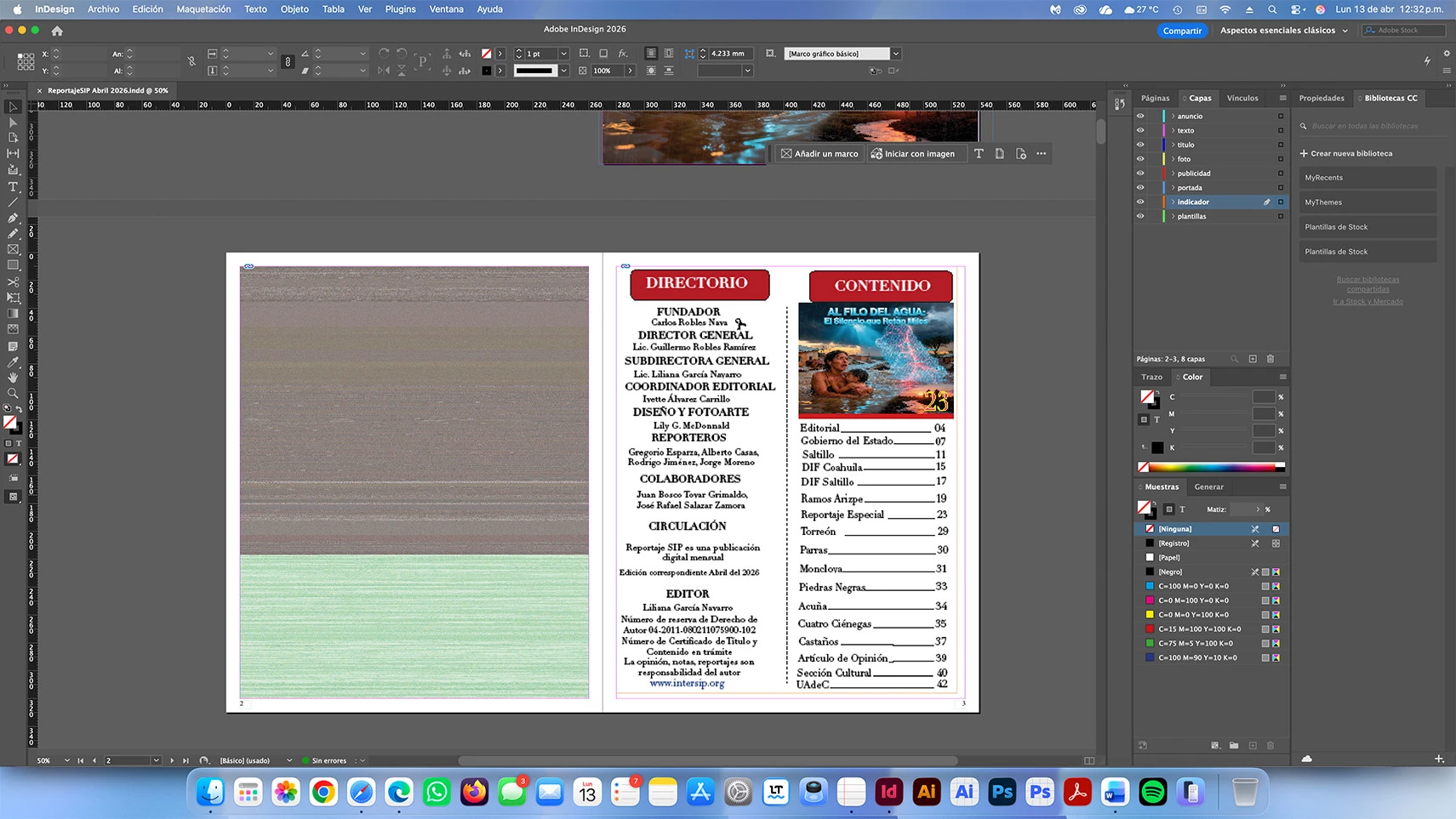
InDesign 2026 on macOS Tahoe 26.4.1 shows gray/green missing link placeholder on placed images (even old non-AI files from 4 years ago). Beta version doesn't fix it. Anyone else?
I would like to formally follow up on case ADB-44827608-R1Y7 opened earlier today.As I already explained, the problem is not limited to AI-generated PNG files. The “missing link” error (gray placeholder with green stripes) also appears in designs I created four years ago that have never used any artificial intelligence images. I am attaching the two screenshots again to make this perfectly clear:
- Screenshot taken in InDesign 2026 of the file “ReportajeSIP Abril 2026.indd” → shows the gray/green placeholder on the placed image (page 2).
- The exact same section opened in Illustrator 2026 → the design appears perfect, with no link error whatsoever.
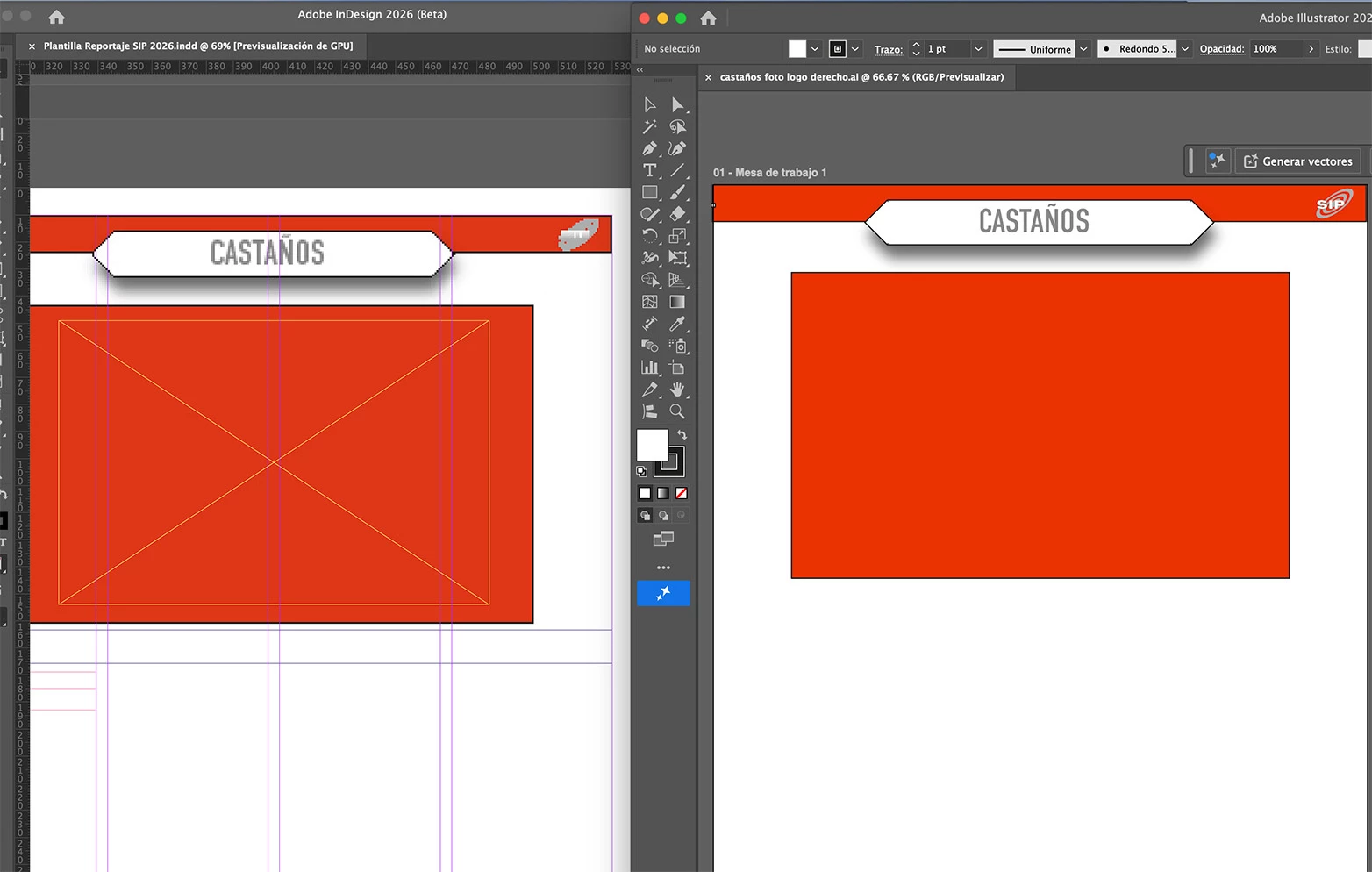
I have already performed all the recommended troubleshooting steps:
- Complete Creative Cloud repair
- Preferences reset (Cmd + Option + Shift while launching)
- Clean reinstallation of the program
- Manually re-placing the images
- I even installed and fully tested the latest InDesign 2026 Beta, but the problem persists exactly the same.
The error only occurs in InDesign 2026. Previous versions (2025 and earlier) open the exact same files without any issues.I kindly request:
- Written confirmation that this link management bug on macOS Tahoe 26.4.1 has already been registered and escalated to the development team.
- An estimated date for the corrective patch (if available) or information about when the next stable update is expected.
- As an urgent temporary solution, would it be possible to grant me access to InDesign 2025 (or the latest stable previous version) while the 2026 issue is being fixed?
- If there is a newer Beta build that I don’t have yet, please send me the direct download link.
My entire workflow is currently halted, and this error is directly affecting the production of the
magazine (April 2026 edition). I would greatly appreciate your priority attention and a prompt response.Thank you in advance. I remain available for any additional information you may need.Best regards,
 AdChoices