Inspiring
February 5, 2020
Answered

jumpy forum text

  • February 5, 2020
  • 16 replies
  • 2456 views

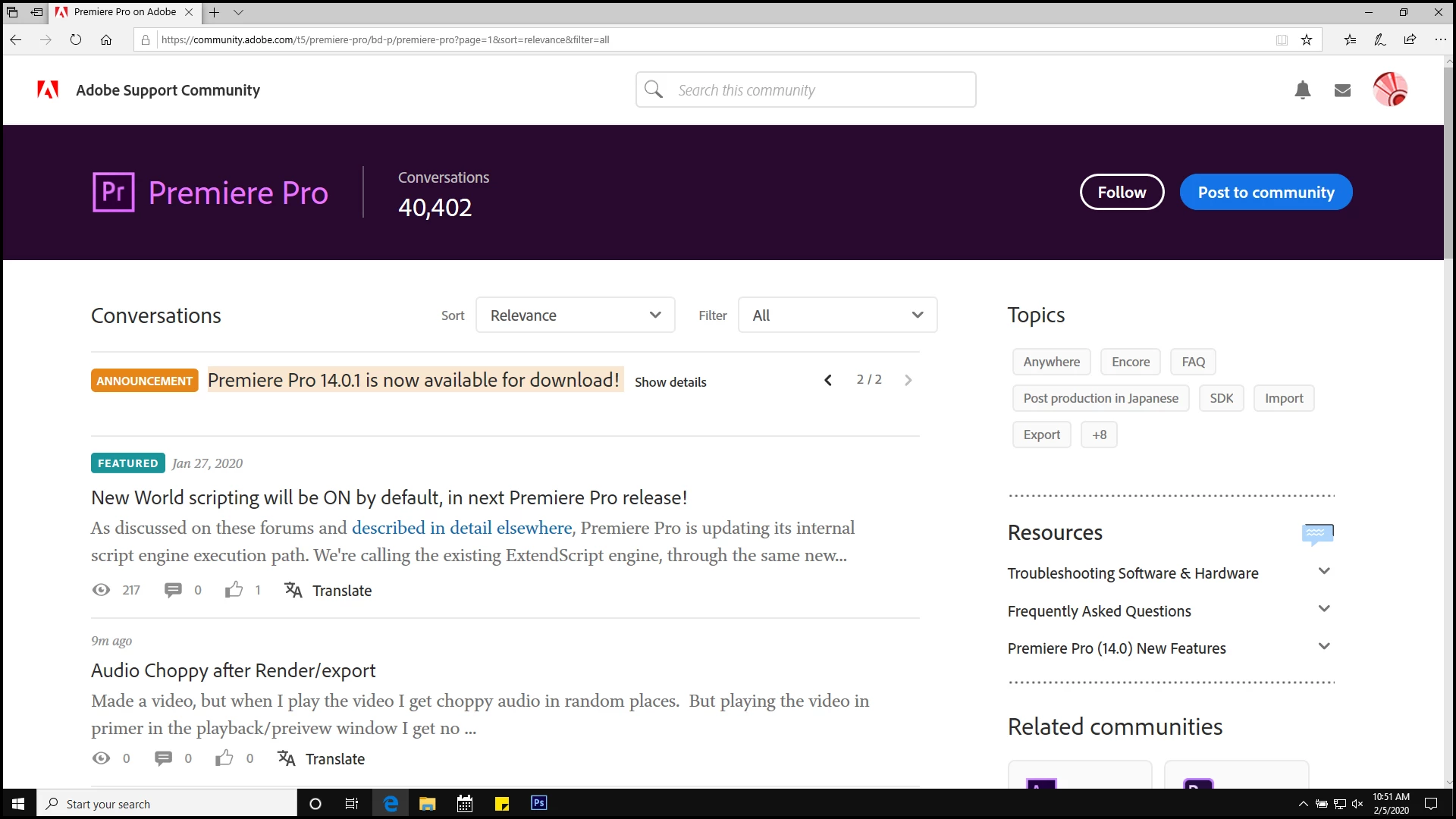
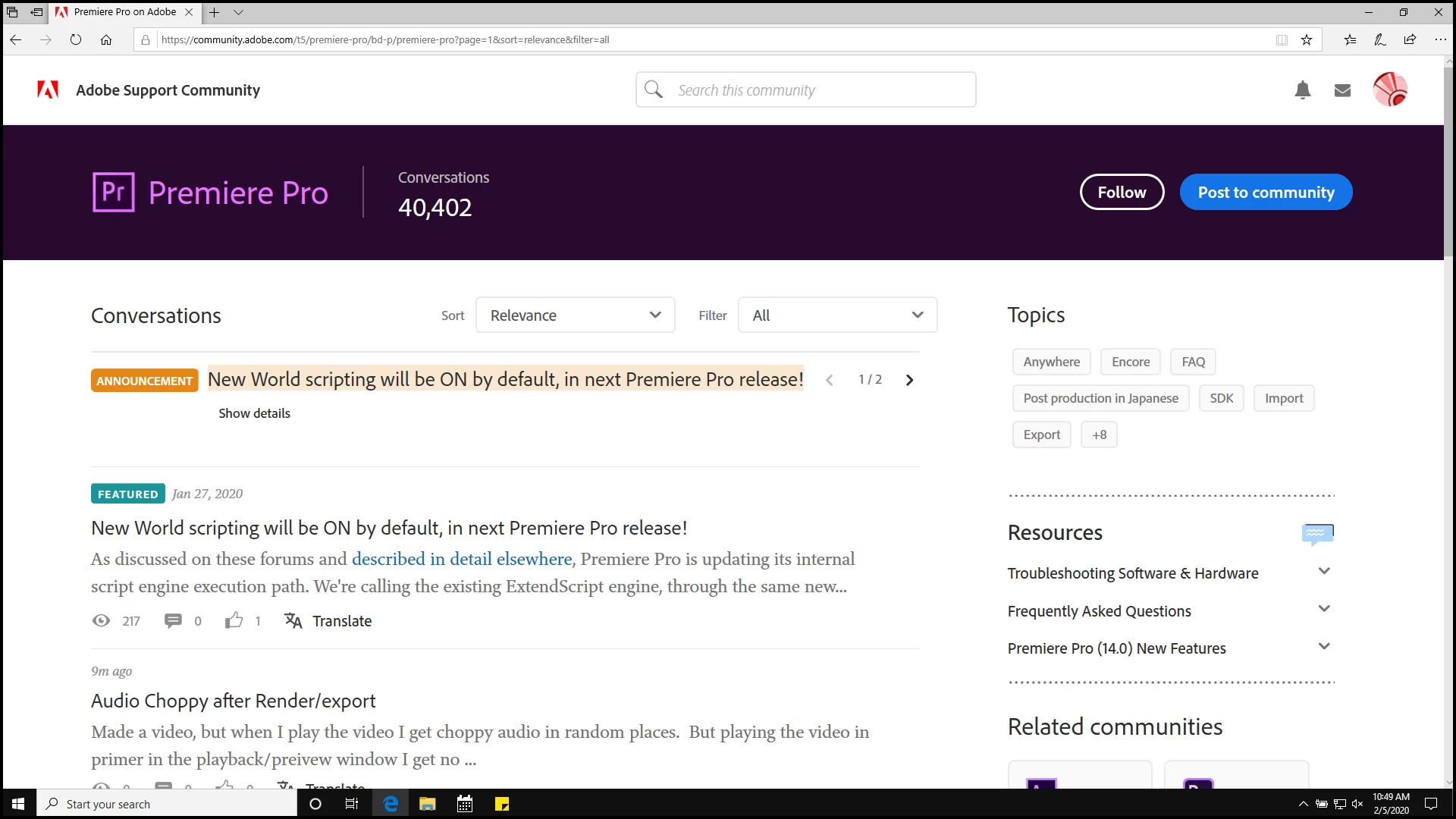
The 'Announcement ' banner at top of forum changes every 5 seconds ( cycles through 1 and 2 ), causing text in the forum to shift up and down every 5 seconds. I'm using Edge browser.

Please fix it so it stops jumping. 


suggestions:

a) stop it from auto cycle so a user can just click the arrows manually to cycle through ?


b) just put one announcement up there and if necessary put a different announcment in a separate post.


Do something please because I cannot use the forum with the text jumping every 5 seconds.


🙂


pic one and two as sample of jumping.... compare spaces with fingers or something and you'll see it does jump quite a bit for 'reading a forum'.  


This topic has been closed for replies.
Correct answer Sil.C

Hey guys, sorry for missing this post. I’ve merged the newer ones onto this one. 
I had a chat with our engineers about this. The culprit of this issue is the 60 character limit for announcements, whereas the limit for subjects, in general, is longer than that.
I’ve spent some time checking ALL the boards within the community and editing the subject lines when necessary so they’d be within the limit. Confirmed the text wasn’t jumping up and down anymore after these edits.

If you spot any other board jumping up and down for this same reason, please let me know here and I’ll take a look.
Thanks again!

16 replies

salvo34Author
Inspiring
March 25, 2020

the premiere pro forum still has 2 announcements as of this morning, but they don't make the text jump anymore. THANK YOU !!!!


using edge browser at 150%

johnrellis
Legend
March 24, 2020

"I've shared this with our engineers. They mention that, unfortunately, the design has resolution at 100% in mind. If made bigger, it could cause the behavior to repeat again because of the spacing and the character limit, as you shared. I'm quoting them here: "You can consider this as an enhancement for now. We will see what can be done here.""


A trivial fix is to turn off the automatic cycling of these announcements until/if something better is devised. What's more important: the readability and comfort of the forum participants or Adobe's need to push marketing messages?


[Use the reply button under the first post to ensure replies sort properly.]

try67
Community Expert
Community Expert
March 24, 2020

> What's more important: the readability and comfort of the forum participants or Adobe's need to push marketing messages?


I think we all know the answer to that one...

johnrellis
Legend
March 24, 2020

The Lightroom Classic forum still has jumpy text at normal Mac screen resolution.  Two of the four announcements are too long, with more than 60 chars:


72: UPDATE: Adobe Enables Distance Learning for Schools Impacted by COVID-19
39: Lightroom Classic 9.2 is now available!
77: Upcoming changes to video playback support for Lightroom Classic on Windows 7
51: Avoid Phishing: 3 Easy Ways to Identify Adobe Staff


[Use the reply button under the first post to ensure replies sort properly.]


Sil.C
Community Manager
Community Manager
March 25, 2020

Thanks johnrellis, I've changed them now 🙂

salvo34Author
Inspiring
March 24, 2020

As of now, in Premier Pro forum, my text still jumps up and down. It appears one font size is larger than the other announcement size... I will try to put in the samples of screenshots. I'm using edge browser at 150%. I can't READ anything smaller and even with reading glasses it's difficult to read smaller than 150%.

The solution is to just get rid of having more than ONE announcement, IMO.


Thanks 


Sil.C
Community Manager
Community Manager
March 24, 2020

I've shared this with our engineers. They mention that, unfortunately, the design has resolution at 100% in mind. If made bigger, it could cause the behavior to repeat again because of the spacing and the character limit, as you shared.
I'm quoting them here: "You can consider this as an enhancement for now. We will see what can be done here."
Sorry that I can't be of more help!

Sil.C
Community Manager
Sil.CCommunity ManagerCorrect answer
Community Manager
March 24, 2020

Hey guys, sorry for missing this post. I’ve merged the newer ones onto this one. 
I had a chat with our engineers about this. The culprit of this issue is the 60 character limit for announcements, whereas the limit for subjects, in general, is longer than that.
I’ve spent some time checking ALL the boards within the community and editing the subject lines when necessary so they’d be within the limit. Confirmed the text wasn’t jumping up and down anymore after these edits.

If you spot any other board jumping up and down for this same reason, please let me know here and I’ll take a look.
Thanks again!

try67
Community Expert
Community Expert
March 23, 2020

I've reported this issue back in December in a private forum that Adobe employees are supposedly monitoring. Nothing was done about it since then.

Ann Bens
Community Expert
Community Expert
March 23, 2020

Nothing was done about it since then.


Like so many things.

This forum is getting more and more annoying.

WolfShade
Legend
March 23, 2020

I really dislike suggesting what I'm about to suggest, because it does not hold Adobe accountable.  But, here goes..


Use FireFox, install the uBlock Origin plugin, and block the element (div or whatever) for that announcement.  It's usually useless information that is placed, there, so you're not going to miss anything important.  Besides, it's just a 'pinned' thread that you'll still see when it's first placed in the forum, so if there _IS_ anything important, you'll still see it.


HTH,


^ _ ^

Ann Bens
Community Expert
Community Expert
March 22, 2020

Fine but if there is more then one make then the same length as in the amount of characters used.

This will prevent the page from jumping up and down.


Will somebody please fix the Premiere forum on this.


John T Smith
Community Expert
Community Expert
March 22, 2020

Reported 3 months ago in the Back Room... as he said in another message, nobody is listening


https://community.adobe.com/t5/back-room/bug-incredibly-annoying-quot-annoucements-quot-feature/td-p/10817889?page=1

Ann Bens
Community Expert
Community Expert
March 22, 2020

Fine but if there is more then one make then the same length as in the amount of characters used.

This will prevent the page from jumping up and down.


Will somebody please fix the Premiere forum on this.


Just Shoot Me
Legend
March 22, 2020

Ann I am merging your post, and this reply with the Jumping forum text conversation.

Ann Bens
Community Expert
Community Expert
March 22, 2020

I dont want it merged. I want it to be noticed.!!!

salvo34Author
Inspiring
March 22, 2020

It is very unfortunate for Adobe to have an opportunity to put it's best foot forward, giving customers and potential customers a 'BRAND' Image that exemplifies it's integrity and professionalism... by doing something so fundamentally STUPID and the exact opposite 'impression' it should be giving.


Just Shoot Me
Legend
March 22, 2020

Agreed. But this all started with whoever chose this bad platform for their One and Only Support, Help, system.


It still boggles my mind why this system was even considered.

Stan Jones
Community Expert
Community Expert
March 22, 2020

Happening today (in PR). As noted, it is function of screensize/wrapping of announcements.


Stan 

Just Shoot Me
Legend
March 22, 2020

It will happen in every forum that has multiple announcements that one, or more, uses more than One Line of text.

Just another problem with this whole plateform. IMHO it is something that will never be fixed. Or take YEARS to correct.