Inspiring
Feb 5, 2020 4:59 PM UTC
Answered

jumpy forum text

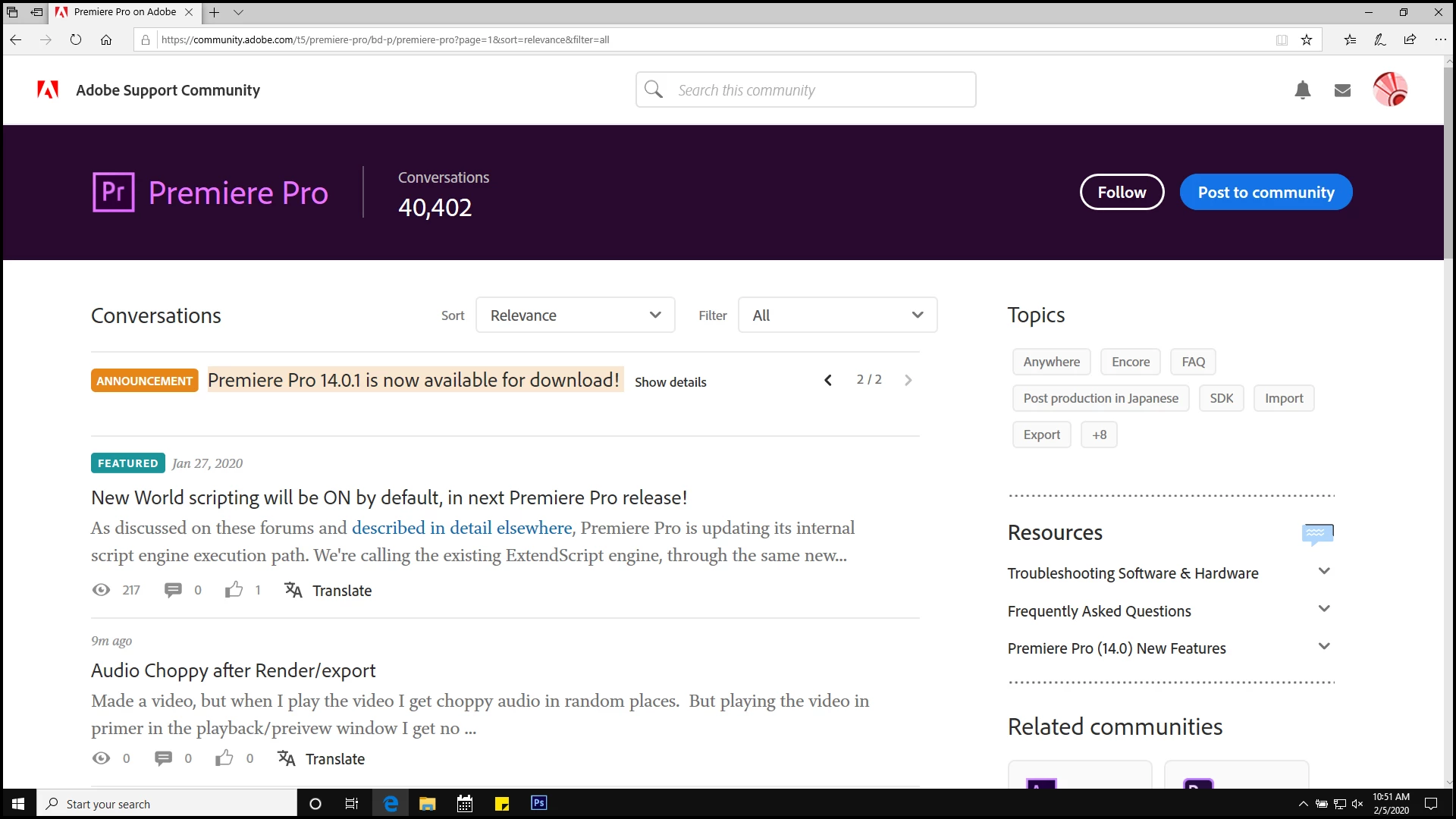
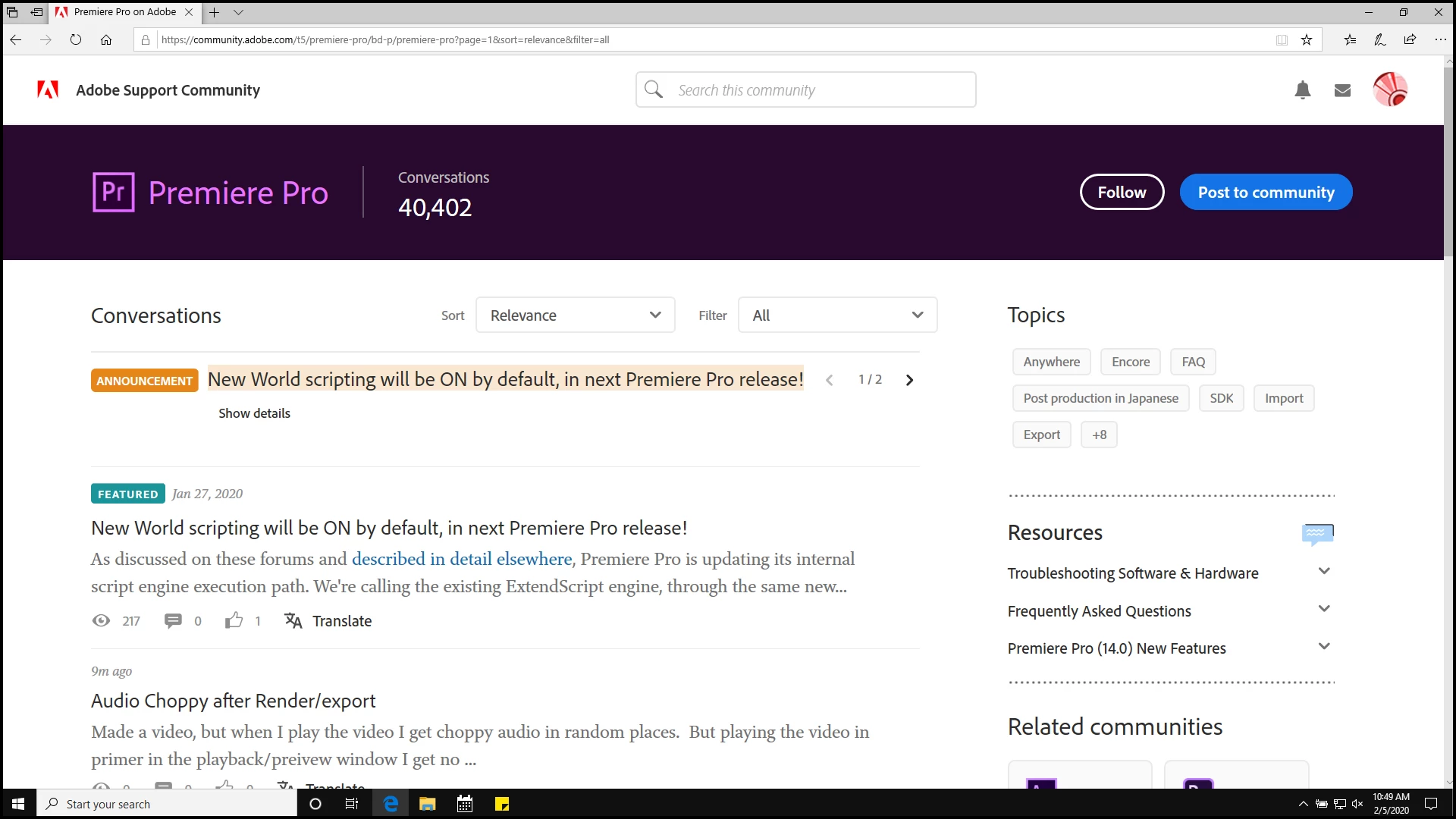
The 'Announcement ' banner at top of forum changes every 5 seconds ( cycles through 1 and 2 ), causing text in the forum to shift up and down every 5 seconds. I'm using Edge browser.

Please fix it so it stops jumping. 


suggestions:

a) stop it from auto cycle so a user can just click the arrows manually to cycle through ?


b) just put one announcement up there and if necessary put a different announcment in a separate post.


Do something please because I cannot use the forum with the text jumping every 5 seconds.


🙂


pic one and two as sample of jumping.... compare spaces with fingers or something and you'll see it does jump quite a bit for 'reading a forum'.  


This topic is closed to new replies. Start a new post to keep the conversation going.
Sil.C
Sil.CCorrect answer
Community Manager
Mar 24, 2020 10:25 AM UTC

Hey guys, sorry for missing this post. I’ve merged the newer ones onto this one. 
I had a chat with our engineers about this. The culprit of this issue is the 60 character limit for announcements, whereas the limit for subjects, in general, is longer than that.
I’ve spent some time checking ALL the boards within the community and editing the subject lines when necessary so they’d be within the limit. Confirmed the text wasn’t jumping up and down anymore after these edits.

If you spot any other board jumping up and down for this same reason, please let me know here and I’ll take a look.
Thanks again!

26 replies

salvo34Author
Inspiring
Feb 6, 2020 2:50 PM UTC

Thank you everyone for posting replies and explanations.

And guess what ? I just went to PPro forum and IT'S FIXED !!!!!!!  IT'S GONE ( JUMPING BANNER ANNOUNCEMENT THING ).  YIPPEEEE !


🙂


Translate
johnrellis
Legend
Feb 6, 2020 12:39 AM UTC

It's been driving me batty too, and I've been meaning to post.  It happens on my Chrome / Mac OS 10.14.6 with default zoom. The text jumps when the Announcement changes to two lines after 8 seconds and then changes back to one line after 4 seconds. Here's a screen recording:

https://www.dropbox.com/s/7e7l12sfhy5mdnd/jumpy-forum-listing.2020.02.05.mov?dl=0


Par for the course.


[Use the reply button under the first post to ensure replies sort properly.]

Translate
Just Shoot Me
Legend
Feb 5, 2020 10:41 PM UTC

Happens on every forum that has the Announcement sectionwith multiple entries. Depends on screen size and amount of text in the Announcement banner. My broswer, Chrome, open on the smaller of my 2 monitors, and old Dell 18" LCD, and I see it always. Doesn't bother me as I am either clicking on threads or going to another forum to check posts. You manually stop it by opening an announcement, Show Details.


As for this post bneing on the Premiere Pro forum, I take it that is what you meant by "on the ppro forum" it was originally posted, or at least the notification I got of it, on the Community Help forum and was moved to the Community Feedback forum. It really is feedback on the forum system.

Translate
salvo34Author
Inspiring
Feb 5, 2020 9:57 PM UTC

I was sorta hoping this post would be in the ppro forum, cause that's the one that has the 2 announcment banners at the top of the forum header....


But whatever....


Translate
salvo34Author
Inspiring
Feb 5, 2020 8:49 PM UTC

Kevin, thanks a ton. Your question produced answer.. (explanation ).

Opened Chrome and it didnt happen... but text size of browser too small for me to read good on laptop, so I increased text ( font size of brower ) by 'zoom' control to 150% and then chrome text also jumps...it's the wrap around feature of the announcment banner auto swap ( between announcment 1 and 2 ).


So, it turns out that at age 70 and font up to 150% on edge and chrome, the forum jumps.


Thanks for exlaining what it going on Kev ...


🙂


Translate
Kevin J. Monahan Jr.
Legend
Feb 5, 2020 5:14 PM UTC

Salvo,

Does it happen on other browsers too? I'm not seeing the issue.


Thanks,
Kevin

Translate
Kevin Monahan - Sr. Community and Engagement Strategist – Adobe Pro Video and Audio