
Emaginepixel
Participant
May 29, 2026
Question

editing photo on the screen is not corresponding to the selected photo on the film strip.

  • May 29, 2026
  • 8 replies
  • 69 views

This issue is really affecting my editing workflow.  As I scrolling (right/left) through images on the strip to edit, intermittently the selected photo is not showing on the main editing screen. Somehow it get stuck on the previous photo.  See sample on the photo.  I’ve changed all the preferences to the most efficient and highest performance.  I’m at a total loss… and about to pull my hair out.  I’ve gone to the extreme to update to a high end Windows workstation.  Can someone help me with this issue?
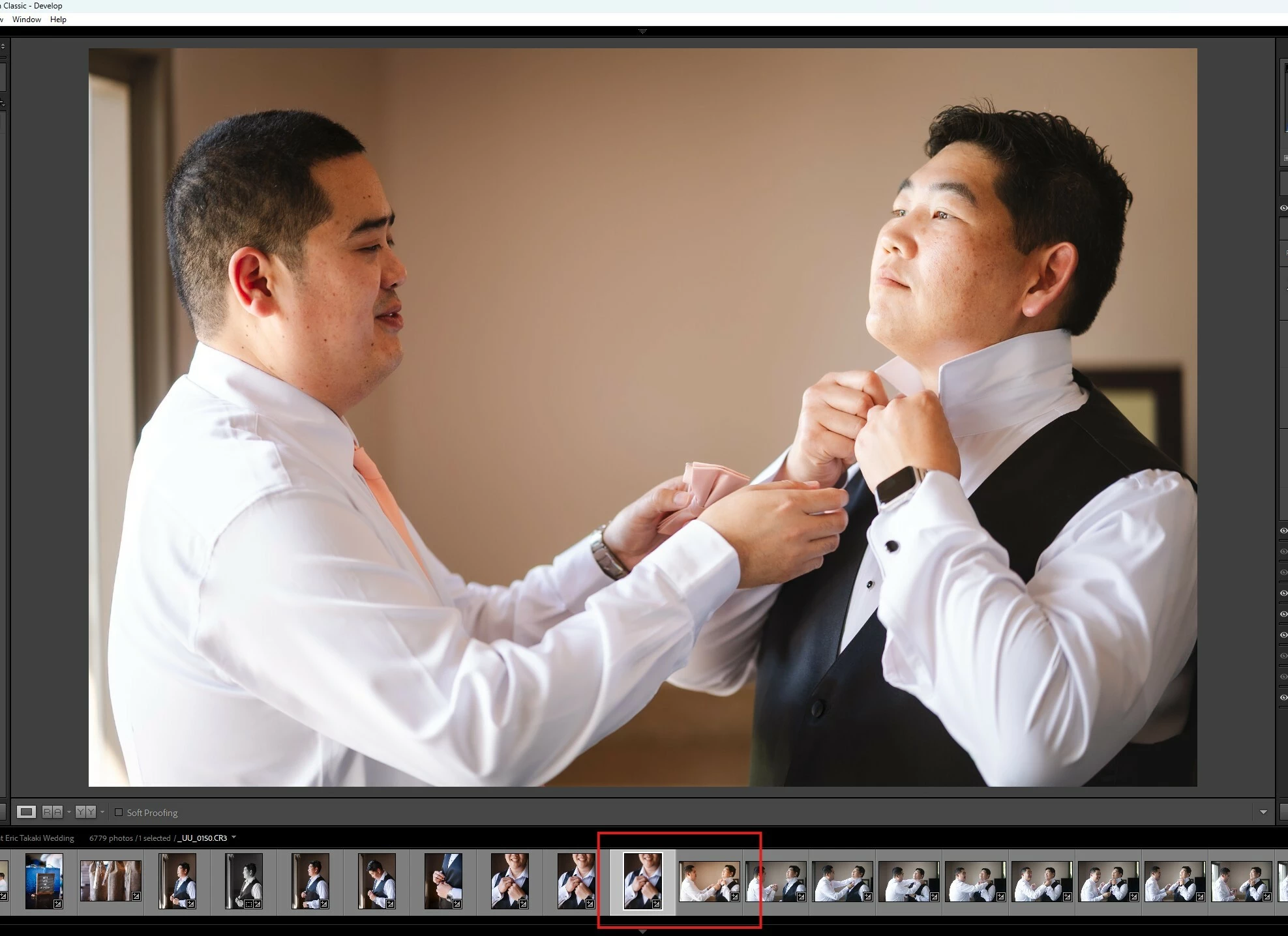
The editing photo does not correspond to the selected image for editing

LRC 15.3  RAW 18.3

Windows 11

Intel Ultra 9 285k  32GB mem

Geforce RTX 5070Ti

M.2 SSD 1TB  OS, LR catalogs &

cache

M.2 SSD 2TB  Photo RAW files

    8 replies

    Inspiring
    May 30, 2026

    I, occasionally, see the same problem using LRc 15.3 & Win11.  Usually in the middle of a lot of prior processing.  I haven’t tested, but I often close/reopen and it goes away for a while.

    dj_paige
    Legend
    May 30, 2026

    I wonder if this is some sort of corruption of the preview cache which then results in the wrong thumbnails being shown in the filmstrip. If you select all the photos in this folder and then Library->Build Standard Previews (and wait for it to finish), does the problem go away?

    Community Expert
    May 30, 2026
    My System: Intel i7-8700K - 64GB RAM - NVidia Geforce RTX 3060 - Windows 11 Pro 25H2 -- LR-Classic 15 - Photoshop 27 - Nik Collection 9 - PureRAW 6 - Topaz Photo AI
    KR Seals
    Community Expert
    Community Expert
    May 30, 2026

    Duplicate post. See the answers to your other post.

    Ken Seals - Nikon Z 9, Z 8, 14mm-800mm. Computer Win 11 Pro, I7-14700K, 64GB, RTX3070TI. Travel machine: 2021 MacBook Pro M1 MAX 64GB. All Adobe apps.
    Legend
    May 30, 2026

    @Emaginepixel 

    In Preferences under File Handling, if “Remember the last selection from a source during a session” is checked, uncheck it and see if that corrects the problem. Enabling this option can cause this issue.

    Emaginepixel
    Participant
    May 30, 2026

    Thanks… already unchecked.

    KR Seals
    Community Expert
    Community Expert
    May 30, 2026

    I don’t think changing preferences will get you a reset, which is what you should try anything LrC starts doing unusual things. Do a complete reset, then reselect your personal preferences once LrC is working properly. 

    Ken Seals - Nikon Z 9, Z 8, 14mm-800mm. Computer Win 11 Pro, I7-14700K, 64GB, RTX3070TI. Travel machine: 2021 MacBook Pro M1 MAX 64GB. All Adobe apps.
    Emaginepixel
    Participant
    May 30, 2026

    @KR Seals.  I followed the directions and it’s worked for a few photos.  After a few Sync’ed photo edits, it reverted back to the same issue.  For some reason, it has to do with edited photo.  Viewing in imported RAW files they display without any problem.

    Emaginepixel
    Participant
    May 29, 2026

    This issue is really affecting my editing workflow.  As I scrolling (right/left) through images on the strip to edit, intermittently the selected photo is not showing on the main editing screen. Somehow it get stuck on the previous photo.  See sample on the photo.  I’ve changed all the preferences to the most efficient and highest performance.  I’m at a total loss… and about to pull my hair out.  I’ve gone to the extreme to update to a high end Windows workstation. I’ve posted this in the ‘Questions’ section.  Any solution to this issue?  Thanks so much.

    The editing photo does not correspond to the selected image for editing

    LRC 15.3  RAW 18.3

    Windows 11

    Intel Ultra 9 285k  32GB mem

    Geforce RTX 5070Ti

    M.2 SSD 1TB  OS, LR catalogs &

    cache

    M.2 SSD 2TB  Photo RAW files

    Known Participant
    May 29, 2026

    Same problem here, sometimes there is a large delay and sometimes I have to click on other photos in the film strip and then back to get the correct photo in the Develop window.

    LrC 15.3, macOS Tahoe 26.5. Problem occurs for both cameras currently in use, Sony ILCE-7RM4 and Leica Q3.

    Emaginepixel
    Participant
    May 29, 2026

    This is nuts… often I sync a line of photos and screw up all the photos selected.  very irritating!!  The worst is when I delete.  total waste of time to restore and resync back and re-edit.  ARGH!!!!