beckyt11764922
New Participant
November 30, 2017
Answered

Can't edit fillable fields

  • November 30, 2017
  • 2 replies
  • 52963 views

Good Afternoon,

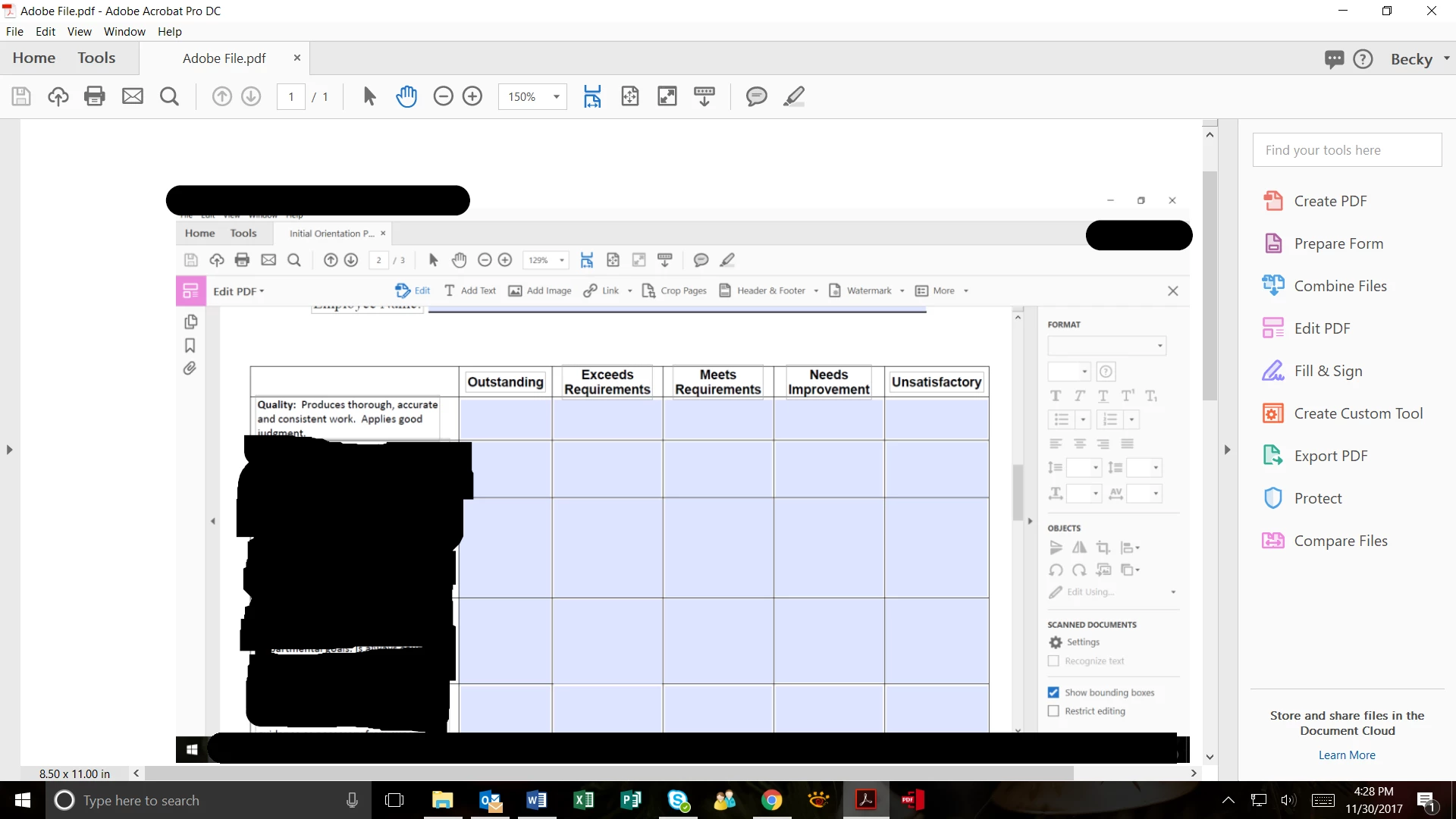
I am trying to edit a PDF document that was converted to a fillable form but when I click on Edit PDF, it does not allow me to edit the boxes in blue below.  Does anyone else have this problem?  It only allows the bounding boxes on the left to be edited.  It does not open up the right.

Thank you, I am not an expert in adobe and any help will be much appreciated. 
Correct answer Thom Parker

Are you filling in form fields, trying to modify a fillable form field, or editing page text?  

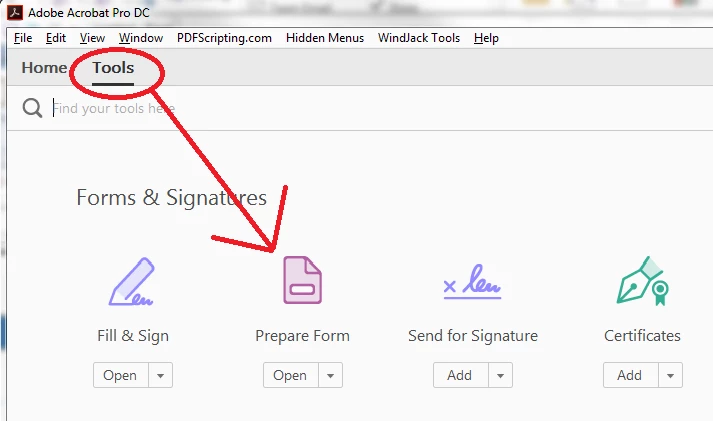
It sounds like you are trying to modify a form field. In this case you need to go to Form Preparation mode.  Select Prepare Form from the the main Tools listing.

2 replies

New Participant
November 26, 2021

How did this fix let you change the font size of something you already typed into a "form field"?  This did absolutely nothing for me. How do you change the size of the font you are actually typing into the field?

Thom Parker
Inspiring
November 27, 2021

For a plain text field, changing the text size from either JS or the "Prepare Form" UI will change the text size. But if the field is setup for Rich Text, then the size can only be changed from the "Text Properties" dialog or in JS through the "Spans" object. 


Thom Parker - Software Developer at PDFScriptingUse the Acrobat JavaScript Reference early and often
Thom Parker
Inspiring
December 1, 2017

Do not use "Edit a PDF" to fill forms.

When you select "Edit PDF" tools in Acrobat Pro it puts acrobat into content editing mode. This is for modifying the text and graphics on the page, not the form fields. 

Put Acrobat back into normal mode, i.e. where the hand is the main cursor.  Then when the hand passes over a fillable field it changes to an i-beam or arrow cursor.  Then you can click on the field to enter data.

Thom Parker - Software Developer at PDFScriptingUse the Acrobat JavaScript Reference early and often
beckyt11764922
New Participant
December 1, 2017

Thank you Thom, I did what you said below but I need to change the font size and style and make the text wrap. I don’t see where this allows me to do that.

What am I doing wrong.