Participant
July 14, 2018
Answered

Adobe After Effects: Strange red screen. Can't use it anymore

  • July 14, 2018
  • 5 replies
  • 16934 views

Hi,

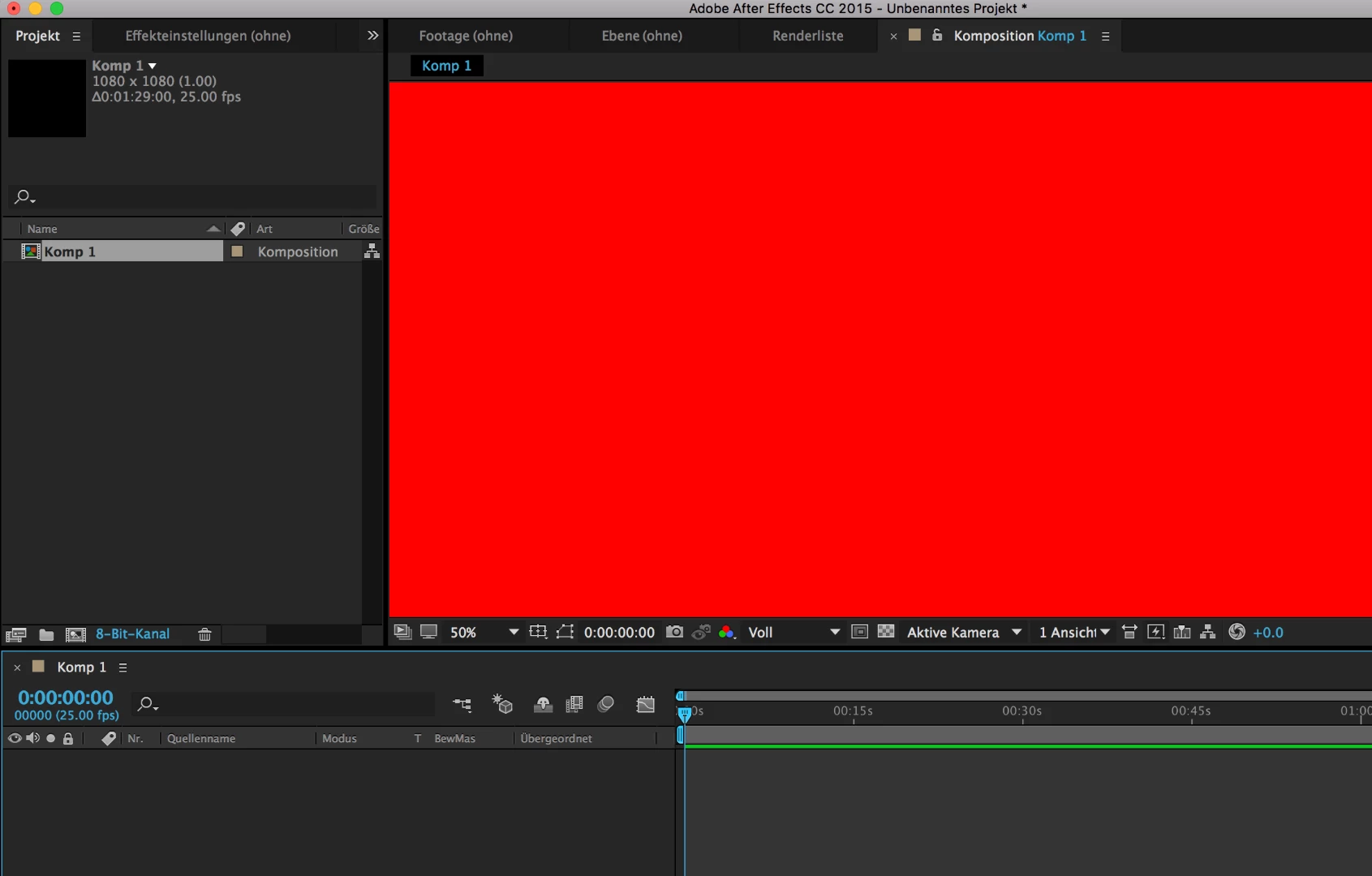
I made a mac update not so long ago. And now I can't use After Effects anymore. I get a strange red screen (please see screenshot below) and if I drag an image into the scene, I can't see it. I read online that it's a bug, after doing a mac update. And apparently, it can be fixed with Adobe updates. So I went into 'Help', 'Updates', but it does not offer an update for After Effects. I did already clear the caches. So how do I fix this?

I would appreciate any help, I really need to use After Effects

    This topic has been closed for replies.
    Correct answer MajesticIX22

    Actually, never mind that did not fix it this time. I simply reverted AE to 15.1 (15.1.1 Build 12) from the Adobe Cloud menu. It will uninstall the latest version and 15.1 works. I can confirm it eliminated my red screens and maintains hardware acceleration. I'd recommend doing that.

    5 replies

    Participant
    June 23, 2021

    I went to PREFERENCES/DISPLAY/MEDIA & DISC CACHE  and emptied the disk cache and cleaned databsAe and cache and clicked OK. For some reason the red background was now a shape and I could just click on it and hit DELETE.

    Participant
    June 7, 2024

    That worked for me! Thanks a lot!!

    Participant
    April 25, 2020

    how do i do that?

    Participating Frequently
    July 20, 2018

    It appears Adobe once again broke video codec handling (they did this last year as well) with the latest AE Update. I'll have this show up generally on MP4s but sometimes MOVs too depending on the codec used.

    PC - W10
    AE 15.1.2 (Build 69)

    Disable Hardware Acceleration and clear your media cache until they fix. To disable hardware acceleration, go to Edit >  Preferences > Display > Uncheck Hardware Accelerate Composition, Layer, and Footage Panels.

    Yes, this will slow things down considerably while using the software.

    Thank you, Adobe.

    MajesticIX22Correct answer
    Participating Frequently
    July 20, 2018

    Actually, never mind that did not fix it this time. I simply reverted AE to 15.1 (15.1.1 Build 12) from the Adobe Cloud menu. It will uninstall the latest version and 15.1 works. I can confirm it eliminated my red screens and maintains hardware acceleration. I'd recommend doing that.

    Participant
    July 20, 2018

    I'll just go ahead and do that. Thanks

    Participant
    July 19, 2018

    When I have a problem with Adobe because of updates I uninstall all Adobe applications, including the Creative Cloud, and run the cleaner (https://helpx.adobe.com/creative-cloud/kb/cc-cleaner-tool-installation-problems.html ) Depending on your computer and how many apps you use, it can take awhile to uninstall and reinstall Adobe.   I'm surprised you aren't updated to CC 2018.  Check the Creative Cloud for updates.  Open the Cloud and next to your user picture should be a drop down menu where you can check for updates.  You can also see if there are any updates from the Apps tab.  Good luck! If you are going from CC 2015 to 2018 though, be warned, there are a ton of changes between those versions. 

    Dave_LaRonde
    Inspiring
    July 19, 2018

    FYI -- I work for the company that owns the most TV stations on Planet Earth.  They have not yet approved CC 2018 for use on company equipment.  There's not much confidence in Adobe's ability to put out a reliable product.

    Want it on your own personal machine?  Fine, but you're on your own.

    P.M.B
    Legend
    July 14, 2018

    alexandram43621023  wrote

    So how do I fix this?

    Start by specifying what OS version & version of After Effects you are using.

    ~Gutterfish
    Community Expert
    July 14, 2018

    First guess, composition background color set to Red. Second guess, GPU drive incompatibility. What Mac? What version of OSX? What kind of GPU? What are your settings? Is AE up to date?

    Participant
    July 19, 2018

    Thanks for your response

    Yes, the scene appears red, which was not like that before. If I try to click and drag an image into the scene, the composition window remains red, however the image file is correctly imported and shows in the timeline. The composition background color is actually set to black at the moment. And yes, AE is up to date.

    After Effects version: CC 2015

    OS Version: macOS High Sierra Version 10.13.5

    Graphics card: AMD Radeon R9 M370X 2048 MB

    Thank u