
jameswest22
Participant
October 19, 2018
Question

Bridge CC 2019 preview not working for video effects (still)

  • October 19, 2018
  • 23 replies
  • 17121 views

The issue is that Bridge CC is not showing a preview of any effects in the Library. I have researched this issue and apparently this has been an issue for many years.

Issue:

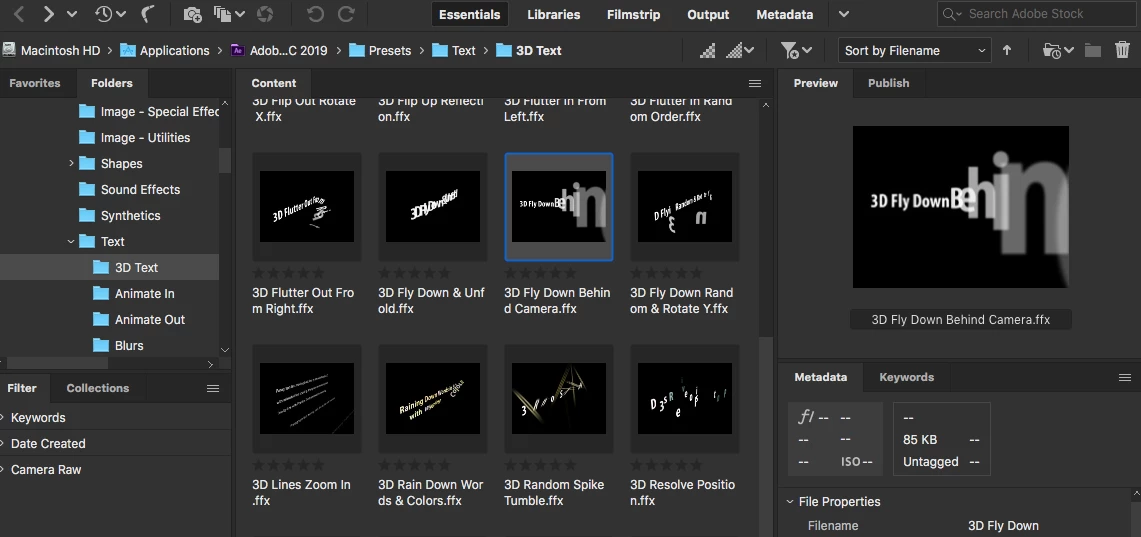
1. When trying to add an effect to Adobe After Effects CC 2019 via Bridge CC 2019, the preview of the effect will not play (see screen where it just shows a thumbnail).

2. Solutions seem to be to reset preferences OR to load an older version of After Effects. I have reset preferences, dumped cache etc to no avail. This issues has been going on for years, so that solution does not make sense.

3. This issue is different than others are having about thumbnails "going crazy". Thumbnails images display fine, effects do not preview at all.

Any solutions to this issue?

Image: This shows the effects, and the right side preview is only displaying a thumbnail, not playing the effect.
This topic has been closed for replies.

23 replies

tomm65680977
Participant
January 8, 2019

I'm having the same issue, I have purged the cache and reset preferences but I simply get a still image where my preview should be. running the latest versions of After Effects and Bridge. Would really like to be able to get the previews back as its a massive help with my workflow. running on Mac with the latest version of the OS installed. 

Participant
January 5, 2019

I have a Premiere Pro license. Everything worked fine in last year's Bridge. I have the very latest version of Bridge. I tried the "software" preference setting. Nothing works. I also found advice on Creative Cow that also didn't work. I have a Mac Book Pro running 10.13.6.

I almost always use Bridge when making titles in After Effects (also the latest version). Within After Effects, I launch Bridge so that I can look at different text animation presets, to see if I want to use/modify them. It's a pain to just look at them and try to figure out if they might be good, then double click, see how they look in After Effects and then Command-Z them.

Previewing saves a lot of time and it worked just fine in last year's version. Please fix this.

Abhishek_Seth2
Participating Frequently
November 2, 2018

Dear Users,

We have released a new version of Bridge CC (9.0.1.216) which includes fix for this issue.

This is available for download via Adobe Creative Cloud Desktop or https://creative.adobe.com/products/download/bridge

Please let us know if you face any issues.

Regards,

Abhishek Seth.

Participant
November 2, 2018

No work . i can't play preview Audio ?