

Participant
October 25, 2019
Question

MacOS Catalina - Adobe Bridge

  • October 25, 2019
  • 6 replies
  • 2310 views

Hello!

I've got a problem with previews in Adobe Bridge.

My current os is 10.15 (19A603).
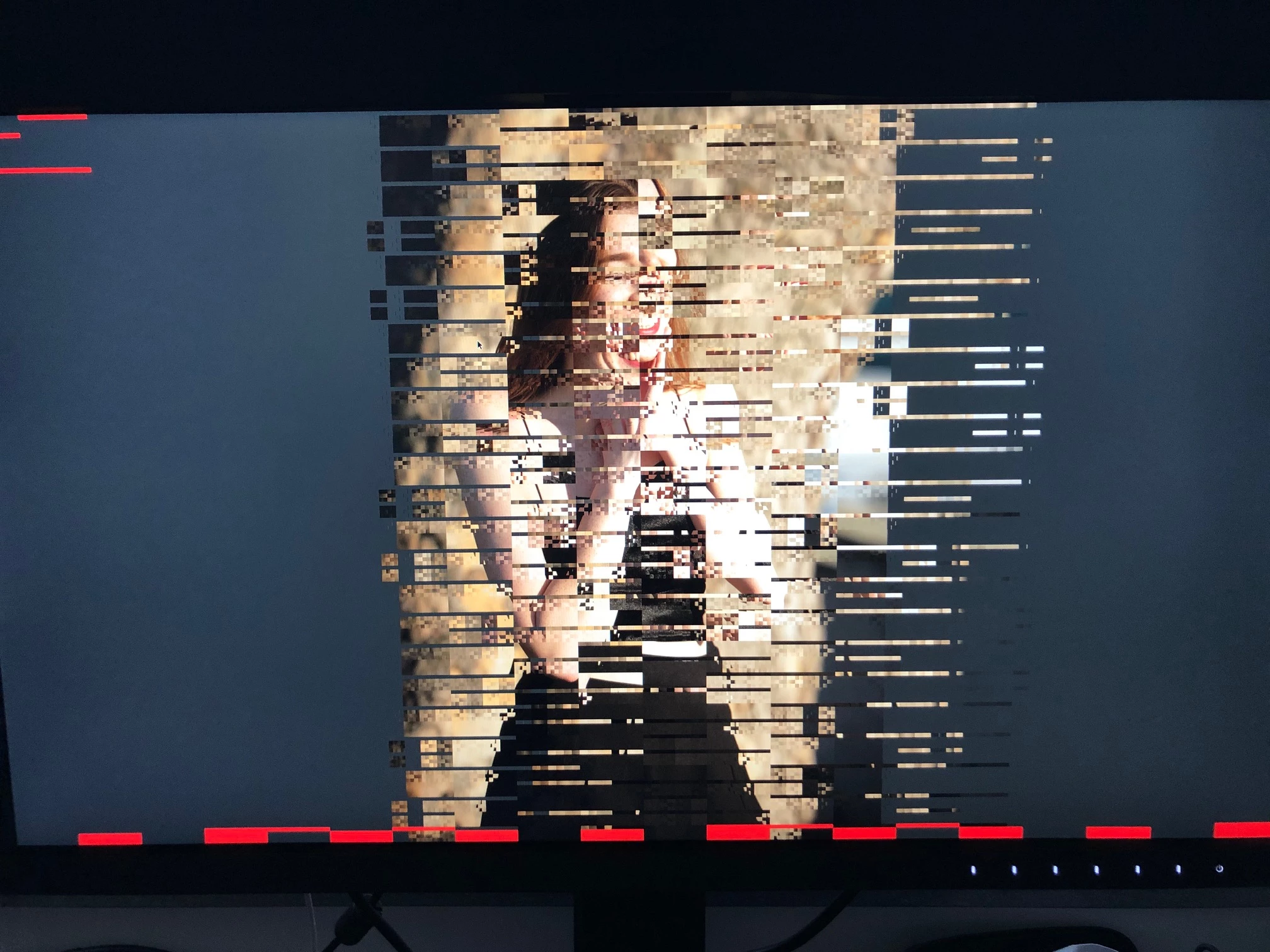
 

    6 replies

    Varun Varshney
    Adobe Employee
    Adobe Employee
    October 30, 2019

    Hi,

    Many of the Bridge Catalina issues have been addressed in v10.0 which will be released early next month.

    If you need early access to this release, you can sign up for the prerelease program from https://adobeprerelease.com under NDA.

    Select Adobe Bridge. Once we approve your request, you will be able to download v10.0 (choose the latest drop).


    Please check this build and report back.


    Thanks,

    Varun Varshney

    85943723Author
    Participant
    November 4, 2019

    It helped. Everything works fine now.

    Participant
    October 26, 2019

    Temporely I found a solution.

    I just bought a Macbook pro 15 inch with a trackpad included.

    If you have the problem after enlarging put your finger in the middle of the trackpad (dont push) but go with your finger over the trackpad rapidly! You wil see after doing it it wil disappear. The same you can do with the command print sreen. command+Shift+4. But takes more time and you have to click once more.

    I hope that Adobe will fix this problem rapidly for all the photograpers!

    Best Regards,

    Henk Steenbergen

    Participant
    October 26, 2019

    Hello I have the same problem and yesterday evening asking for support it took 2,5 hours without any solotion.

    I think this problem is unknown at the helpdesk!

    That costs Adobe much more time is monyirritations than solving the problem with developers of Adobe!👍

    best regards,

    Henk Steenbergen

    assause
    Community Expert
    Community Expert
    October 26, 2019

    At the moment no version is officially compatible with 10.15.
    If you are sure to use it, return it to 10.14 or lower.

    Participant
    October 25, 2019

    Hola tengo el mismo problema
