



Batch - Log errors to file not working in Photoshop 20.0.5 on macOS Mojave 10.14.5
I am attempting to use the Batch feature to play an action on a folder of images that is stored on a networked server. I have had success with this exact same process in the past. The problem I'm running into is that some of the files in the folder may be corrupted (I'm attempting to batch more than 60,000 image files in total, spread out across about 75 folders.)
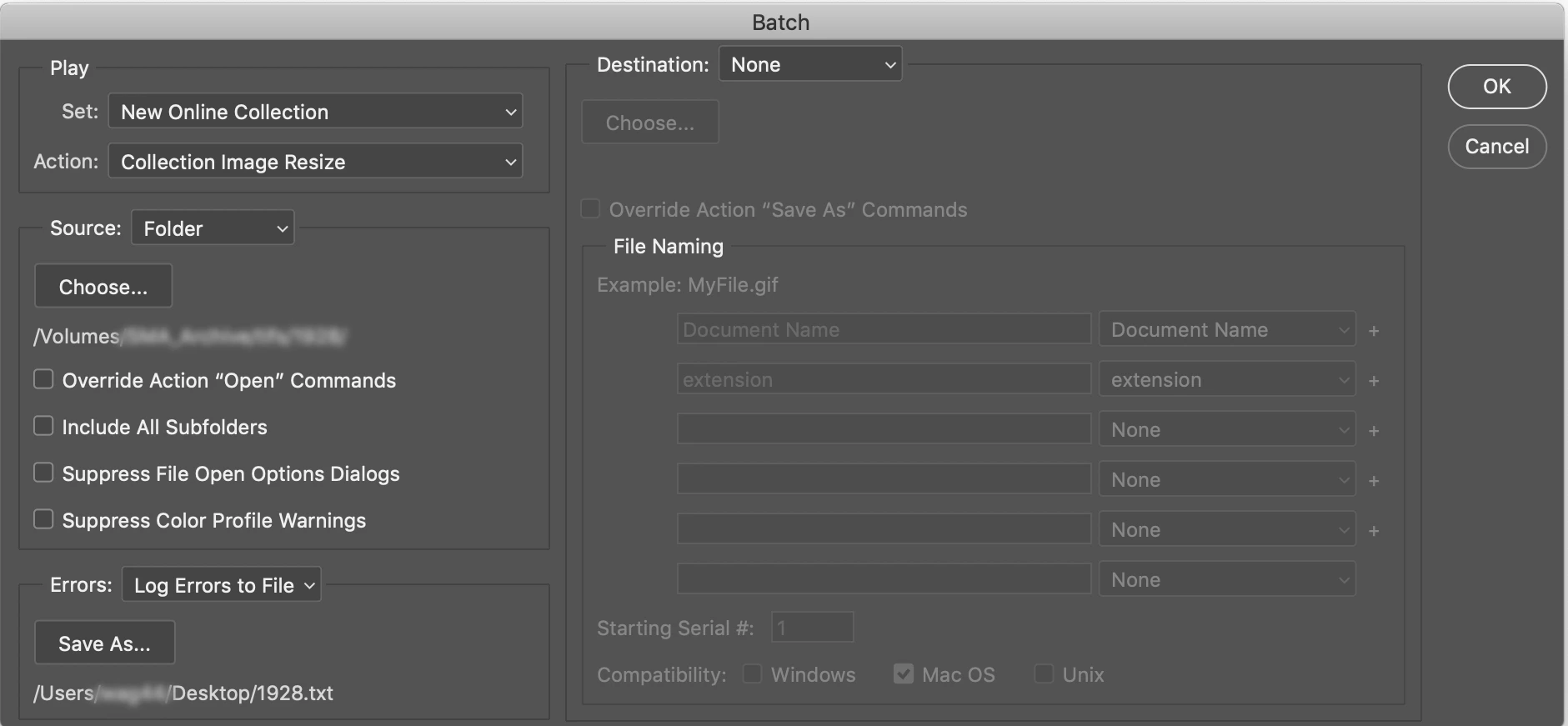
When setting up my batch options, under "Errors" I've selected "Log Errors to File", which to my understanding should bypass any errors encountered, log them, and continue processing the batch. This is my desired result, that the batch will continue uninterrupted but log the filename of any images that cause an error.
However, when Photoshop does encounter an error, it is stopping my batch process and throwing this error message:
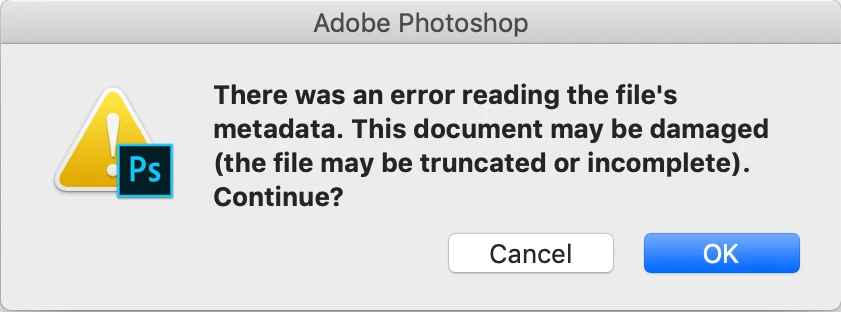
If I click OK, the batch will continue, however, I need to be able to batch these files without constantly monitoring the progress, so this is not a viable solution. I have tried reverting back to previous versions of Photoshop, and also tired selecting the "Suppress File Open Options Dialogs" in the batch setup, neither of which have worked.
Has anyone else encountered this problem with the Log Errors to File feature? Any suggestions on how to get this to work correctly?
Here is a screenshot of how I'm setting up the batch (FYI, I have my save command built-in to the action, hence no destination selected):
And here are my system and program specs:
Photoshop 20.0.5
iMac Retina 5K, 27-inch, 2019
Mac OS 10.14.5 (Mojave)
3GHz Intel Core i5
32GB RAM
Radeon Pro 570X 4 GB graphics card
Thank you!
Message was edited by: Sahil Chawla
 AdChoices