


New Participant
October 3, 2017
Question

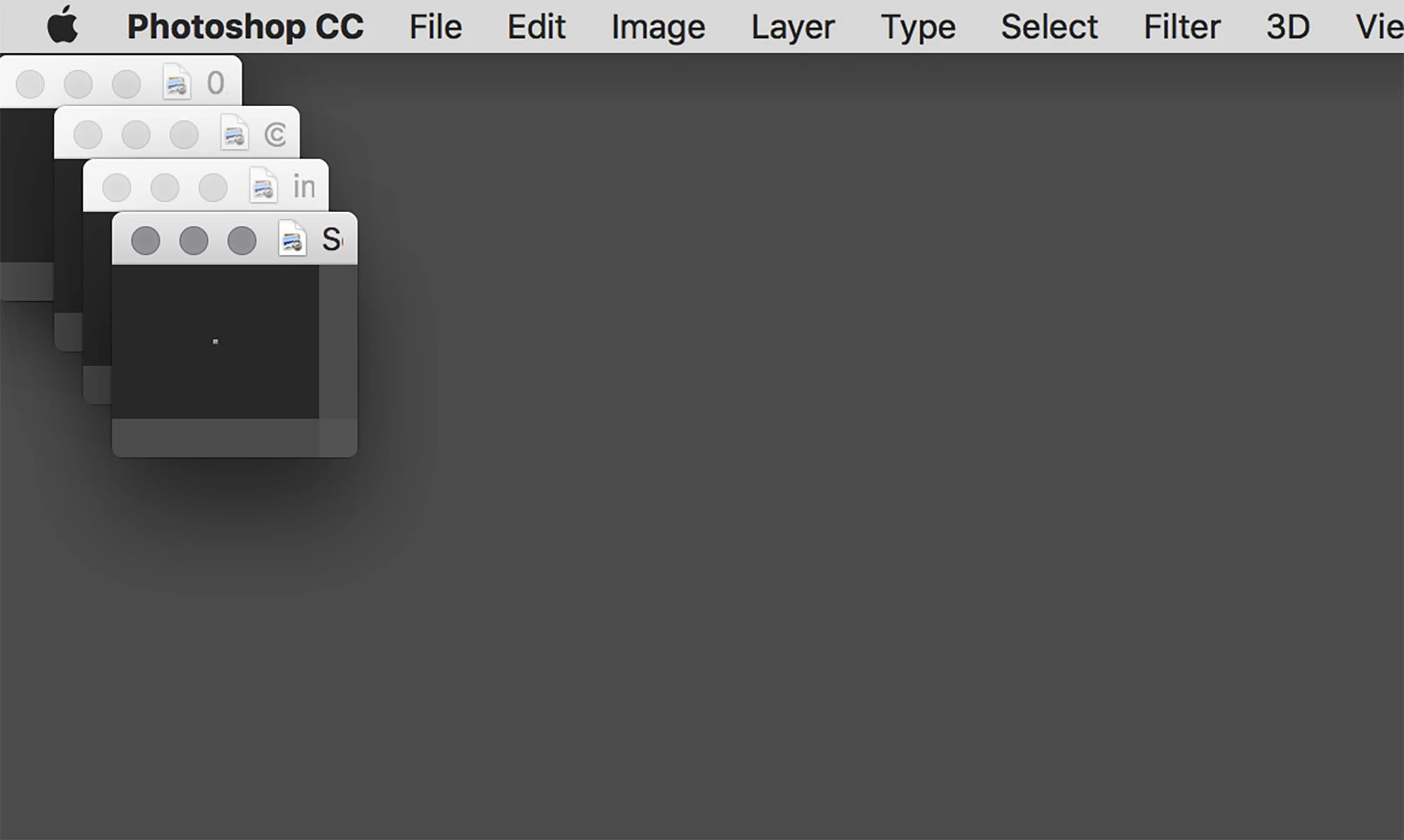
Images sometimes open up as tiny squares

  • October 3, 2017
  • 1 reply
  • 1827 views

This doesn't happen all the time, just occasionally, usually when I've got a lot to do and I'm in a hurry.

I open a jpg image up on the screen of my Apple laptop and it appears as a very very tiny thumbnail, perhaps two or three pixels across at the top left of my screen.

So I press Apple 0 to resize it and nothing happens. Then I press Apple + a few times to make it bigger and it increases in size gradually but I still have to manually resize the window.

Then when I can see it as a workable size on my screen it disappears down to the size of a dot if I press Apple 0 again.

The size of the image I am opening is not usually small, I'm talking about normal full frame DSLR images.

I'm using the latest version of Adobe Photoshop CC 2017 for Mac.  I've attached a picture to let you see what happens. 

I must have pressed something somewhere to cause this or perhaps there is a bug somewhere. Anybody else get it please ?
    This topic has been closed for replies.

    1 reply

    happie_97
    Community Expert
    October 3, 2017

    Hi maxe13337415,

    I am at work and on a PC so I can't troubleshoot and walk you through the menu options until later. However, are these opening into an application frame?

    You said you were on a Mac, I want to test something out. Try toggling between the Application Frame and the floating window to see if they still open tiny in both settings. You do this under the Window option in the menu bar.

    Also experiment with different window arrangements Tile, Consolidate All Windows, and Cascade. I am troubleshooting without a Mac so I my hunch is that one of these may be the issue.

    Andrea

    New Participant
    October 3, 2017

    Hi Happie, 

    Thank you for your helpful suggestion.  As you might expect, when I opened one of the pictures which was causing me trouble earlier today it has now opened perfectly so I am going to have to wait until the next time the problem occurs.

    I Googled Application Frame so I know what you mean and how to toggle it on and off. Next time this happens I'll experiment with the idea and let you know what happens. 

    It's the first time I've been on this forum but I will remember to tick the correct answer box if it turns out to be so.

    thank you again. Max

    happie_97
    Community Expert
    October 3, 2017

    Awesome Maxe, so glad you got it working.