


Acrobat - All fields set to number format have a default value of 1 instead of 0
I have created a form for insurance purposes where clients can list items in the first column then in the second column is the value of the item, in the 3rd is the quantity of that item and in the 4th is the subtotal for that item.
For the 2nd, 3rd and 4th columns, I have gone to Text Field Properties > Format tab > and selected "Number" from the dropdown menu.
Number options are set as follows:
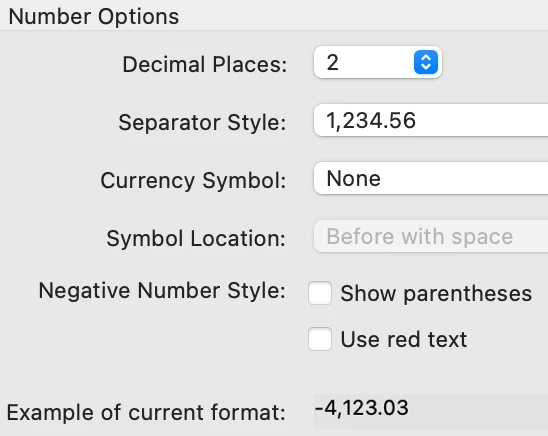
However, from the get go, all the number fields have a value of 1 rather than 0.
I have tried to find a way to make the value default to 0 but there doesn't seem to be anywhere to do that other than entering a 0 default value under Options and I tried that but it had no effect.
So this is how an unused form looks...

>
>

Ideally,I would like the fields to appear blank but for now, I'll settle for the more important issue which is having them set to zero. Under the current situation, I have a total of $91.00 when nothing has yet been entered!
Thanks very much, in advance.
m
 AdChoices