


Participant
April 11, 2021
Question

Acrobat DC doesn't stay signed in to my account

  • April 11, 2021
  • 1 reply
  • 607 views

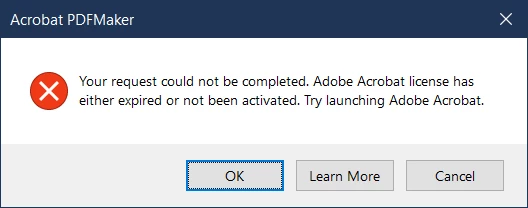
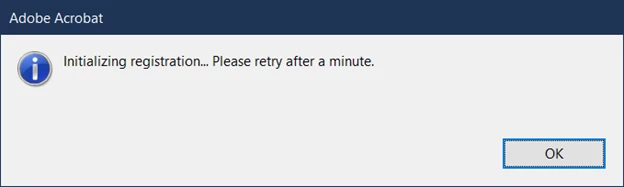
Even though I have a valid license for Creatve Cloud and Acrobat DC, I get the following when I try to use it an the next message when I try to sign into my account in Acrobat.  Eventually I can sign in, but the next time I go to use it or if I restart my computer, it happens again. Please help!


This topic has been closed for replies.

1 reply

Amal.
Community Manager
Community Manager
April 12, 2021

Hi Mike


Hope you are doing well and sorry for the trouble. As described you are getting the error message 'Adobe Acrobat license has either expired or not been activated' followed by another error 'initializing registration'


Please check out the steps provided in the help page: https://helpx.adobe.com/acrobat/kb/error-pdf-creation-cannot-continue.html


Also, for the 'initializing registration' error please try the following steps (Win OS)


1) Close all adobe related processes in task manager (Core sync, services for adobe desktop app, adobe desktop service, Adobe IPC broker, AAM updater)

2) Navigate to following locations and assign the current user full permissions to adobe folders.  (Right click on adobe folder select properties then click security tab , click edit and select current user you are signed in with , select full control , click apply and then ok)

    C://program data (enable view hidden files to see this folder)

    C://program files 86x/common files

    C://program files 86x/

    C://program files/common files

    C: //program files/


3) rename SLstore to Slstore.old at following location c://program data/Adobe/


You may also refer to the correct answer marked in the similar discussion: https://community.adobe.com/t5/acrobat/acrobat-dc-crashes-initializing-registration/m-p/9779619


Regards

Amal