


thekr3m3
New Participant
June 25, 2019
Question

Acrobat DC is stuck in a log-in loop

  • June 25, 2019
  • 5 replies
  • 22656 views

I have an Adobe Creative Cloud account. I cannot open Acrobat DC. When I click to open, it asks me...
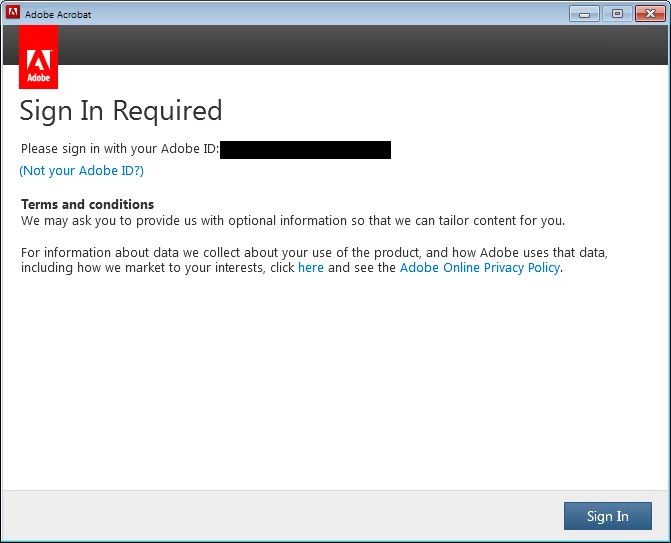
When I click "Sign In" I get this window...
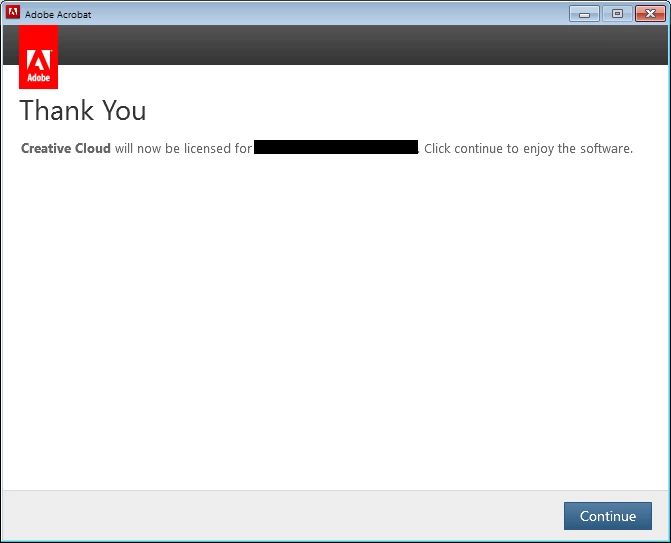
(Which is my account name under the black boxes). When I click "Continue", I'm taken back to the first window after a couple of seconds and the whole process repeats.

I'm on version 19.0 running Windows 7 (with all updates applied)

Does anyone have any ideas?

Thanks

This topic has been closed for replies.

5 replies

New Participant
February 17, 2020

Every time I try to open Acrobat DC (latest version as of 2/16/20) it asks me to sign in. A window pops up and confirms my login and Acrobat opens and closes itself and asks me to sign in again. This became a problem after I reinstalled Acrobat for the first time on my updated windows 10 desktop. I un/reinstalled it multiple times since this became an issue and the same thing happens everytime. I have since then tried and faild to fix this issue using a post in this forum for the same problem. Also, Acrobat is working fine on my laptop. 

AkanchhaS8194121
Brainiac
February 17, 2020

Hey there,


Sorry to hear about the trouble caused. 

As mentioned, this is the latest version of Adobe Acrobat DC. Have you started experiencing this issue immediately after installing the latest patch? 

You may check the following on your system-

1-Please make sure that your CC desktop application is updated.

2-Try once to sign out of the CC desktop application> Close Adobe Acrobat completely> Reboot the machine.

3-Log back in and sign-in to the CC app and launch the acrobat. Does it makes any difference?


If the issue persists, please share the details as asked below:

-CC desktop application and Acrobat version installed on your machine.

- OS version you are using

- Do you experience this behavior only with Acrobat application or with any other app too?


Let us know the result.


Thanks,

Akanchha

New Participant
February 17, 2020

I am on Windows 10 OS and pay a monthly subscription to Acrobat Pro DC. Several months ago, when accessing pdf files, I was forced to sign in each time. For several months, I could just leave one PDF document open all day and it wouldn't prompt for the sign in  again other than once a day when I opened the first pf file. As of 02-17-20 once signed it, the program will automatically close after a few minutes and I am forced to sign in repeatlely in order to view or edit PDF files. The school district has been paying this monthly subscription fee for several years and until recently we haven't encountered the repeated sign in issues. 

Inspiring
July 17, 2019

Hi There,

I understand the issue, adding on to what is suggested by "meenakshin", you may also refer to the help articles in the links below:

Do keep us posted with the results.

Regards,

Amal

ls_rbls
Community Expert
June 25, 2019

I will ask a few more questions if you don't mind.

Were you using IE explorer before this happened or have you only  accessed the CC with Chrome or Firefox since the beginning of your paid subscription? Is this the first time you tried logging in or were you able to login before with both of these browsers and then all of a sudden this started happening??

Have you tried logging in to CC using  Internet Explorer instead?

In any case, I've found these posts useful. See if this relates to your issue:

Sign In Required Loop

Re: Adobe CC user login loop

How to fix Creative Cloud sign in loop

ls_rbls
Community Expert
June 25, 2019

Assuming this is happening just with the use of Internet Explorer to access CC, have you tried accessing the same URL with a more different web browser?

This is just out of curiosity. Say, if it works with another web browser, and you still need your IE, try resetting it to its defaults and try.

I would check compatibility view settings if checked or unchecked, if smart screen filter is on, cookies are enables, the level of security applied to pop-ups, etc.

thekr3m3
thekr3m3Author
New Participant
June 25, 2019

I'm using Firefox and Chrome

Meenakshi Negi
Community Manager
Community Manager
July 4, 2019

Hello,

Sorry for the delay in response.

Are you still experiencing the sign-in issue?

If yes, please make sure that your CC desktop applicaiton is updated.

Try once to sign out of the CC desktop application reboot the machine. Then try to sign-in to the CC app and launch the acrobat.

If the issue persists, please share the details as asked below:

- CC desktop application and Acrobat version installed on your machine.

- OS version you are using

- Do you experience this behavior only with Acrobat applicaiton or with other CC applicaiton too?

Let us know if you need any help.

Regards,

Meenakshi

ls_rbls
Community Expert
June 25, 2019

Try to sign-in to your regular Adobe account and see if there you find other computers where you have installed your product.

If you do find other systems that appear as activated, delete them and just leave the one of the computer you are using right now.

It seems as if you have the installed software licensed to be used in  one computer at a time only.

thekr3m3
thekr3m3Author
New Participant
June 25, 2019

I've closed all sessions for the account but the issue still persists. Thanks for the idea, though.