


Participant
September 17, 2020
Question

Acrobat DC licensing problem on Mac

  • September 17, 2020
  • 1 reply
  • 385 views

I have a subscription to all products Adobe incluing Acrobat DC.

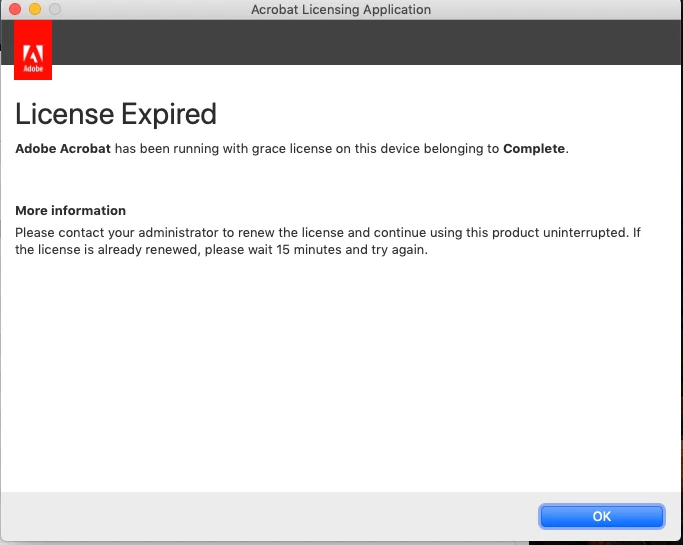
I can correctly install the app Adobe DC on my MBP 13 2016 running Mojave, however, when I launch it I get the message below telling me that I have an expired license.

I tried uninstalling and reinstalling Acrobat DC several times but this did not work. I don't have this problem with Illustator and Photoshop that I have recently installed with Acrobat DC

Any idea how to solve this?


This topic has been closed for replies.

1 reply

kglad
Community Expert
Community Expert
September 17, 2020

check your account to verify your subscription is what you expect and to verify your adobe id, https://accounts.adobe.com


if you confirm you have an acrobat subscription, sign out and then back in to your cc desktop application using the same adobe id used to verify your subscription: http://helpx.adobe.com/creative-cloud/kb/sign-in-out-creative-cloud-desktop-app.html

Participant
September 17, 2020

Thank you for your reply.

I can confirm from my account that I have a subscription for Acrobat DC.

I have signed out and and then back in already several times in my cc desktop application but the problem persist.

It must come from somewhere else.