Inspiring
October 31, 2019
Question

Acrobat Form - Getting an "Attach a File" button to work properly in Forms

  • October 31, 2019
  • 2 replies
  • 2108 views

I am using Acrobat Pro DC 2019.


I have created a button, with the intention of allowing the user to attach a document to the PDF. 

 

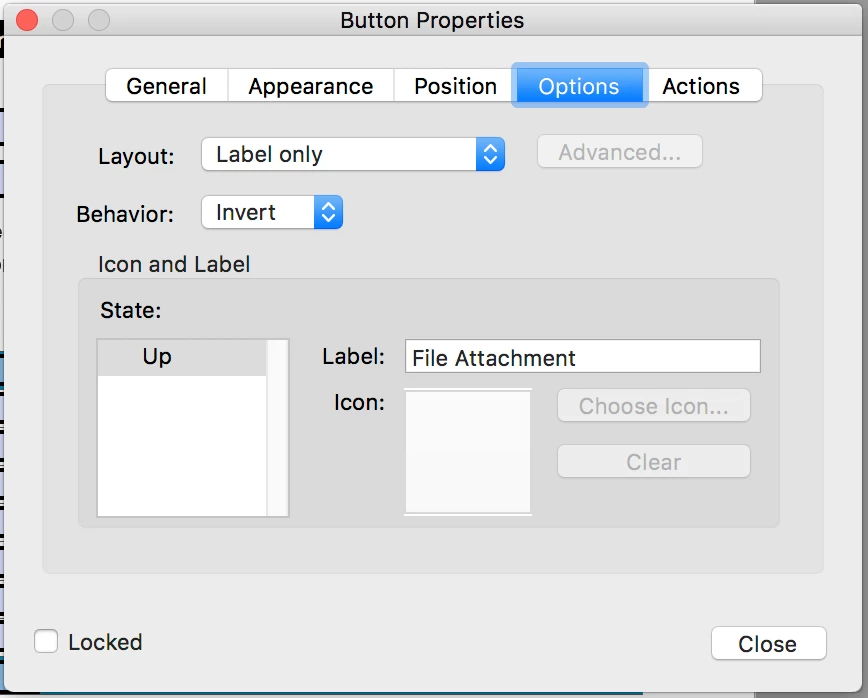
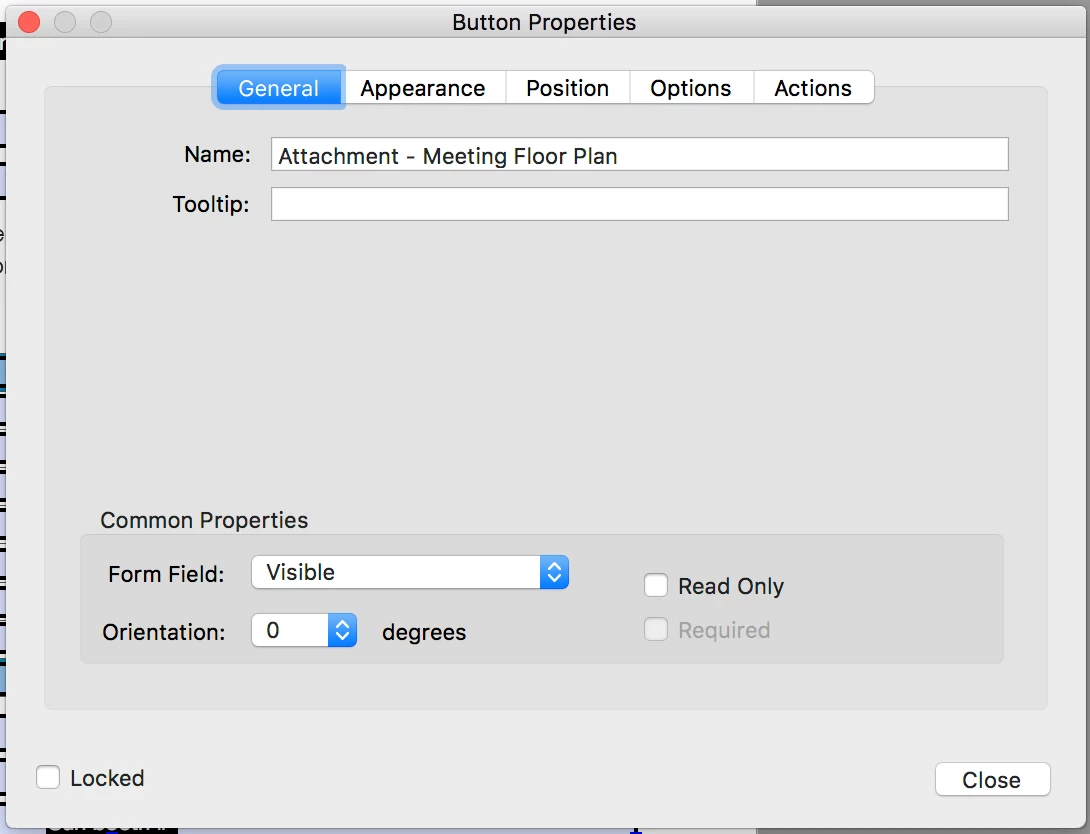
My settings for the Button are shown below:
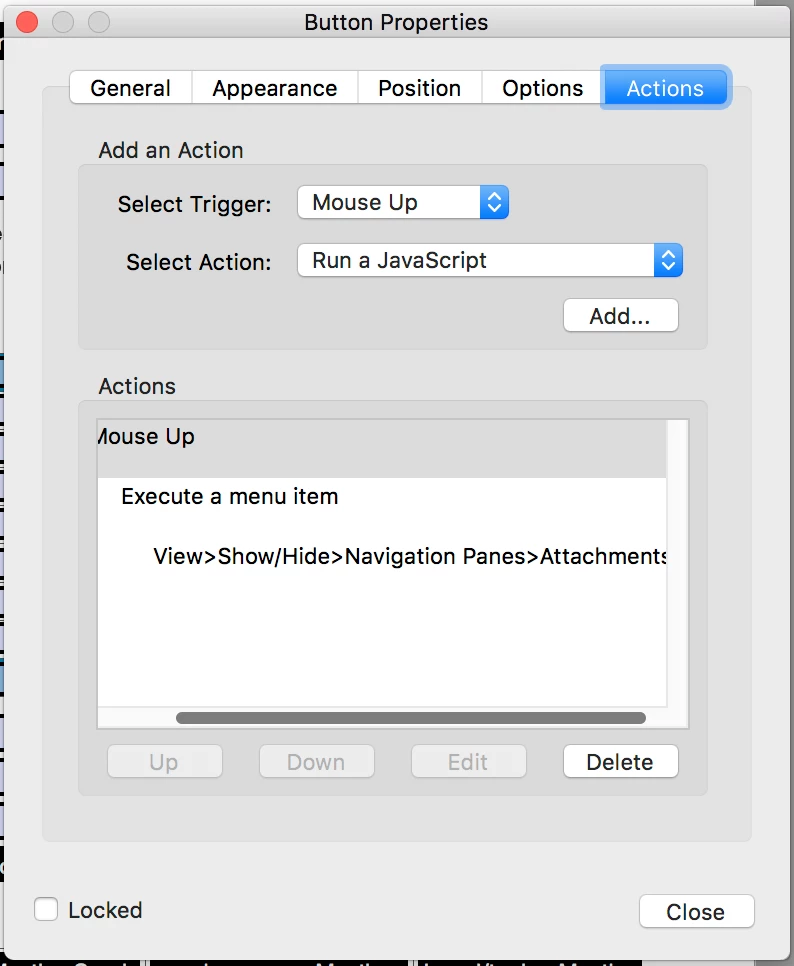
 

However, all this does is open the Attachment pane in Acrobat, where I can Add an Attachment as a separate step from a fly-out menu. Would this even work for the casual Adobe Reader user? How do I get the button to open a file browser window to attach a file directly?

This topic has been closed for replies.

2 replies

radzmar
Community Expert
Community Expert
October 31, 2019

Adding/removing attachments in Acrobat Reader requires the form to be Reader-enabled with the right "EFModif". This can only be applied through the server product Acrobat Reader Extensions in AEM Forms (formerly LiveCycle Reader extensions). 

https://help.adobe.com/en_US/AEMForms/6.1/AdminHelp/WS92d06802c76abadb-5145d5d12905ce07e7-7ffa.2.html#WS92d06802c76abadb-620a5f4712905cdf3e2-7fe9.2

Thom Parker
Community Expert
Community Expert
November 1, 2019

Fortunately, the attachement annotation can be used in Acrobat Reader without any Reader Extensions.

Thom Parker - Software Developer at PDFScriptingUse the Acrobat JavaScript Reference early and often
Thom Parker
Community Expert
Community Expert
October 31, 2019

You have a bit of a problem with this one. Adding attachments is a protected operation. Doing it the traditional way won't work from a script in a PDF. However, you can add a "File Attachment Annotation" from a form script. 

Add this script to your button:


this.addAnnot({type:"FileAttachment", rect:[200,200,200,200], page:0});


This places a paperclip file attachment annot on the bottom left of the first page. Change the rect and page parameters to change the location.


Thom Parker - Software Developer at PDFScriptingUse the Acrobat JavaScript Reference early and often
coopjackAuthor
Inspiring
November 1, 2019

Can you clarify more about how to get the paperclip icon to appear next to the File Attachment button?

This is where it appears.


How do I pre-define where the paperclip should appear before the File Attachment button is pushed?

Thom Parker
Community Expert
Community Expert
November 4, 2019

I am attempting to shift the location of the paperclip that appears once an attachment is attached.


So, my Actions > Mouse Up > Run a Javascript code for the buttons is:


this.addAnnot({type:"FileAttachment", rect:[200,200,200,200], page:0});


I am unsure where the second line of code ("var fieldRect = event.target.rect;") that you provided should go. Above this first line in the same Mouse Up code? I have tried some combinations, but without results.


My understanding (which is limited, to be sure) is that changing the coordinates in the "rect:[200,200,200,200]" section of code should move the location of the paperclip, but it does not. I have tried various combinations like [0,0,600,150] but the paperclip appears always in the same place. 


From your response, my understanding is that the paperclip coordinates should be defined relative to the button, but since my attempts to move the paperclip at all by changing the coordinates failed, I am confused about how to this.


Your help is greatly appreciated as I work through this client request that I am unfamiliar with. Thank you.


So, the idea is to figure out the rectangle location up front, then apply the attachment annotation. Did you read the article at the link I provided in my first post? It covers the details of annotation placement.  


If you just used the button location, so the paperclip apears on top of the button. The code would look like this.

this.addAnnot({type:"FileAttachment", point:event.target.rect, page:event.target.page});


Notice that there are a few changes here. "event.target" references the target of the script, which is the button.  So the script uses both the button rectangle and the button page, ensuring that the attachement annot is on the same page and location as the button. Also note that the "point" parameter is used instead of rect. This is more correct for placing an attachment annot, because the attach icon does not change size. You may not see the paperclip icon because it might be hidden behind the button, but the attachment file will appear in the attachments tab.


Thom Parker - Software Developer at PDFScriptingUse the Acrobat JavaScript Reference early and often