
Acrobat Form - how to make form field show information so people know what goes in the field
I am using Acrobat Pro DC 2019.
Usually, in a form, the field is next to some text that says what goes in the field, like this:
Name: [ ]
I am working on a Form where the field does not always line up with that information. If you look at the chart below, I need to communicaate what the user is supposed to type into the field.
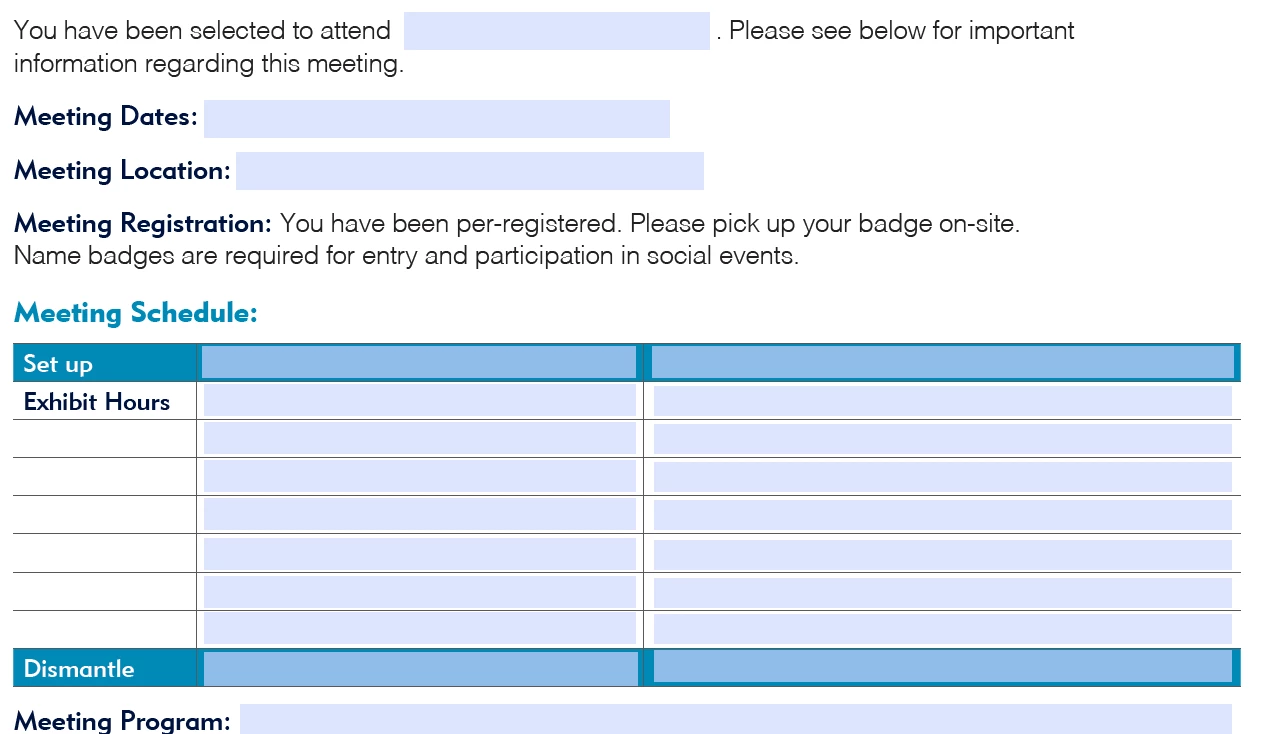
I need the chart fields to say "Event Time" and "Event Date." Having the Tooltip seems like a very slow way to do it. But also putting Default Value text in the box is cumbersome for the user since they have to erase it.
How do I have some "ghost text" in there saying "Event Time" but it disappears when they click to fill it? And if printed, the ghost text shouldn't print (preferably) but anything typed into the boxes does?
 AdChoices