


Inspiring
June 23, 2022
Question

Acrobat forms if radio buttons and checkboxes checked

  • June 23, 2022
  • 1 reply
  • 6304 views

Hi everybody,

I'm trying to create an acrobat form for the first time with some JS code. I'm trying since two days now, but somehow cannot figure out how to check if radio buttons and checkboxes are checked and then do a specific calculation.
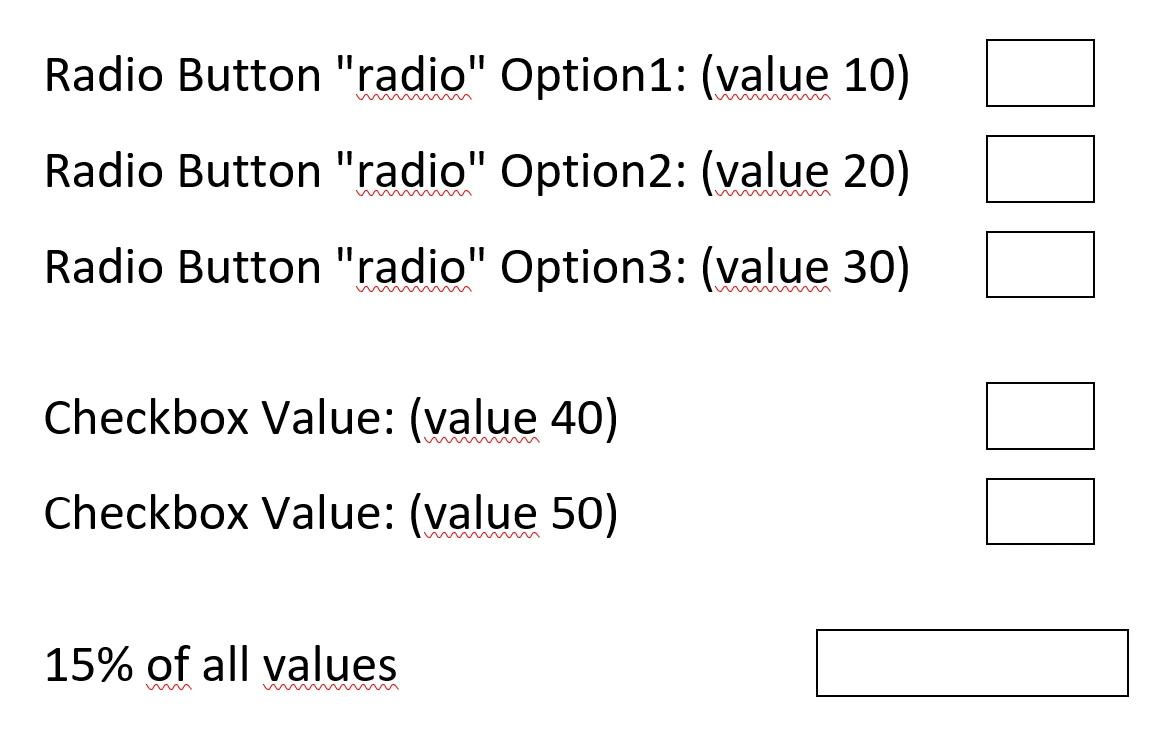
The form looks like this. In the last field should come a calculation with the values of the fields above. So for example if radio option 2 and first checkbox are check the total value is 60, so in the bottom field has to be "9" (15% of 60).


Hope somebody here can help me out with this.


Appreciate any help or advice you could give.


Thanks a lot in advance!

This topic has been closed for replies.

1 reply

try67
Community Expert
June 23, 2022

You actually don't need a script. If you've applied those values as the export values of the fields then you can use this formula under the Simplified Field Notation option of the last field (you didn't specify the field names, so let's say they are Radio1, CheckBox1 and CheckBox2:


(Radio1 + CheckBox1 + CheckBox2) * 0.15

Rostam777Author
Inspiring
June 23, 2022

Thanks a lot for your quick reply! Sounds really interesting, but where can I set the export value?

Nesa Nurani
Community Expert
June 24, 2022

radio option will always be on first row. So if button 1 is selected, there should be the value for option 1 and so on.... I just wrote option 2 here, because I had it like that in the example above also. Here is the full example:

maybe this is better to understand now.


Names for example just like try67 wrote:

Radio1, Radio2, Radio3, CheckBox1, CheckBox2


I meant what are field names where you want to show "description" and value of radio/checkbox?

Why you have Radio1, Radio2, Radio3, you don't use them as a group?

Is empty row for checkbox 2?

Anyway, assuming radio buttons are actually group called "Radio" use this as custom calculation script of one of the fields in first row and change "Text1","Text2" to those names in first row, you can apply same principle for checkbox fields:

var a1 = this.getField("Text1");
var a2 = this.getField("Text2");
var rb = this.getField("Radio").valueAsString;

if(rb != "Off"){
if(rb == "10"){
a1.value = "Radio Option 1";
a2.value = 10;}
else if(rb == "20"){
a1.value = "Radio Option 2";
a2.value = 20;}
else if(rb == "30"){
a1.value = "Radio Option 3";
a2.value = 30;}}
else{
a1.value = "";
a2.value = "";}