New Participant
January 13, 2023
Question

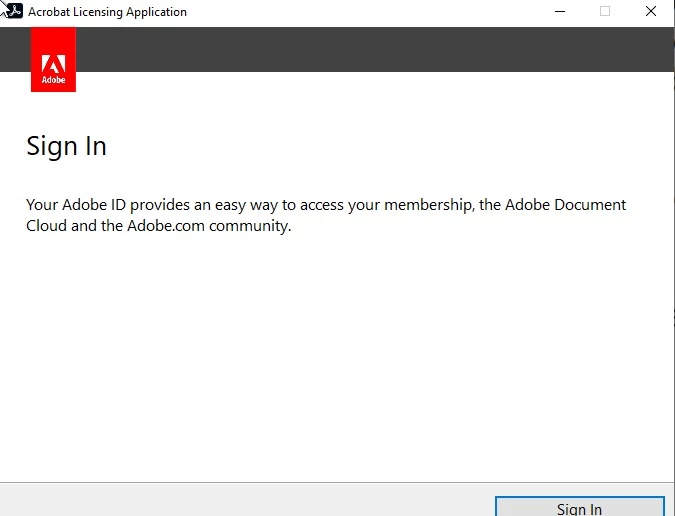
Acrobat Licensing Application

  • January 13, 2023
  • 4 replies
  • 14909 views

Hi

Recently this starting to popup.

We use Acrobat 2020 Pro with serial key.

Is their any way to disable this unwanted sign in? We dont use Adobe ID.


4 replies

New Participant
October 29, 2024

I have the same problem. It follows installation of PhotoShop Elements 2024 which works as a fully licensed program.

I have followed Amal's suggestion and the result is the same - an endless loop of requesting signing into Acrobat ID, doing so, getting a tick that all is well and still Acrobat does not work.

Regards, Paul

jameso32010578
Known Participant
October 29, 2024

So this is what I did and it worked for us...


First download the Acrobat Customization Wizard - https://www.adobe.com/devnet-docs/acrobatetk/tools/Wizard/index.html


Second, download a fresh Acrobat install package. 


Third, open the customization wizard and select File>Open Package, navigate to the fresh Acrobat install package and select the AcroPro.msi file. 


Fourth, in the Customization Wizard under the first heading (Personalization Options) I entered the serial number for the install, I granted an offline exception, selected allow standalone Acrobat deployment with CCE serial, and selected to suppress the display of the End User License Agreement. (Not sure if all of these are needed but it's what we ended up going with after a lot of back and forth trying)


Next, go tot he Registry option and under Destination Computer you're going to create two new registry keys under HKEY_LOCAL_MACHINE > Software > Adobe > Adobe Acrobat > 2020 > Activation. These two entries are to suppress the forced login. Right click and select NEW > DWORD value > name IsAMTEnforced. Once created, right click on the new key, select modify and set the value data to 1. Do this again for the second key but name it IsNGLToAMTEnforced. 


Last, go to File > Save Package. Then run this installer package and see if the Acrobat Pro it installs no longer prompts for the user to login. It worked for us so I hope it works for some of you. Believe me, I know how annoying this problem is and even more so since Abode Support seems clueless on the issue. 


Good luck! 

New Participant
October 30, 2024

@jameso32010578 thank you for your quick response. No luck so far but I suspect that is because I have not followed your instructions quite correctly. I will try again later.
Meanwhile I had an unsused NitroPro license and it installed and is working just fine so the pressure is off.

It would be nice if Adobe could fix the problem as it appears to be affecting quite a few people.

Again, thank you for your help.

Regards, Paul

Meenakshi Negi
Community Manager
Community Manager
February 3, 2023

Hi All,


Thank you for your patience so far.


We have released an optional update for the application that addresses this issue. Please try updating the application to the latest version. 

For more information on the update, refer to the following help page: https://www.adobe.com/devnet-docs/acrobatetk/tools/ReleaseNotesDC/index.html


Let us know how it goes.


Thanks,

Meenakshi  

Participating Frequently
February 6, 2023

Hi,


thank you for your effort, but unfortunately it doesn't work on my computer.

I downloaded the update, but during the instalation it asks for an Acrobat copy to fix.

This is where everything stops because I'm not able to select anything and move forward with the process.


Wojtek

Brainiac
February 6, 2023

Acrobat has continuous track - used by subscription only - and classic track - used by perpetual license only. Since you have the classic track, you must download the update for classic track. You have downloaded 22.003.20314 but need 20.005.30441. (A double check, contiuous versions are xx.yyy.2zzzz while classic versions are xx.yyy.3zzzz)

New Participant
January 19, 2023

I've been digging for this thread through Bing and Google, glad I found it, thought I was going crazy.  users of Adobe Acrobat Pro, 2020, suddenly being prompted to sign in repeatedly when working with the program.  reinstalling everyone isn't a solution.  also changing a preference in each users profile also isn't a solution.  the solution is fixing and rolling out the fix for update that has caused this mess, OR, posting a HKLM registry fix to disable the Adobe Licensing Application pop-up altogether.....

New Participant
January 20, 2023

looks like the workaround provided by Ravi, turning off the online storage has fixed the problem for now.  I hope a future update removes the problem entirely.

Amal.
Community Manager
Community Manager
January 13, 2023

Hi @iTDon 


Hope you are doing well and sorry to hear that.


Would you mind sharing the version of the OS you are using?


Please try to create a new test user profile with full admin rights in windows and try using the application there and check.


If it still doesn't work, please remove the application using the Acrobat cleaner tool https://www.adobe.com/devnet-docs/acrobatetk/tools/Labs/cleaner.html  , reboot the computer once and reinstall the application using the direct link https://helpx.adobe.com/download-install/kb/acrobat-2020-downloads.html


Let us know how it goes.


Regards

Amal


Participating Frequently
January 17, 2023

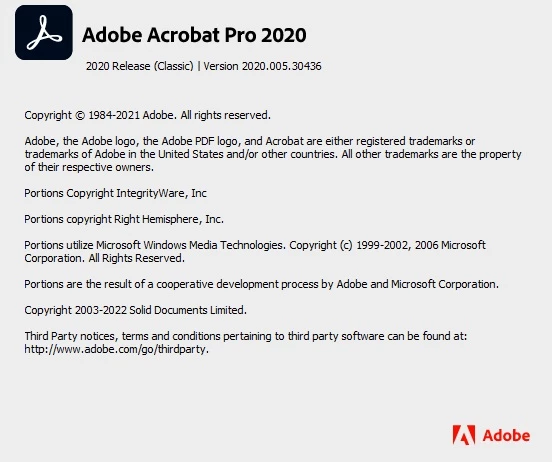
We have also started to experience this for multiple users and it began when the recently released update 20.005.30436 was installed.  Surely there is a better fix than having to reinstall all affected users, especially since an Adobe update is what caused the issue.

We are running Windows 10 21H2.  Admin rights have nothing to do with this as all was fine prior to the update being installed.

New Participant
January 18, 2023

We are experiencing the same issue on multiple installs using the same version of both windows and acrobat pro. It;s becoming profoundly frustrating. We;ve tried the uninstall tool and reinstalling with no success. We also had no success stopping and deleting the genuine service app/service. "X"ing out the signin window still allows you to "save as", but it is a pain. again, no CC here, just acrobat. A solution would be greatlky appreciated.