
Acrobat PDFMaker Office Com Add-ins tab issue / Word, Excel Tab absent
I am working to assist a user whose Adobe tab in Word and Excel disappeared after an update.
Office Version: Microsoft 365 apps for enterprise, 16.0.17328.20550
Adobe Current version: 24.002.21005
With this version, the tab does not appear in Word or Excel
Comparison version: 17.008.30051
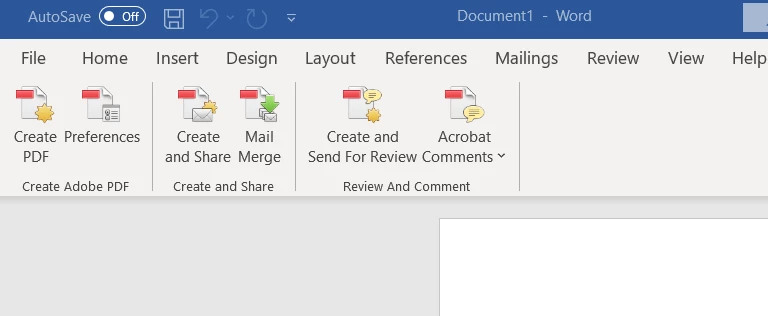
Tab is present
Desired tab:
Attempted troubleshooting:
1) Repair Adobe
2) Reinstall Adobe
3) Checked compatibility
Per this chart, word and Excel should be compatible:
https://helpx.adobe.com/acrobat/kb/compatible-web-browsers-pdfmaker-applications.html
4) File > Options > Add-ins > Go
Re-enabled / disabled add-in. Makes no difference. The functions for the Adobe tab don't even list under
Word > File > Options > Customize Ribbon > Dropdown = All Commands
5) Checked registry options per article:
https://helpx.adobe.com/acrobat/kb/pdfmaker-unavailable-office-2007-office.html?x-product=Helpx%2F1.0.0&x-product-location=Search%3AForums%3Alink%2F3.5.6
Everything appeared correct. Also tried registration steps.
6) Start Word as Admin
7) Re-mapping to DLL file within Adobe add in directory.
Everything looks like it should be there, but the tab is absent.
 AdChoices