



kglad
Community Expert
Community Expert
February 9, 2025
Question

acrobat pro crashing within ~5 seconsds of opening a downloaded document

  • February 9, 2025
  • 2 replies
  • 1232 views

with other pdf, i have no problems.


now, here's what's baffling me, on win 10 version 22H2 (build 19045.5440)


1.  i've restarted my computer (several times today after trying the various "fixes")

2. i was able to open and edit this pdf yesterday.

3. i've redownload this document (tried with chrome, edge and firefox) and all crash acrobat today.

4. i can open and edit this pdf using reader online without issue.

5. i've checked for acrobat updates (none available, i have v 24.1)

6. i've run acrobat help > repair

7. i've uninstalled acrobat and reinstalled (no cleaner used).

8. i can view all 31 page of this document in acrobat, if i scroll quickly enough (crash occurs after about 5 seconds), and they all appear to be normal.

9. i have plenty of drive space (and i've tried opening from 2 different hard drives).

10. i can view all 31 pages in my acrobat preview panel
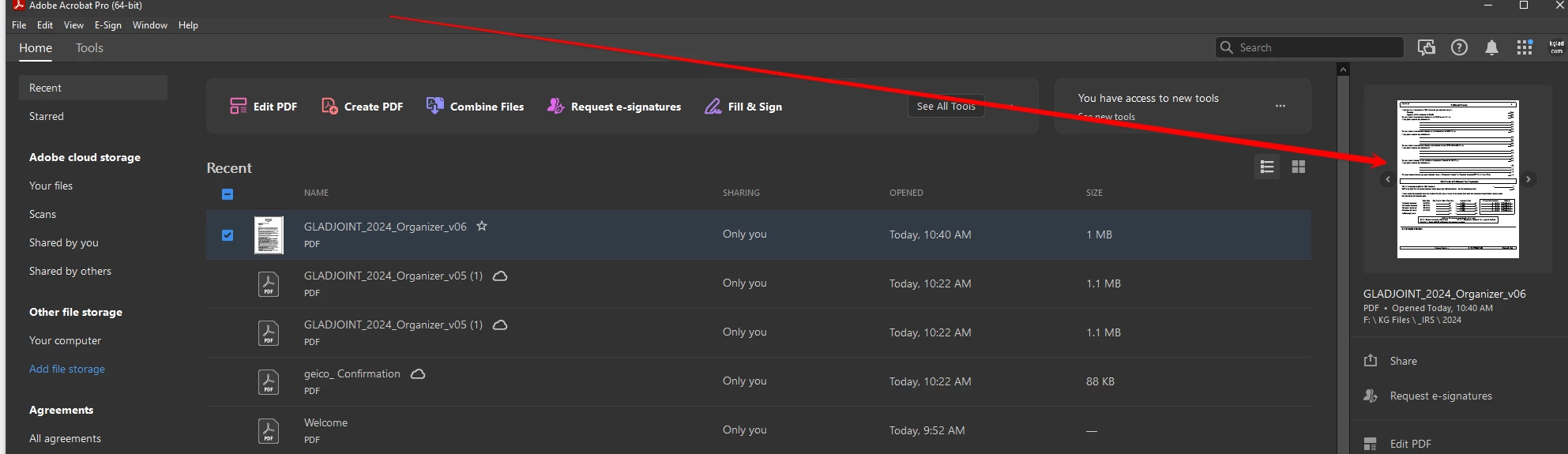
 

but i can't figure out what could be causing this and how to fix it.


2 replies

Adobe Employee
February 12, 2025

Hi @kglad ,


Requesting you share the dump files with us.


For Crash dumps (.dmp) files:

  1. Refer ‘Using Windows error reporting to collect Acrobat/Reader crash dumps’ section.
  2. Or you can run the below commands in the Run dialog
    1. REG ADD "HKEY_LOCAL_MACHINE\SOFTWARE\Microsoft\Windows\Windows Error Reporting\LocalDumps"
      REG ADD "HKEY_LOCAL_MACHINE\SOFTWARE\Microsoft\Windows\Windows Error Reporting\LocalDumps" /v DumpFolder /t REG_EXPAND_SZ /d "%LOCALAPPDATA%\CrashDumps"
      REG ADD "HKEY_LOCAL_MACHINE\SOFTWARE\Microsoft\Windows\Windows Error Reporting\LocalDumps" /v DumpCount /t REG_DWORD /d 0x00000040
      REG ADD "HKEY_LOCAL_MACHINE\SOFTWARE\Microsoft\Windows\Windows Error Reporting\LocalDumps" /v DumpType /t REG_DWORD /d 0x00000002
  3. You will find the dumps at: "%LOCALAPPDATA%\CrashDumps"


Thanks

Aakash

kglad
Community Expert
kgladCommunity ExpertAuthor
Community Expert
February 12, 2025

@Aakash Deep 


i already had a LocalDumps key but the only value was default.  i added the 3 values (recommended at the link you just posted) in LocalDumps and opened the problematic file in acrobat and checked the crash dumps folder where i saw only files from 2/9 (the date when this problem first occurred).  i  again opened the file in acrobat and after the crash, rechecked the folder and saw the same 10 files.


anyway, here's the last dmp file, https://www.kglad.com/Files/forums/Acrobat.exe.21152.dmp.zip

Adobe Employee
February 13, 2025

Thanks for sharing the logs. We will get to you on this after our investigation. Meanwhile, can you share the file with us as well?

creative explorer
Community Expert
Community Expert
February 10, 2025

@kglad could it be a corrupted file?

m
kglad
Community Expert
kgladCommunity ExpertAuthor
Community Expert
February 10, 2025

anything's possible but i don't understand why a clean download won't work now.


these is part of the crash report


<?xml version="1.0"?>
<!DOCTYPE AdobeCrashReport SYSTEM "AdobeCrashReporter.dtd">
<crashreport serviceVersion="16.7.0.202408221003_c7c60a5" clientVersion="16.7.0.202408221003_c7c60a5" applicationName="Adobe Acrobat" applicationVersion="24.005.20399" build="0" source="Windows-Client" crashType="n/a">
<time year="2025" month="2" day="10" hour="5" minute="12" second="1" timeoffset="-480" timezone="Pacific Standard Time" crsessionduration="9"/>
<user guid="7c1e9b6d-b640-4cdc-afd8-4da32fdbff8c"/>
<system platform="Windows 10 Pro" osversion="10.0" osbuild="19045" applicationlanguage="en-us" userlanguage="en-US" oslanguage="en-US" ram="32168" machine="Intel(R) Core(TM) i7-6700K CPU @ 4.00GHz" model="Intel64 Family 6 Model 94 Stepping 3" cpuCount="8" cpuType="8664" cpuFreq="4008 MHz" processorArchitecture="9"/>
<gpu>
<gpuinfo availability="Off Line" adapterCompatibility="Intel Corporation" adapterRAM="1024 MB" caption="Intel(R) HD Graphics 530" description="Intel(R) HD Graphics 530" driverDate="20220721000000.000000-000" driverVersion="31.0.101.2112" videoModeDescription="" pnpDeviceID="PCI&#92;VEN_8086&#38;DEV_1912&#38;SUBSYS_86941043&#38;REV_06&#92;3&#38;11583659&#38;0&#38;10" installedDisplayDrivers="igd10iumd64.dll,igd12umd64.dll,igdumdim64.dll"/>
<gpuinfo availability="Running/Full Power" adapterCompatibility="NVIDIA" adapterRAM="4095 MB" caption="NVIDIA GeForce GTX 1050 Ti" description="NVIDIA GeForce GTX 1050 Ti" driverDate="20240814000000.000000-000" driverVersion="32.0.15.6094" videoModeDescription="3840 x 2160 x 4294967296 colors" pnpDeviceID="PCI&#92;VEN_10DE&#38;DEV_1C82&#38;SUBSYS_37291458&#38;REV_A1&#92;4&#38;2D78AB8F&#38;0&#38;0008" installedDisplayDrivers="nvldumdx.dll"/>
</gpu>
<crash exception="EXCEPTION_ACCESS_VIOLATION" exceptionCode="0xc0000005" instruction="0x000000005D79297D">
<backtrace crashedThread="0">
<thread index="0">

AnandSri
Community Manager
Community Manager
February 11, 2025

Hi @kglad!


I hope you're doing well, and we apologize for the delayed response and the trouble.


Could you please share the affected file and a fresh crash logs using the Crash Collector tool for further investigation? 


Thank you,

Anand Sri.