Jamal NUMAN
Known Participant
November 15, 2022
Question

Acrobat Pro DC 2021.001.20145: “Selection” tool fails to select an underlined text,

  • November 15, 2022
  • 3 replies
  • 1637 views

Acrobat Pro DC 2021.001.20145: “Selection” tool fails to select an underlined text,


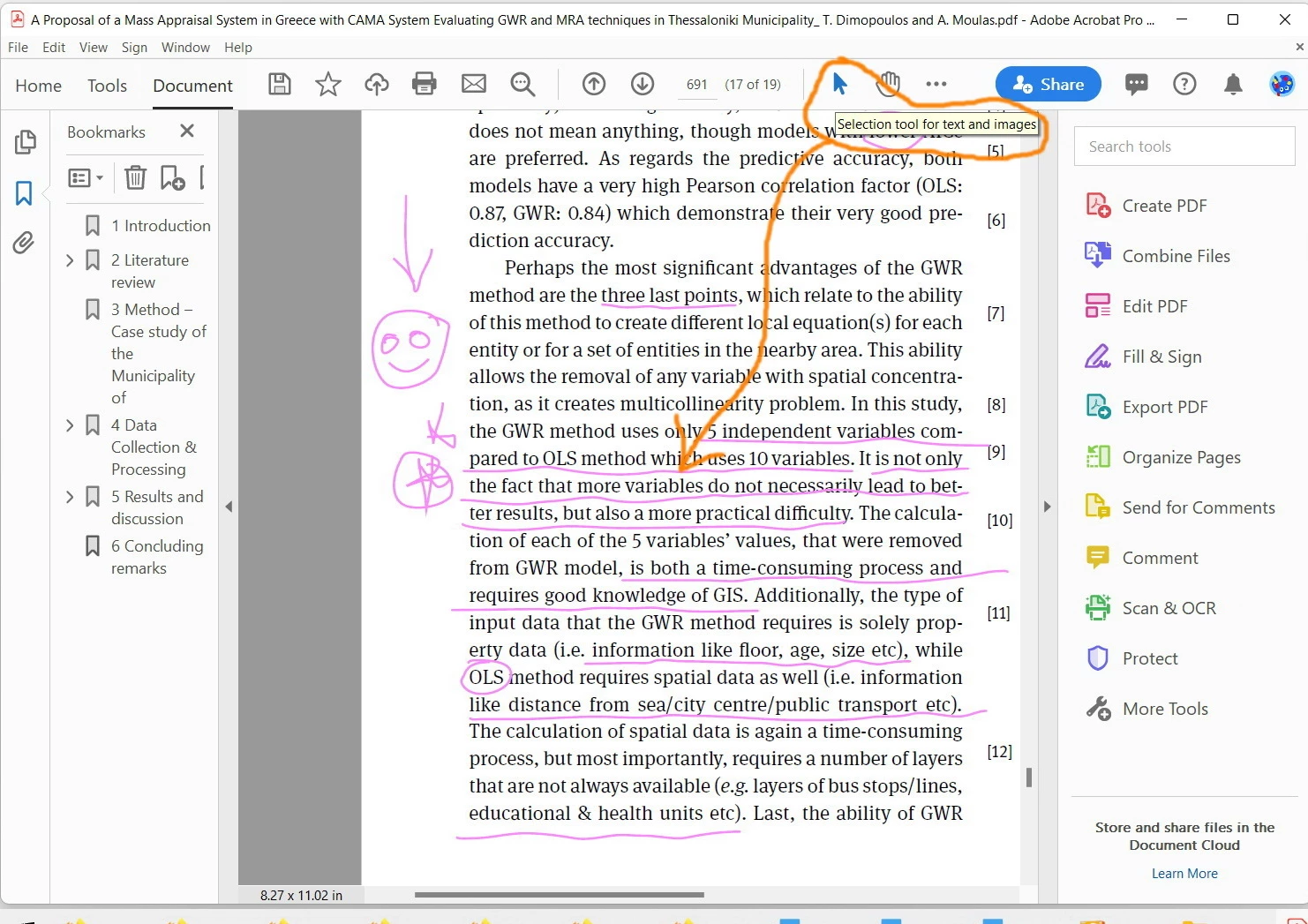
As per the screenshot below, I couldn’t figure out why the “Selection” tool fails to select an underlined text. This functionality used to work fine in the earlier versions of Acrobat


The pdf file is attached


This topic has been closed for replies.

3 replies

JR Boulay
Community Expert
Community Expert
November 15, 2022

2.

You should use the Underline tool which is made for that. It allows correct (straight) underlining and it leaves the text easily selectable.


Acrobate du PDF, InDesigner et Photoshopographe
Jamal NUMAN
Known Participant
November 15, 2022


  1. At the era of Acrbat writer (before Pro and before Pro DC), this used to work fine with no issues! The functionates are less in Pro DC!
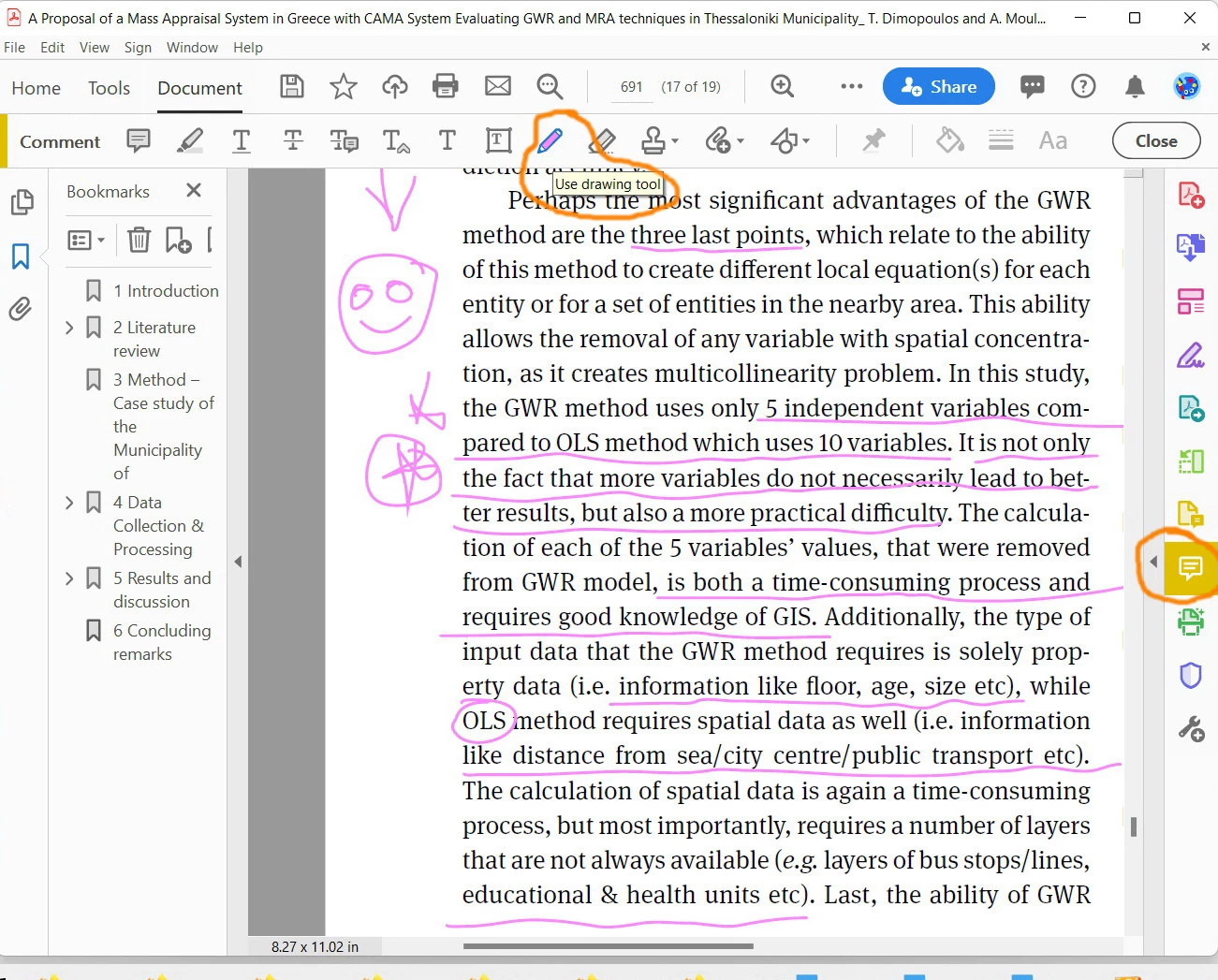
  2. For me, I would love to underline the text with the “use drawing” tool but not “underline text” tool. This more natural
  3. Why the selection of text are dominated by the underlined text? It shouldn’t act like that


Is there still a way to select texts that are underlined with the “use drawing” tool as per the screenshot above?

JR Boulay
Community Expert
Community Expert
November 15, 2022

Sorry, I found it (human bug…)


1.

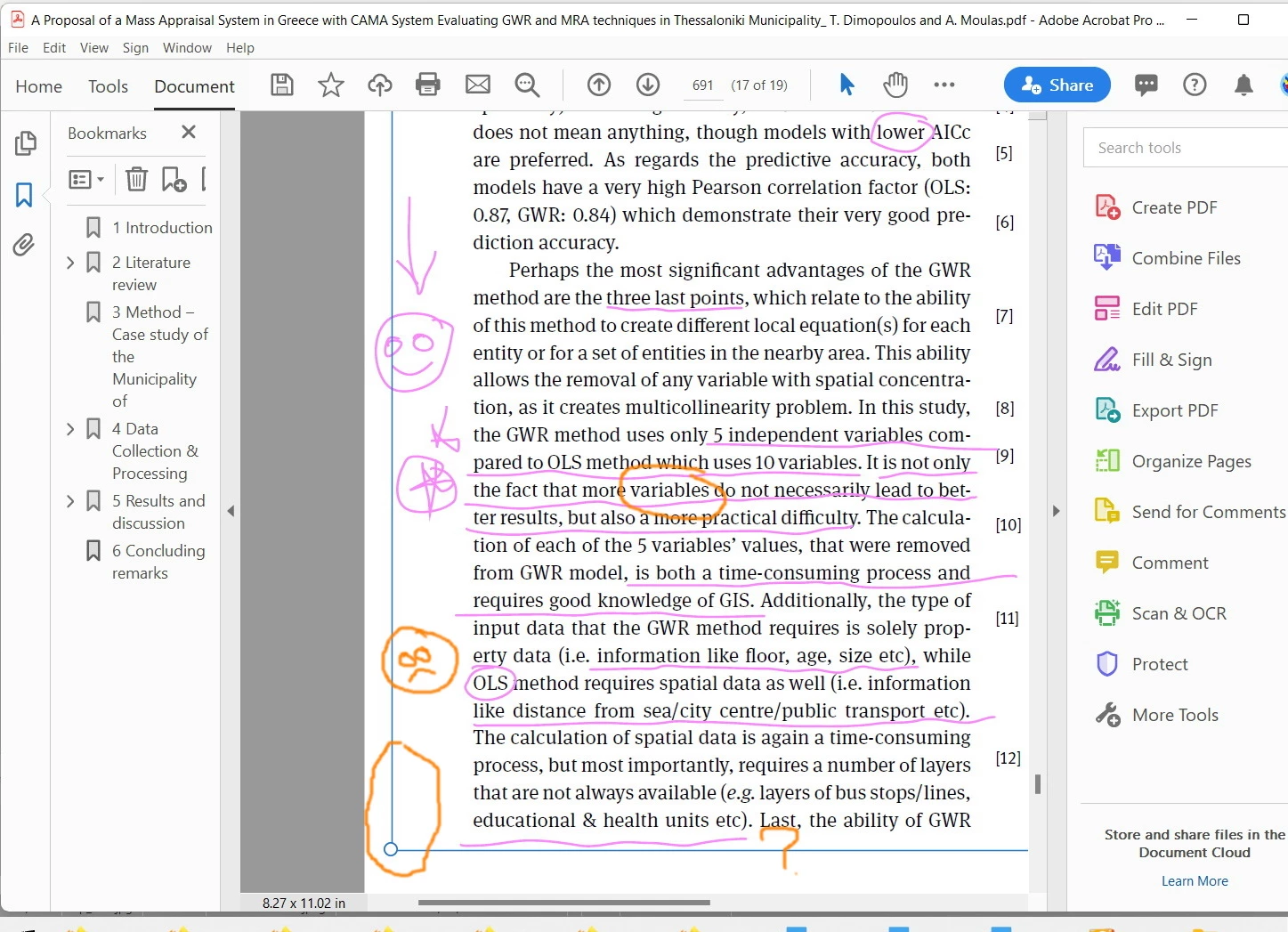
This is because your annotations form large invisible blocks that cover the text, which becomes difficult to select.


Acrobate du PDF, InDesigner et Photoshopographe
JR Boulay
Community Expert
Community Expert
November 15, 2022

Mmmm…

The PDF file is not attached.

😉

Acrobate du PDF, InDesigner et Photoshopographe
Jamal NUMAN
Known Participant
November 15, 2022

Sorry about that. I have attached it to the first post. It's there