


Acrobat Pro DC crashing for one user on RDS
We have Acrobat Pro DC installed on a Windows RDS server. Everything was working fine until recently. One user started having an issue where Acrobat wouldn't load. No errors, just double-click, spining wheel, arrow, nothing. Checked the Event Logs and found Acrobat.exe Application Errors (Event ID 1000, Source Application Error). In our recent attempts to troubleshoot, we rebooted, Repaired the install, uninstalled and reinstalled (which caused more problems since you can no longer have Reader and Pro on the same system), so we restored to a week old backup. Everything worked on that backup... until today.
Today, the problem resurfaced. (The original problem happened on a Thursday... is Thursday an Adobe update day? Like Microsoft has Patch Tuesday?) The Event Log is indicating Acrobat.dll version 22.1.20142.0 is having a problem, causing Acrobat.exe version 22.1.20169.0 to crash.
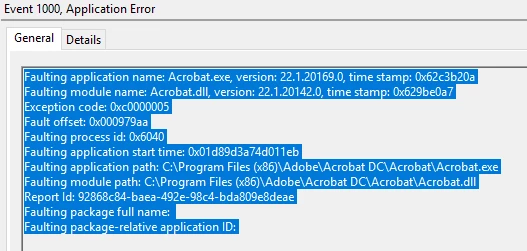
Recent steps taken to try to resolve it include backing up the HKLM\Software\Adobe key and then deleting it and renaming the %appdata% Local and Remote Acrobat related folders (I *THINK* I got them all) so that they would be recreated. I'll note that once I delete the registry, Acrobat opens ONCE. Then if you close it, the problem resurfaces.
Additionally, we've seen a bunch of errors with AcroCEF.Exe as well, an Exception Code of 0xc0000409
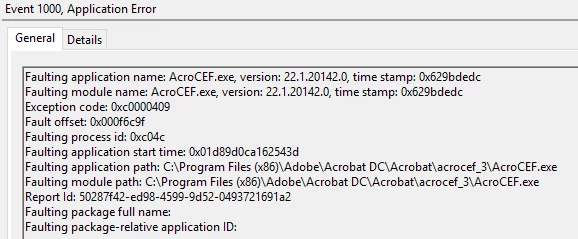
Does anyone have a clue how to fix this for the user (Other users on the RDS server have not (yet) experienced the issue).
 AdChoices