


Participant
July 18, 2024
Answered

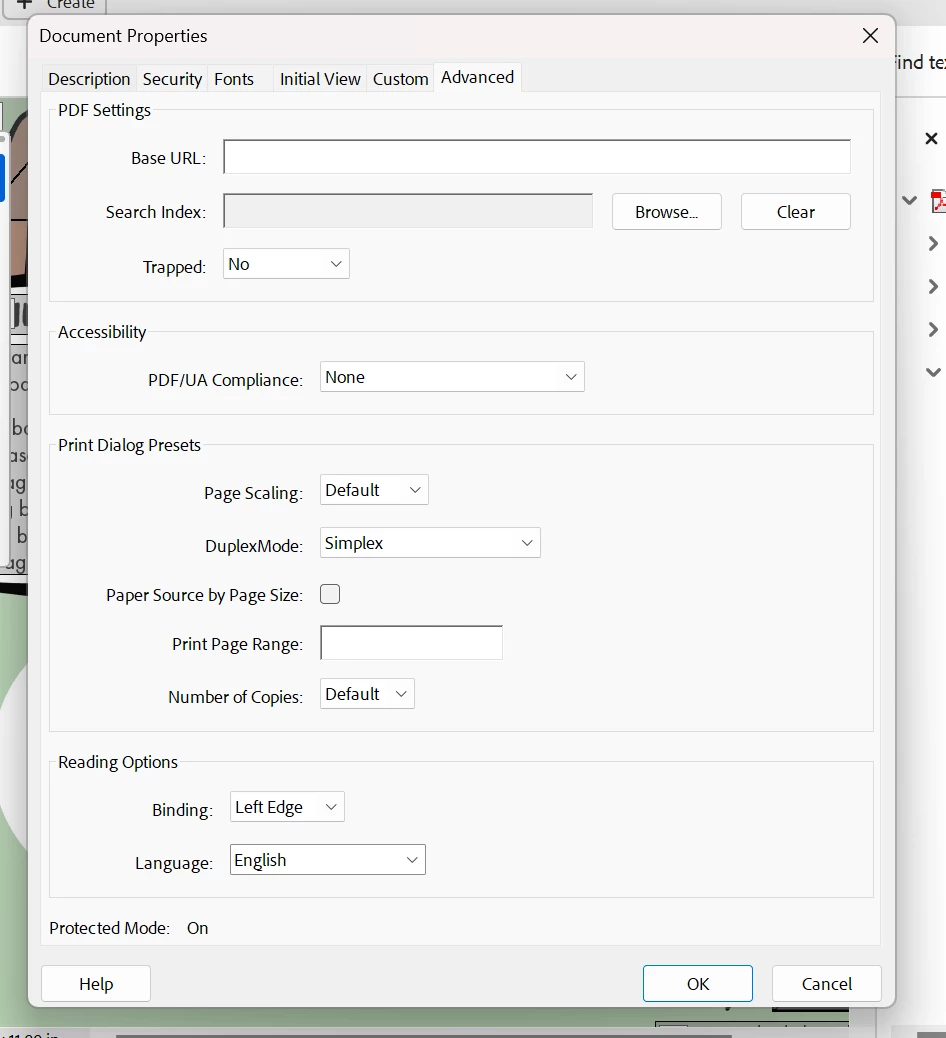
Add Tagalog and Vietnamese as reading options language in document properties

  • July 18, 2024
  • 1 reply
  • 1415 views

Hi, I can't figure out how to get Tagalog and Vietnamese to show up as options for the reading option language in document properties. Neither are in the dropdown menu for me and I don't know how to add them. Thanks for any help or links.
This topic has been closed for replies.
Correct answer try67

However, it seems it is possible to just manually enter whatever you want into that drop-down, so you can give that a go. I do think you should use the 2-letter code for these languages, though, not just write them out.


Yes, I confirmed that is indeed what is saved internally when you make a selection in this drop-down. So "Arabic" is saved as "ar", for example.

1 reply

try67
Community Expert
Community Expert
July 19, 2024

You can't add languages that are not in the list. You will need an external tool or plugin to set that properly to other values.

Participant
July 19, 2024

Thank you!

try67
Community Expert
Community Expert
July 19, 2024

However, it seems it is possible to just manually enter whatever you want into that drop-down, so you can give that a go. I do think you should use the 2-letter code for these languages, though, not just write them out.