
Participant
April 27, 2020
Answered

Adding certificates to trust list for signature validation

  • April 27, 2020
  • 1 reply
  • 6190 views

Hello Acrobat Community,


I want to add a root-certificate to the trusted indentities in Adobe DC for multiple PCs in our company.

Without the trusted certificate, users would have to manually add the certificate used for the signature to the trusted identities/certificates list. Until then, signatures from other employees will always be marked as not trustworthy. To avoid confusion of our employees, we want that signatures from our employees are shown as confirmed/legit identities.


The certificate is created by our companies CA.

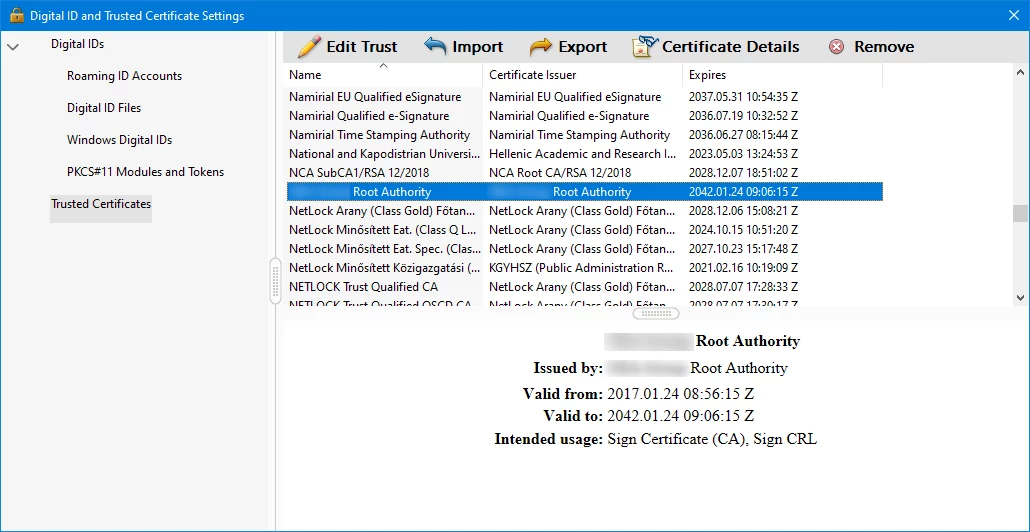
Here I added it to the trusted list manually:
 

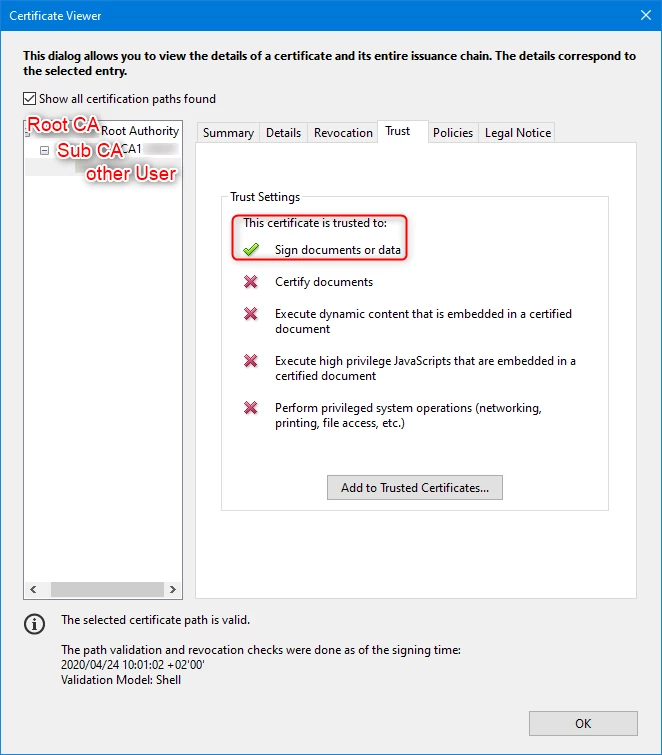
It should look like this:


Is there any way to add the certificate automatically to the list? Either by Windows GPO or when installing Adobe DC? Where is that list even saved and is there a way to edit it?

This topic has been closed for replies.
Correct answer AnandSri

Hi there!


I hope you are doing well!


As of now, there aren't any settings to add the certificates automatically on the list. 


For detailed information about the locations and about the certificates, please refer to the following Adobe articles and let us know if that helps: 

https://helpx.adobe.com/acrobat/using/trusted-identities.html#import_and_export_a_certificate

https://www.adobe.com/devnet/acrobat/security.html


If you are working in an enterprise environment and want to control these settings for enterprise deployment, use the Customization wizard to

https://www.adobe.com/devnet-docs/acrobatetk/tools/AppSec/trust.html

https://www.adobe.com/devnet-docs/acrobatetk/tools/Wizard/index.html


Thanks,

Anand Sri.


1 reply

AnandSri
Community Manager
AnandSriCommunity ManagerCorrect answer
Community Manager
April 28, 2020

Hi there!


I hope you are doing well!


As of now, there aren't any settings to add the certificates automatically on the list. 


For detailed information about the locations and about the certificates, please refer to the following Adobe articles and let us know if that helps: 

https://helpx.adobe.com/acrobat/using/trusted-identities.html#import_and_export_a_certificate

https://www.adobe.com/devnet/acrobat/security.html


If you are working in an enterprise environment and want to control these settings for enterprise deployment, use the Customization wizard to

https://www.adobe.com/devnet-docs/acrobatetk/tools/AppSec/trust.html

https://www.adobe.com/devnet-docs/acrobatetk/tools/Wizard/index.html


Thanks,

Anand Sri.


Kon.K19Author
Participant
April 29, 2020

Hello Anand Sri,


thanks for the reply!

I figured out that the list of trusted certificates is stored in

C:\Users\<Username>\Appdata\Roaming\Adobe\Acrobat\DC\Security\adressbook.acrodata

and can be copied to other users appdata (probably not the best way to do it). After doing so, signatures just need to be validated once and are then shown as trusted.

I will take a look at the Wizard too.


Thanks again!