


emilye81763600
Participant
December 12, 2018
Question

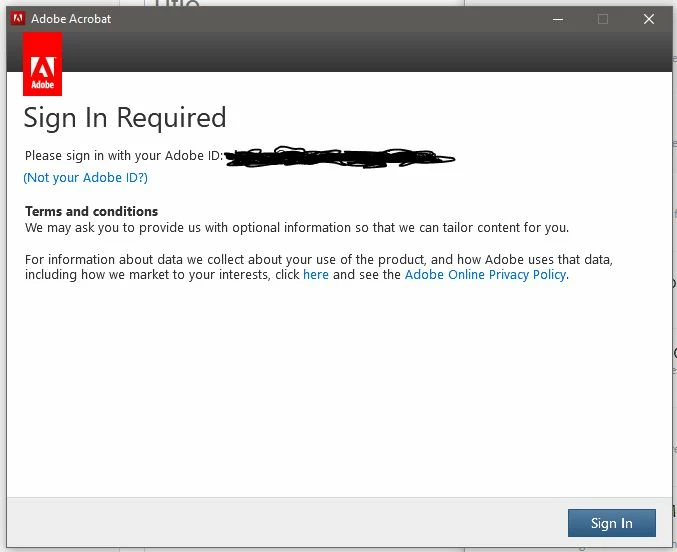
Adobe Acrobat DC won't open and keeps asking me to log in?

  • December 12, 2018
  • 1 reply
  • 10172 views

Every time I try and launch my Acrobat, a window pops up asking me to log in. I am already logged into the cloud, so this doesn't make sense. I continue to log in, and then the widow pops up again. No matter how many times I log in, Acrobat just won't open. I have tried restarting my computer, installing and uninstalling, logging in and out of the cloud and even checking my internet settings. I am completely unable to open PDFs which is a huge issue. Any ideas would help.
This topic has been closed for replies.

1 reply

Meenakshi Negi
Community Manager
Community Manager
December 13, 2018

Hi Emilye,

Sorry for the inconvenience caused.

As you have mentioned above, you are already logged in to the CC desktop application.

Please try once the steps provided here sign in help

Check if that helps.

If the issue still persists, try once to open the application directly from the CC desktop application. Check if you still get the same error message.

Also, check if there is an update pending for the CC desktop application or the Adobe Acrobat application.

Check if you get the same "sign in" window for other CC applications.

Let us know how it goes.

We will be waiting for your response.

Regards,

Meenakshi

emilye81763600
Participant
December 14, 2018

Are there any other fixes for this? I have tried many many different things and nothing is working.

Meenakshi Negi
Community Manager
Community Manager
December 17, 2018

This window also appeared:


Try the troubleshooting steps provide here Fatal error - Acrobat failed to connect to a DDE server

Let us know how it goes.

Please share the complete dot version of Adobe Acrobat DC.

Regards,

Meenakshi