


New Participant
July 2, 2023
Answered

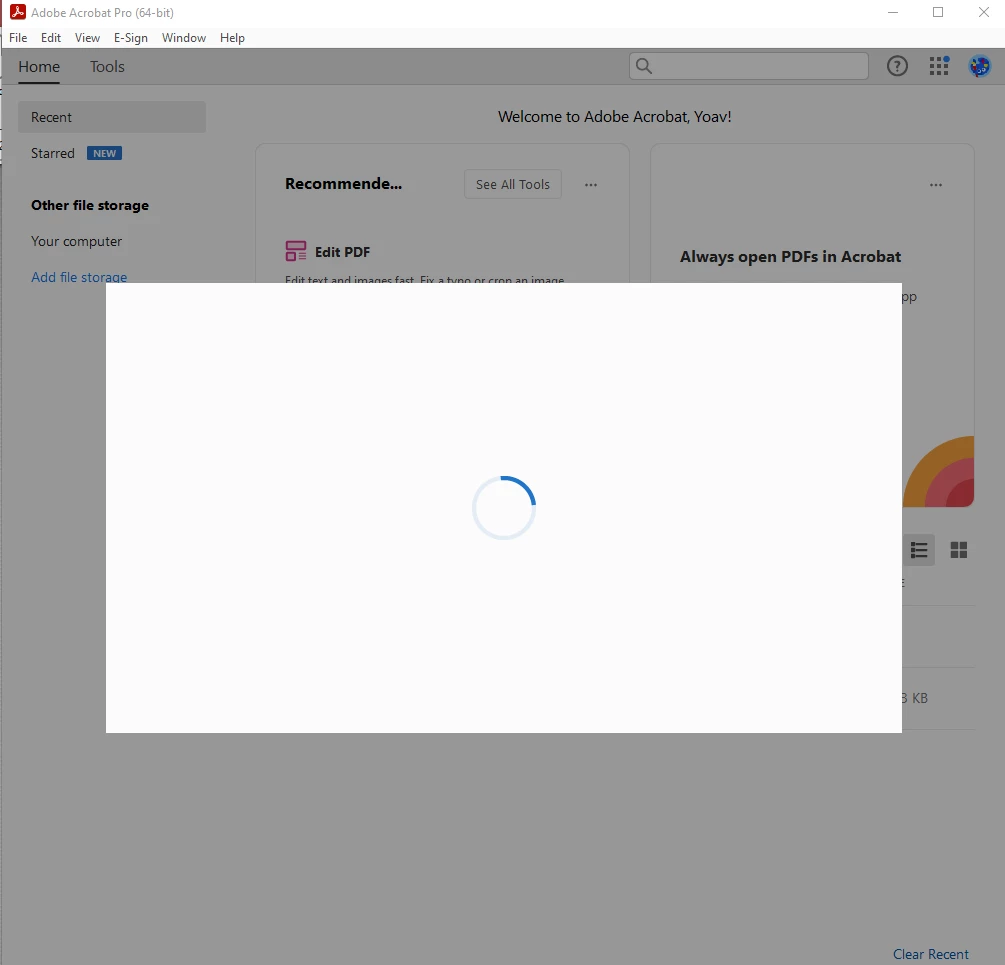
Adobe Acrobat is stuck on a blank loading screen

  • July 2, 2023
  • 6 replies
  • 27335 views

Hello,

After trying to optimize a PDF. Suddenly, a few secounds after I open Acrobat, a blank loading screen appears. The circle is turning but nothing happans until I force shut to program. I've tried to reinstall, but it appears again. Any help will be appreciated!
 

Many thanks,

Yoav


This topic has been closed for replies.
Correct answer Amal.

Hi there


The new version of Acrobat (23.03.20269) is now available to address this issue. Please update the application from the help menu > Check for updates and reboot the computer once.


You may also download the patch manually from the link https://www.adobe.com/devnet-docs/acrobatetk/tools/ReleaseNotesDC/index.html and see if that works.


Regards

Amal

6 replies

New Participant
January 10, 2024

Nice. sLooks like its time to check alternatves for acrobat. I dont have any time to check every solutions, which all this great people offered. 
very dissapointed with software and lost a lot of time

New Participant
August 14, 2023

I THINK I SOLVED IT!!!


Go to... System Setting/Login Items/Allow in the Background...turn off Adobe Acrobat Reader.


I did this and my files are working again. No loading box. I have opened numerous files, numerous ways and it works.


You will just have to be on top of checking for updates.


You are welcome!

New Participant
December 19, 2023

I've tried the solutions posted here, and nothing works because the instructions are incomplete. This is what you actually need to do:

  1. Clean uninstall with the Acro cleaner (https://www.adobe.com/devnet-docs/acrobatetk/tools/Labs/cleaner.html).
  2. Reboot.
  3. Install with the latest Creative Cloud because installs are now only allowed through Creative Cloud.


These are the missing steps:

  • Go to C:\Program Files\Adobe\Acrobat DC\Acrobat\NGL.
  • Delete the folder there named cefWorfklow.


The Problem Was: Acrobat Pro is unusable. The application starts, a blank window pops up for a couple seconds (it's the device activation window) then it disappears, then the application closes.


I'm on Windows 11 Pro. The fault is logged in Windows Event Log:

Faulting application name: adobe_licensing_wf_acro.exe, version: 1.8.0.7, time stamp: 0x6501aca7
Faulting module name: NahimicOSD.dll, version: 2.2.23.0, time stamp: 0x61b7fd89
Exception code: 0xc0000005
Fault offset: 0x0000000000014aa0
Faulting process id: 0x0x1C98
Faulting application start time: 0x0x1DA3278E3F2ED7E
Faulting application path: C:\Program Files\Adobe\Acrobat DC\Acrobat\NGL\cefWorkflow\adobe_licensing_wf_acro.exe
Faulting module path: C:\ProgramData\A-Volute\A-Volute.28054DF1F58B4\Modules\ScheduledModules\x64\NahimicOSD.dll
Report Id: 3b3e0276-51e3-433e-9538-0f2c3208deb0
Faulting package full name:
Faulting package-relative application ID:

New Participant
January 6, 2024

Thankyou!


Amal.
Community Manager
Amal.Community ManagerCorrect answer
Community Manager
August 9, 2023

Hi there


The new version of Acrobat (23.03.20269) is now available to address this issue. Please update the application from the help menu > Check for updates and reboot the computer once.


You may also download the patch manually from the link https://www.adobe.com/devnet-docs/acrobatetk/tools/ReleaseNotesDC/index.html and see if that works.


Regards

Amal

New Participant
October 24, 2023

Hi, the same happens to me as well.

I tried reinstall and reboot computer, uncheck and check the Eneble Enhanced Security box, tried to open from the Creative Cloud (that helped for short time, but now it started again). 

The arrows up and down don't work to go from page to page, I can't put certain page nimer there either, when I open printing tools, tools dissapear, but nothing appears instead. I tried to send report to Adobe, but it said "sorry, the report can't be send". One feels hopelles. Please help, I need it for my daily work and I'm really fed up and upset by now. Thank you.


Amal.
Community Manager
Community Manager
October 26, 2023

Hi there


We are sorry to hear that.


Please remove the application using the Acrobat cleaner tool https://www.adobe.com/devnet-docs/acrobatetk/tools/Labs/cleaner.html  , reboot the computer once and reinstall the application using the direct link
https://helpx.adobe.com/acrobat/kb/acrobat-dc-downloads.html


Regards
Amal

New Participant
July 5, 2023

I have tried using the Adobe Cleaner linked to app, it did not change anything. Still the same problem...

AkanchhaS8194121
Brainiac
July 6, 2023

Hi All,


Thanks for trying the cleaner tool. If reinstalling the app did not help, try a couple of more steps. 

1- If you can navigate to Acrobat's preferences after launch, then 

Navigate to Acrobat>Edit>Preferences>Security (Enhanced)>disable "Protected Mode at Start-up", "Protected View" and "Enhanced Security">OK>close and reopen Acrobat [windows only]

Note: these changes are only for testing purposes. Once tested, please change it back to the previous setting. 


2- If there's any antivirus installed on the system, turn it off for a while.


Also, share the exact version of Acrobat and the OS you are working on. Open Acrobat>help>about Adobe Acrobat.


If it still doesn't work, then share the following logs with us 

Please collect the Adobe CC logs https://helpx.adobe.com/creative-cloud/kb/cc-log-collector.html  

 Procmon Logs: [Windows only]

https://www.adobe.com/devnet-docs/acrobatetk/tools/Labs/acromonitor.html


Note: share the logs by uploading them to any cloud storage.


Thanks,

Akanchha

New Participant
July 8, 2023

I did as slipd suggested and now it works *ALMOST* perfectly. It opens everything without a problem, however in the top right corner there is always an upgrading additional features notifier and it ALWAYS freezes at 90% (I left it untouched for an hour and it hasn't changed).


Mr_Armageddon
New Participant
July 3, 2023

I'm seeing the exact same issue. Very frustrating. 

New Participant
July 4, 2023

Try these steps:


(before performing these steps please close the Acrobat application).

Please open this link and click on the For Windows link to uninstall the Acrobat application:
https://www.adobe.com/devnet-docs/acrobatetk/tools/Labs/cleaner.html#downloads

Run the cleaner tool and do not restart the computer

.Please open this link and download the Acrobat Pro installer for Windows 64 bit version :

 https://helpx.adobe.com/in/acrobat/kb/acrobat-dc-downloads.html

Installation steps-
  1. Download the zip file and copy it to any folder on your computer.
  2. Extract the zip file.
  3. Navigate to the Setup.exe file.
  4. To start the installation, double-click the Setup.exe file.
  5. Follow the instructions on the screen to complete the installation.

    We are closing the current case and If you need any further assistance please contact us back and share the case number with us to proceed further with the troubleshooting. You can contact us on 1800-833-6687 or via messaging.
slipd
Inspiring
July 4, 2023

Seems to have fixed it, thanks! A bit annoying that it had to be done this way but hopefully all updates in the future will happen naturally and without issue, via Creative Cloud.

New Participant
July 3, 2023

I'm currently having the same issue. Reinstalled it and rebooted my computer but the problem still occurs.


Seems like there's something wrong with the current update. On which OS version are you running it currently?

New Participant
July 3, 2023

Hi, I'm using Windows10. Just had a long session with Adobe support. They've cleaned my Registry and reinstalled the program. It seems to work fine now. Good luck!

slipd
Inspiring
July 3, 2023

Sorry, how was the registry clean achieved? - I'm having the same issue. Unable to use Acrobat at the moment...