


New Participant
December 19, 2023
Answered

Adobe Acrobat isn't printing Multiple pages on one sheet

  • December 19, 2023
  • 3 replies
  • 6360 views

Hi There,


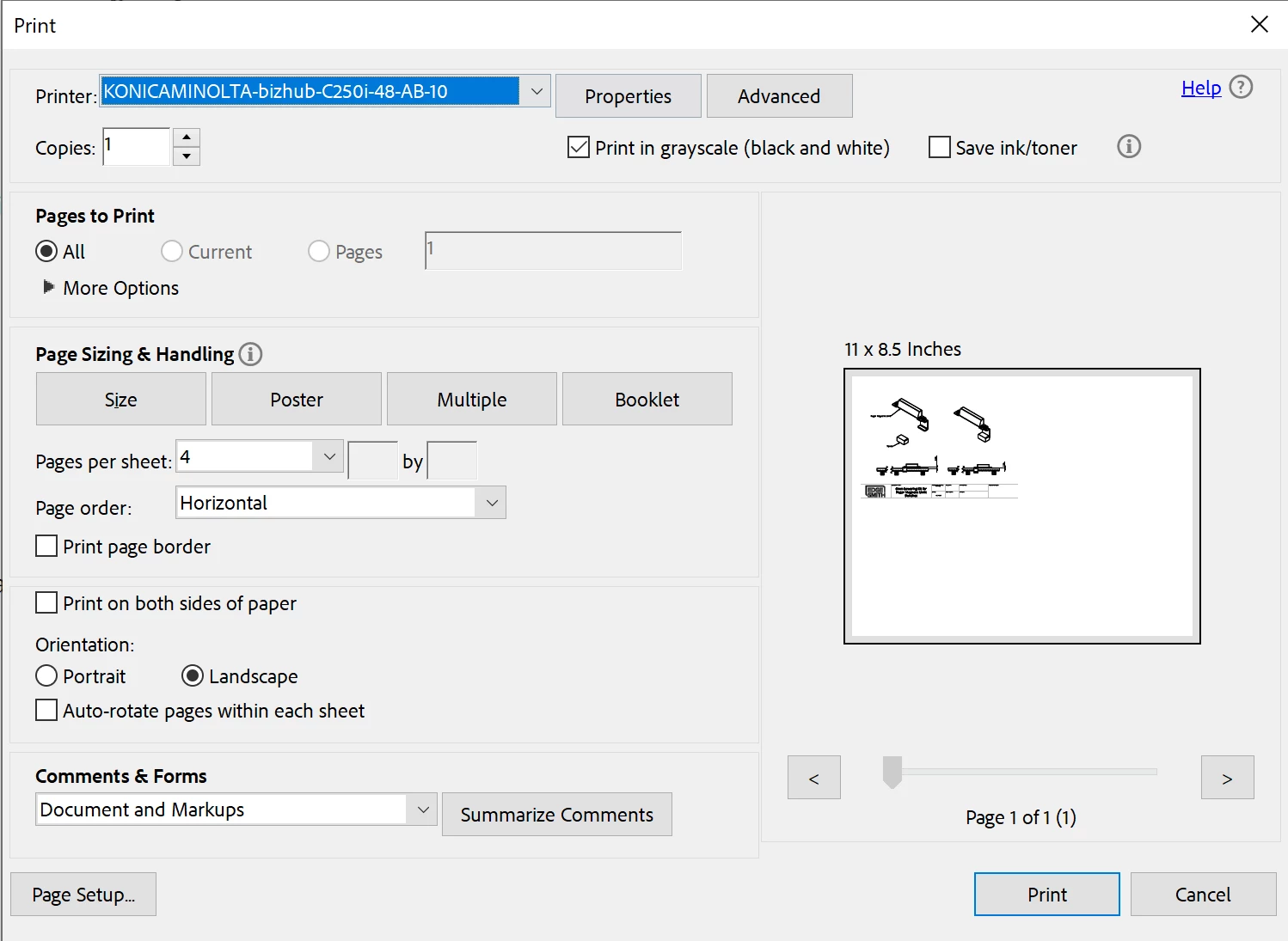
I am trying to print multiple pages on one sheet but it keeps only printing one page at the smaller scale. See image below - page prints exactly like the print preveiw. 


Any suggestions?


Kind regards.
Correct answer try67

Select "Pages" under "Pages to Print" and enter"1,1,1,1" as the page range.

3 replies

Community Manager
February 12, 2025

Hi all, 


Just adding a general response to questions like printing multiple pages to one page via a physical printer.


Note: Judging from the screenshot attached, the file you were trying to print has only one page. 
Now, if you trying to print one page four times on a single page, follow the suggestion provided by @try67.


You can print more than one page of a PDF onto a single sheet of paper. Printing multiple pages per sheet is also called N-up printing (such as 2-up or 6-up). You can specify how the pages are ordered, either horizontally across the page or in vertical columns.

  1. Open a file in Acrobat or Acrobat Reader. Select Print this file from the upper right. 
  2.  Select Multiple from the Page Scaling & Handling section of the Print dialog box.

 From the Pages per sheet menu, select a value.


  • From the Page order drop-down list, choose the appropriate option:


  • Select Print.


~Tariq

try67
try67Correct answer
Community Expert
December 20, 2023

Select "Pages" under "Pages to Print" and enter"1,1,1,1" as the page range.

try67
Community Expert
December 20, 2023

Or you could duplicate the page itself by opening the Pages panel and then dragging & dropping it into an empty spot while holding down Ctrl.

New Participant
February 11, 2025

As you can see, pages under page to print is unavailable. Also, where is pages panel?

Bernd Alheit
Community Expert
December 20, 2023

Your document has only one page.