


Exit
  • Global community
    • Language:
      • Deutsch
      • English
      • Español
      • Français
      • Português
  • 日本語コミュニティ
  • 한국 커뮤니티
0

Adobe Acrobat License Has Expired, But Have Been Paying For Several Months?

New Here ,
Feb 18, 2023 Feb 18, 2023

I have been trying to use Acrobat, however, every time I try to access all the features, I receive a message saying my license has expired. 
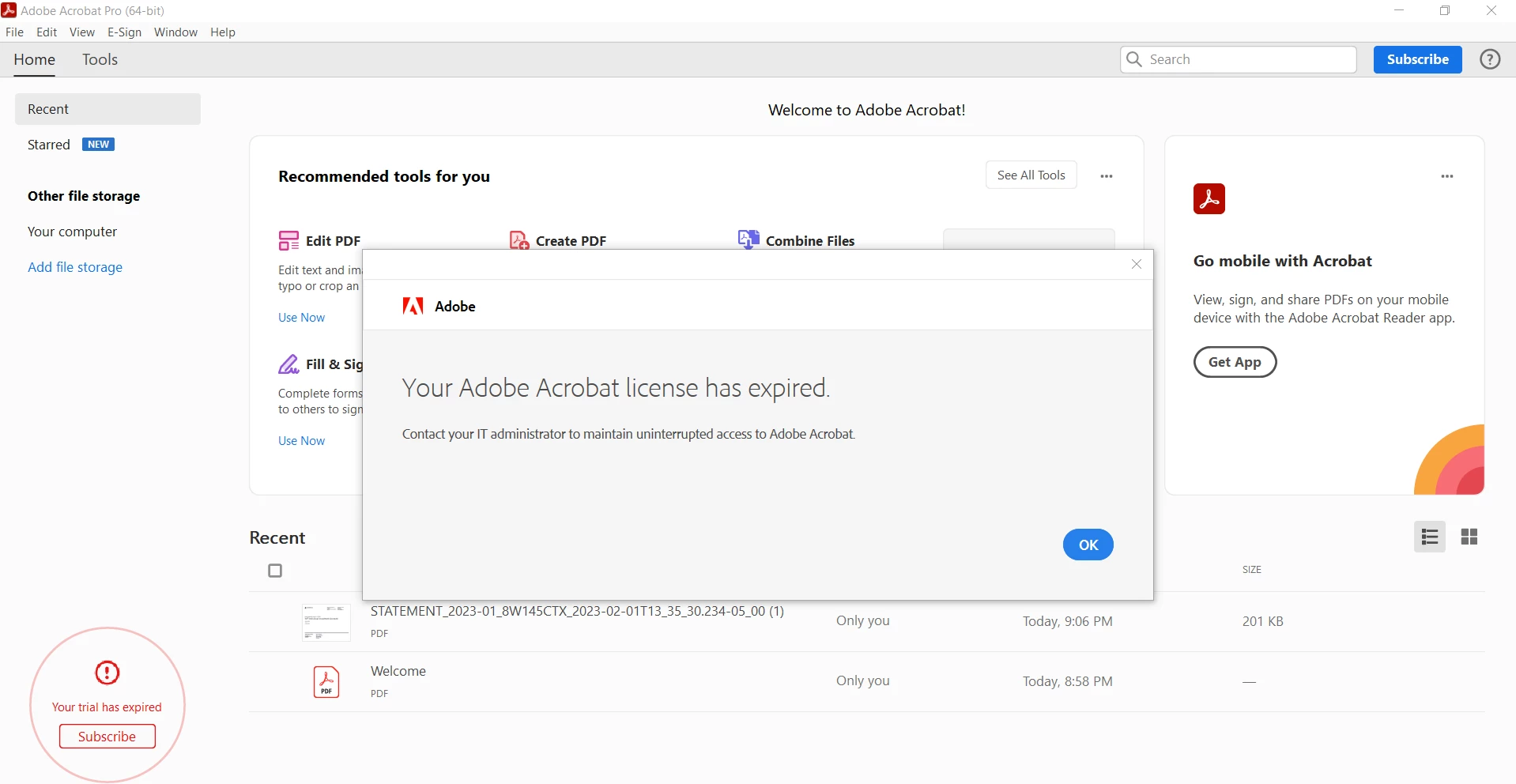
Duy5EE9_0-1676777038374.png

However, I have been paying for Acrobat for a long time now. Even when I try to purchase another subscription it tells me I already have this product. 

Duy5EE9_1-1676777136873.png

I have tried to sign out and sign back in multiple times. However, every time I try to sign back in, it still gives me the same message. How else can I go about fixing this?


TOPICS
General troubleshooting , How to , Standards and accessibility
3.4K
Translate
Report
Community guidelines
Be kind and respectful, give credit to the original source of content, and search for duplicates before posting. Learn more
community guidelines
Adobe Employee ,
Feb 20, 2023 Feb 20, 2023
LATEST

Hi @Chapen11 


Hope you are doing well and sorry to hear that.


Please try to logout of the application and reboot the computer once and relogin with the same Adobe ID used for the subscription and see if that works.


If it still doesn't work, please perform following steps depending on your Operating system to fix this issue.


Activation issue Mac

1) Close all adobe related processes in activity monitor (Creative cloud, Core sync, CC library, services for adobe desktop app, adobe desktop service, Adobe IPC broker, AAM updater)

2) Navigate to following locations and assign the current user full permissions to adobe folders. To navigate click go from menu bar at then click goto.. type /Library/application support/ and click go.

3) To assign the permission right click on adobe folder and click Get info.. A property window will open. Then click on lock symbol to enable editing. Then click + sign to add your username. Then change read only to read and write. Then click gear symbol at the bottom and click apply to enclosed items and click ok.. Proceed to next step then.

3) Navigate to following location /Library/application support/adobe and Delete Slstore and slcache .

4) Navigate to ~/Library/application support /adobe/oobe and delete opm.db

5)Navigate to /etc and open hosts file. Check if it has adobe entries . If no its fine, if yes replace the hosts file with a new hosts file with no adobe entries

6) Launch the app and it should work fine


Activation issue windows

1) Close all adobe related processes in task manager (Core sync, services for adobe desktop app, adobe desktop service, Adobe IPC broker, AAM updater)

2) Navigate to following locations and assign the current user full permissions to adobe folders. (Right click on adobe folder select properties then click security tab , click edit and select current user you are signed in with , select full control , click apply and then ok)

C://program data (enable view hidden files to see this folder)

C://program files 86x/common files

C://program files 86x/

C://program files/common files

C: //program files/

3) rename SLstore to Slstore.old at following location c://program data/Adobe/

4) Rename SLcache to Slcache.old at following location C:\Program Files (x86)\Common Files\Adobe

4) Navigate to c://users/username/appdata/local/adobe/oobe and rename Opm.db to opm.old

5) Navigate to c://windows/system32/drivers/etc/ and open hosts file using notepad. IF you see any Adobe entry there please replace that hosts file with a new hosts file which does not have any adobe entry. If there is no Adobe entry leave the hosts file as it is.

6) Launch the app and sign in .


Regards

Amal


Got your issue resolved? Please label the response as 'Correct Answer' to help your fellow community members find a solution to similar problems.

Translate
Report
Community guidelines
Be kind and respectful, give credit to the original source of content, and search for duplicates before posting. Learn more
community guidelines