


Adobe Acrobat not remembering the layout when using two (or more) acrobat-windows
Hello,
when i am using only one acrobat-window at a time, acrobat is "remembering" where i had the last Acrobat-window placed, how "big" i made it, if i had the side-toolbars showing or not, and so on.
So after closing Acrobat and reopening another PDF via doubleclick, i do not have to adjust the size, placement and layout again, because Acrobat is remembering, what i had it adjusted to the last time and does show it to me like the one before.
So far, so good...
But when i am using two (or more) acrobat-windows at a time, this functionality has some errors.
Let me show you an example:
I am working really often with two PDFs side by side, because i have to "compare" them in a certain matter. One is a report, showing what a mechanic did exactly. The other PDF is a "collective invoice", collecting many of such cases to one invoice and showing the costs for them.
So i am opening both of them side by side and kind of "compare" them, to check if the charged costs correspond to the doings written in the reports:
I doubleclick both PDFs in Outlook, then click on the first PDF and hit WindowsKey+arrow-left to place that one left-side, then click the second PDF and hit WindowsKey+arrow-right to place that on the right side (because Acrobat is opening them just slightly offset/overlapping another (would be fine if acrobat could also remember that i had the last two PDFs placed side-by-side and place the new ones in that same layout, too, but that's another story)
When opening the first PDF and setting it to the left-side of the screen, everything is fine and Acrobat does not show the sidebar and toolbar, just like i had it adujsted before when checking another PDF.
But after opening the second PDF and setting it to the rght-side of the screen, Acrobat doesn't remember the toolbar-layout of the before-used PDF anymore.
Acrobat always shows the left (and sometimes even the right) toolbar again, although i had it adjusted to not showing it before.
Is there a chance to get this fixed?
I always need the maximum width i can get from that screen, and every toolbar showing up minimizes the usable width and complicates the readability in that layout.
I can imagine that this can't be respected "to infinity", but i hope two or even four windows remembering their last layout could be possible?
If that helps, the filenames are always similar, only the numbers at the end differ. Maybe Acrobat can remember to open PDFs with similar filenames in the same way again...?
It seems like Acrobat even does something like that filename-check, but not correctly as i said.
Thank you,
Marc
P.S. As i said, best would be if i even would not have to place that two PDFs left and right again and that Acrobat would remember the last placement of the windows AND the layout of the toolbars.
So i would not have to place that PDFs left and right again, too.
e.g.
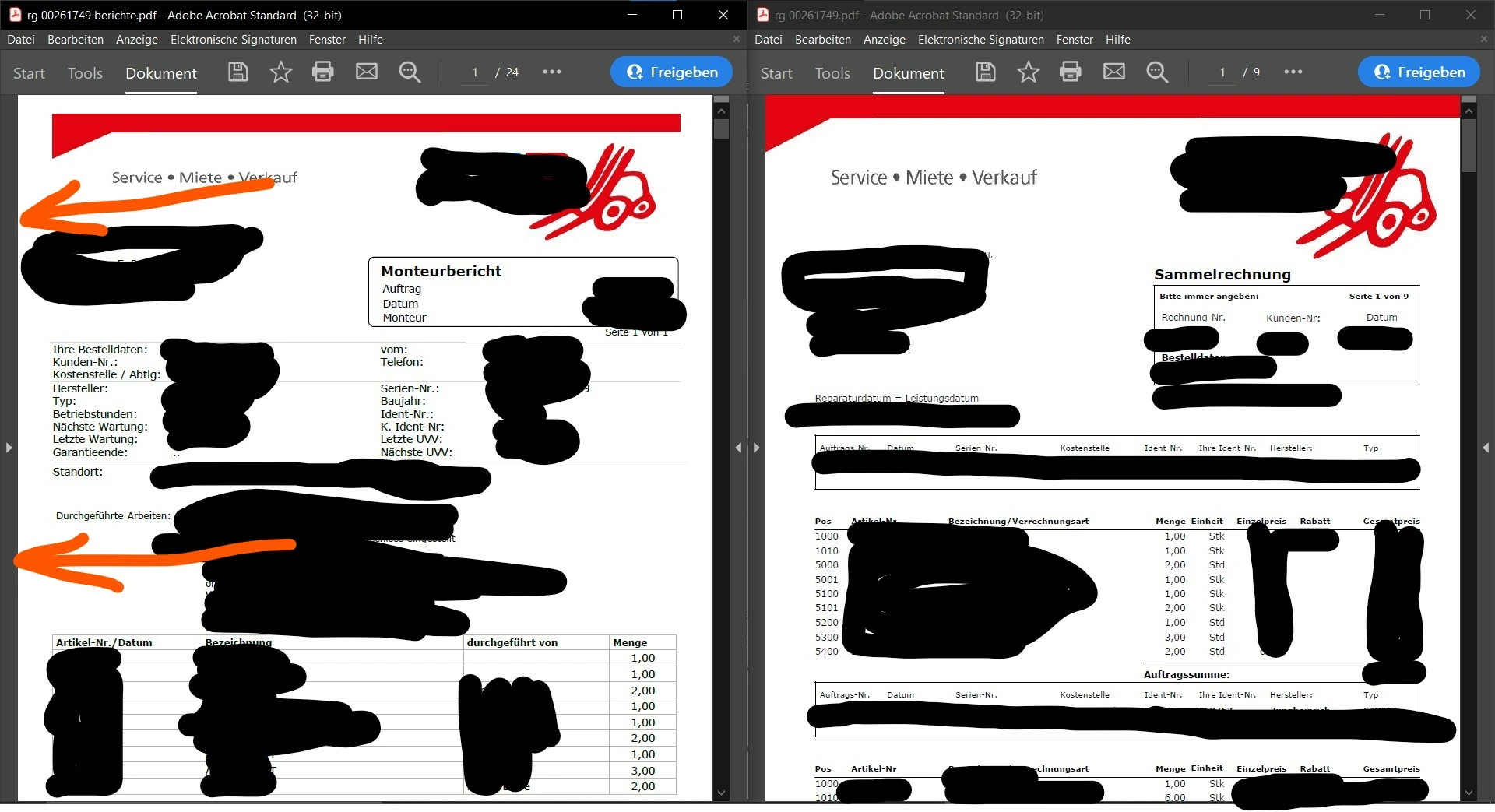
Opened two PDFs, placed them left and right and adjusted the layout to not show the toolbars at all:
Layout OK, not toolbar at the left side:
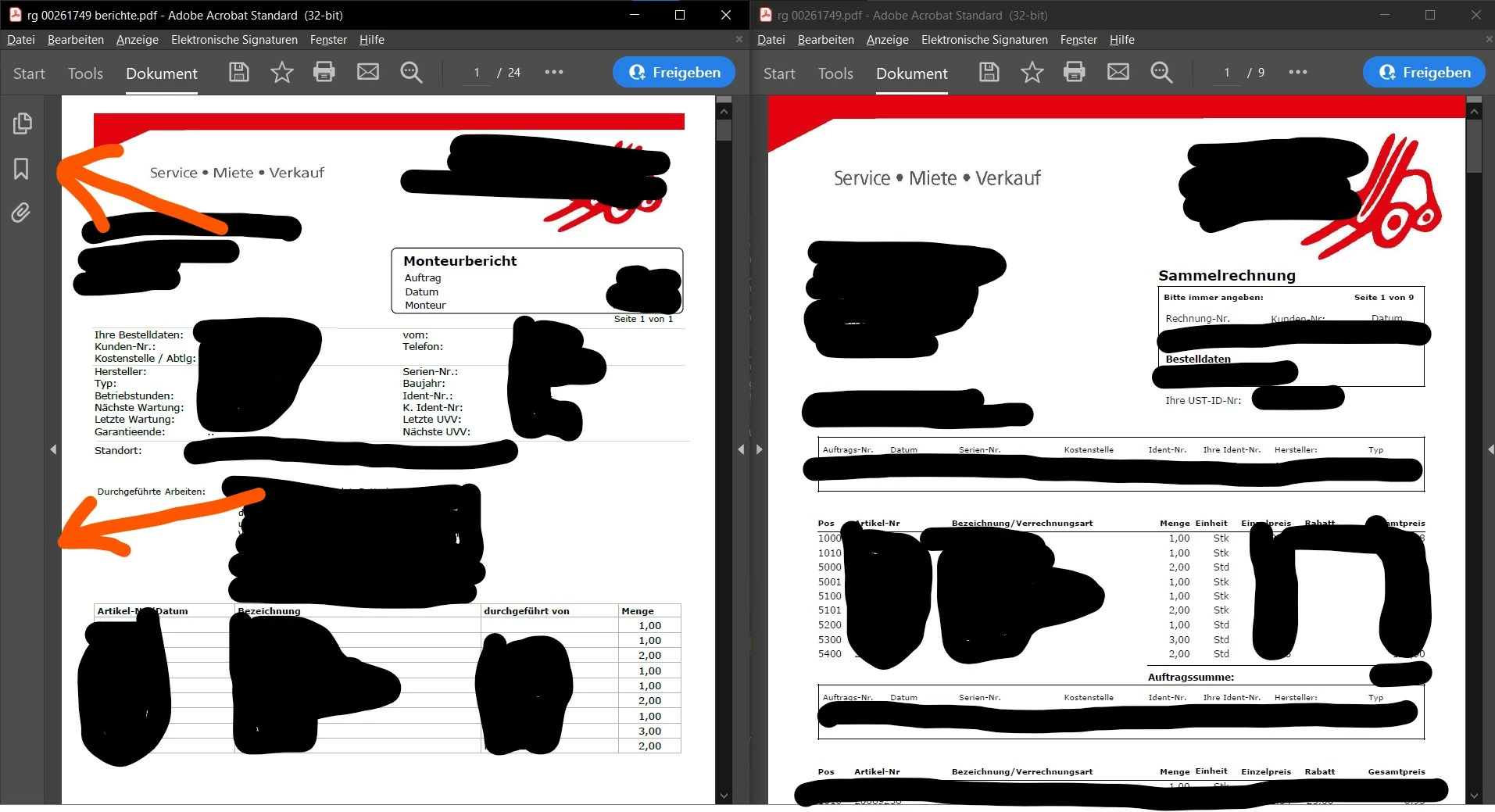
Closed both PDFs, reopened both PDFs, and placed them to left and right via WIN+Arrow-Keys:
Layout NOK, one toolbar showing up at the left side:
 AdChoices