New Participant
October 22, 2019
Question

Adobe Acrobat Updater – is this malware?

  • October 22, 2019
  • 3 replies
  • 5831 views

Hi all,


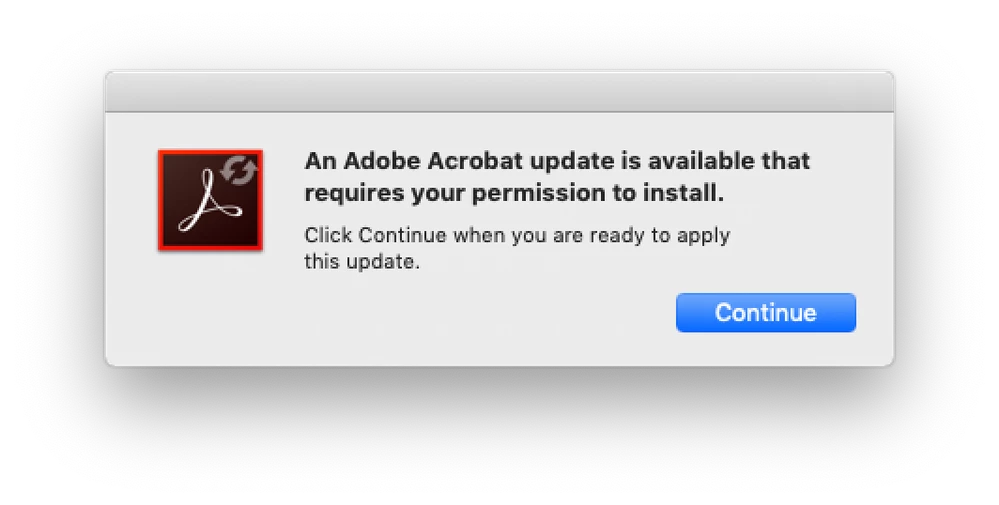
today this window appeared on my screen. Doesn't look very Adobe-like to me. 

Someone experiencing the same thing?


regards, 

Max

    This topic has been closed for replies.

    3 replies

    New Participant
    February 12, 2021

    I agree this seemed suspicious to me as well! For two reasons -- the image is weirdly unclear, as if it were copied and not original, and there was no option to cancel, just "continue," which is often indicative of malware.  (Turns out there is an option to cancel after you click continue.) 

    Mine, too, was real -- but I also didn't realize it because in Adobe Cloud  the indication for Acrobat was "up to date." Sounds like they may need to do some tinkering with this. 


    Amal.
    Community Manager
    Community Manager
    October 22, 2019

    [Edited Response]


    Hi Max,


    ++ Adding on to try67


    A new update for Adobe Acrobat/Reader got released on 17th Oct 2019 version 19.21.20048. If you are not on the latest version you get the automatic pop up message for the same. You can update the application to the latest version go to Help>Check for updates. Also, you can manually download the patch from the link  https://www.adobe.com/devnet-docs/acrobatetk/tools/ReleaseNotesDC/index.html


    Regards

    Amal

    New Participant
    November 20, 2019

    Thank's 


    This did work.

    Though in Creative cloud the update status was: up to date, there was an update available directly through your suggested link from the help menu.


    Best, Max


    Amal.
    Community Manager
    Community Manager
    November 21, 2019

    Hi there,


    We are glad to hear that the issue got fixed.


    Fell free to contact us for any further assistance required in the future.


    Regards

    Amal

    try67
    Community Expert
    October 22, 2019

    Looks fine to me. It's a part of the Acrobat application. Do you have Adobe Acrobat? If so, open it and go to Help - Check for Updates. If the same thing appears then it's fine.