


Adobe PDF Printer not working as print driver; 9.5.5 (pro) with Windows 7, 64 bit
I have installed, repaired, uninstalled and re-installed Acrobat Pro 9.5.5 on a newly formatted SSD with Windows 7, 64 bit on my desktop machine. The program was installed from Acrobat Pro 9.0.0 and updated within the program. I have the program also installed on my laptop, and the Adobe PDF Printer driver is working properly on my laptop.
On my desktop with the newly formatted SSD, the Adobe PDF printer driver is not working. Note that I am using the printer driver, and not any pdf creation techniques within MS Office or other programs.
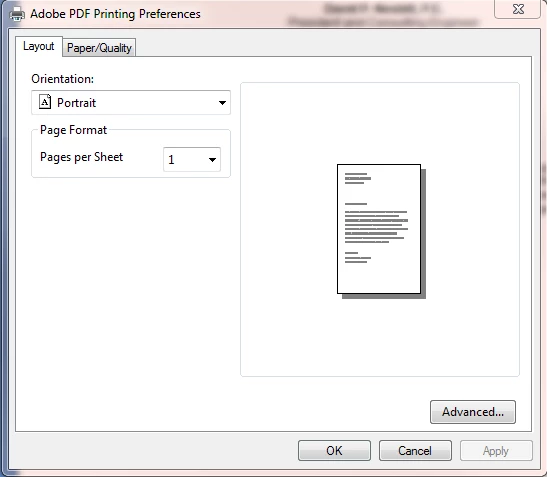
When I go to the Adobe PDF printing preferences on my desktop, I only get a generic, two tab window open. When I print a file to this printer on my desktop machine, I do not get a window opening that asks where to create the pdf or what to name it, and I never see any files created. In MS Word, the Create PDF option under the Acrobat tab works and opens a dialog to ask the name and location to save, and then opens a PDF Maker progress window and properly creates the file. I can also save a file as an .eps or .ps file and use Distiller to create the pdf. However I cannot get the Adobe PDF printer driver in my Devices and Printers to work properly, although it works just fine on my laptop with the same program (Pro 9.5.5) and same Windows version (7, 64 bit).
Repairing, uninstalling and re-installing does not solve the problem. Acrotray.exe *32 process is running. Any ideas on why this won't run properly on my desktop, but will run on a similarly configured laptop?
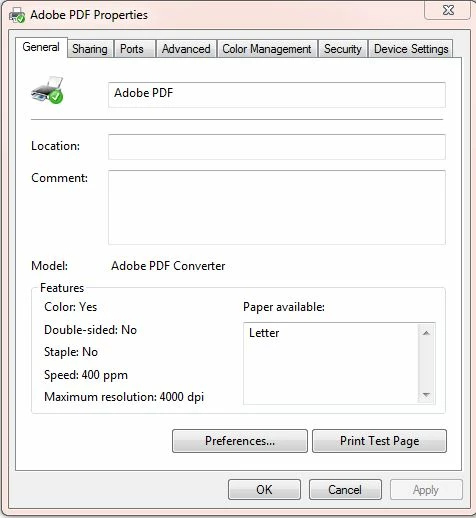
On my laptop, I get a full, (7) tabl menu with all the normal options:
 AdChoices