Participant
February 1, 2022
Answered

Adobe PDF's missing from "Recent Items" in outlook

  • February 1, 2022
  • 8 replies
  • 15041 views

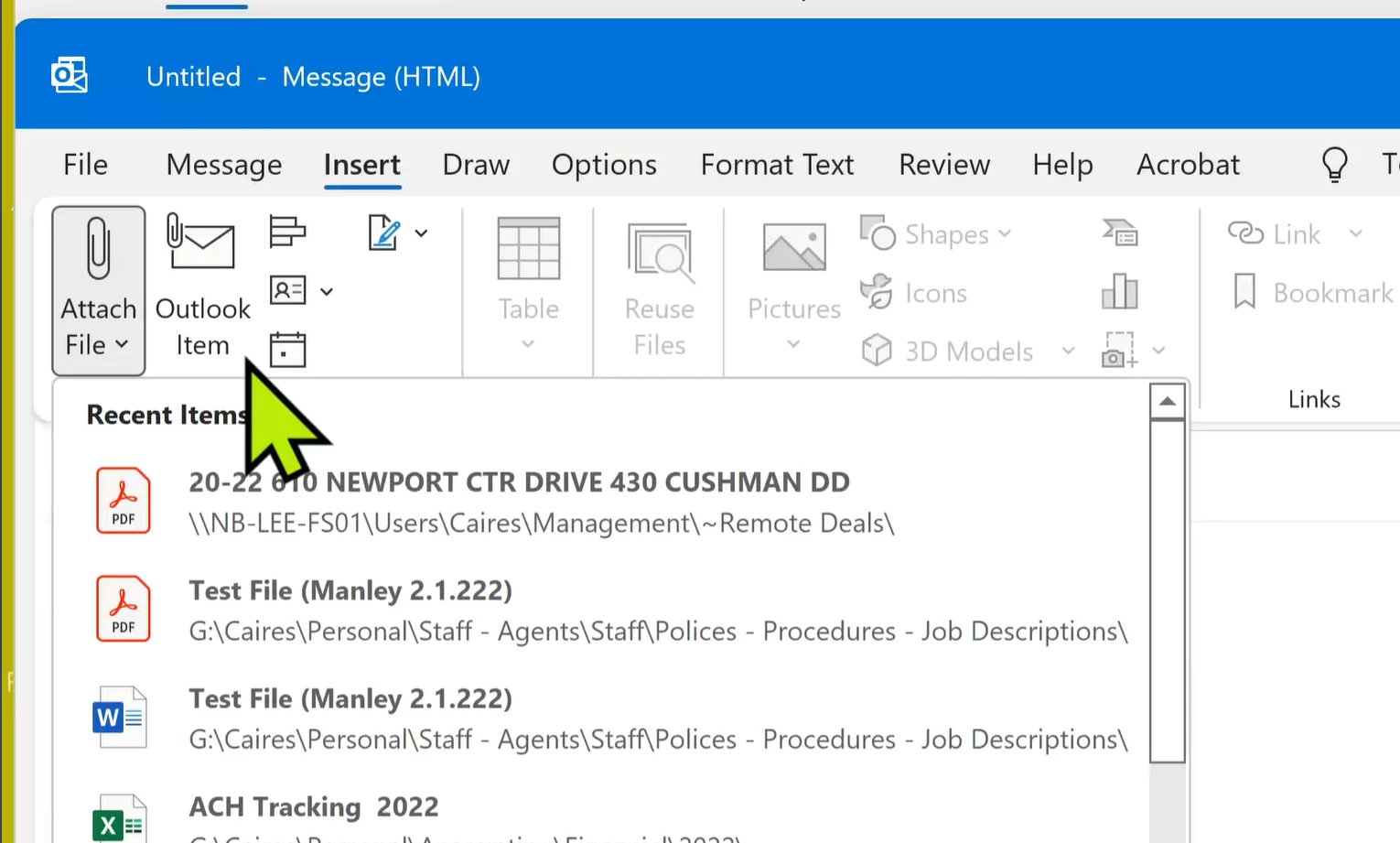
If you open PDF files from within the Adobe internal file explorer the files will not show up under “recent files” when you try to attach in Outlook.   In outlook when you click “insert”, “Attach File” then look under “Recent Items” the list shows all recently opened items EXCEPT pdf’s.   (All PDF’s are missing)   This issue was a problem a couple of years ago but this seems to be a very recent change or issue. 


Cause (as I’ve identified it)
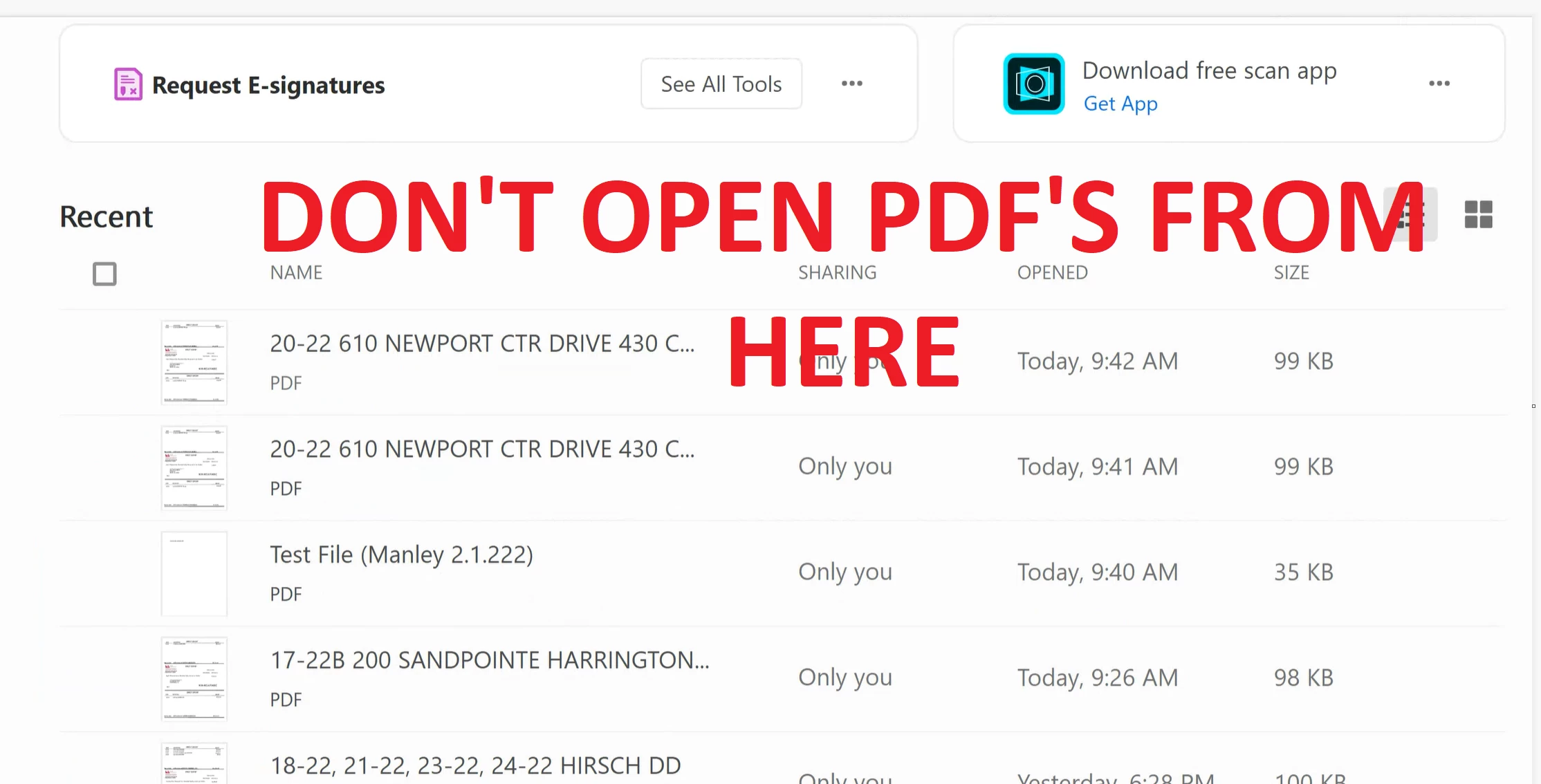


If you open the PDF using windows explorer instead the files do appear in the recent file list.  (see below)
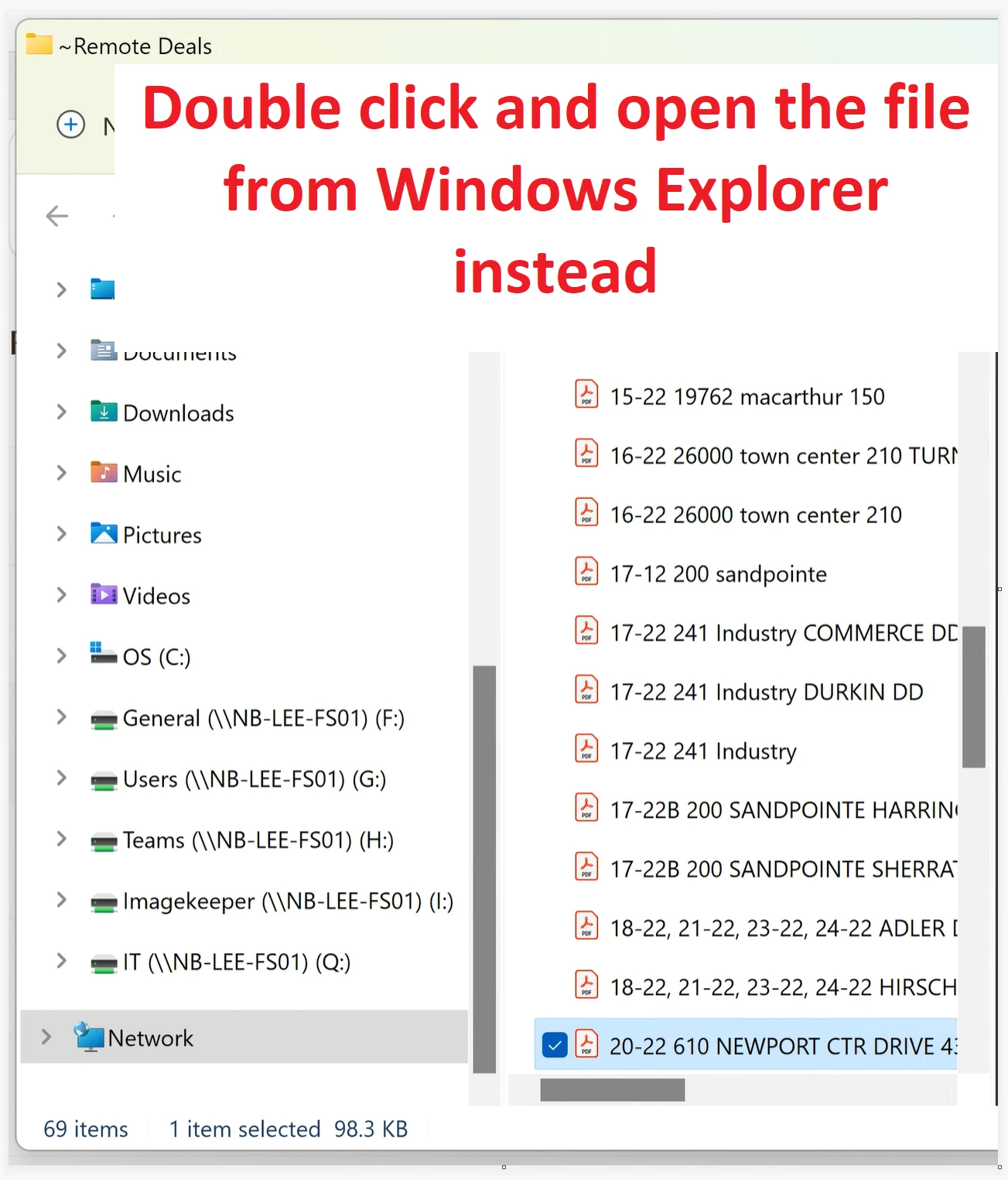


After opening from Windows Explorer the file shows up in recent items list


Correct answer Kiley24690771qn1c

Hi Adobe Team,

I just updated the latest version, the error has been fixed now, thanks for your efforts.


Ermygherd it's finally fixed! Thank you Adobe, that was a month of pure annoyance.


Now, can you please focus your attention to the One Adobe Acrobat file with two taskbar items that has gone on for years, now? 

https://community.adobe.com/t5/acrobat-discussions/one-adobe-acrobat-file-with-two-taskbar-items/m-p/15332962


8 replies

Participant
September 30, 2025

Can confirm updating to 25.001.207444 has fixed this for me as well. 

intuitive_monkey1618
Participant
September 30, 2025

I can confirm that upgrading Adobe Acrobat to 25.001.207444 immediatly solved this issues for my important vice proesident.  I took full responsibility for the fix, of course.  We're a law firm, that's what we do.   

Known Participant
September 30, 2025

So, this isn't the first time that the Recent Items list hasn't worked and then been fixed.

What are Adobe programmers doing about checking their work? You add features but break others in the process. Not very good, is it?

brianm33038953
Participant
September 15, 2025

Any updates on this issue yet?

Participant
September 5, 2025

Thank you for the update! Is there a publicly accessible bug tracking for this?

Participating Frequently
September 4, 2025

Good Morning All 
i feel so relived that i am not the only person experiencing this issue. Its started about a week or two ago.
funny part is my colleague and i share a licence. we currently both on v25.1 and we use MS OFF365 Outlook version 2508, but he can see and attach most recent files from the Outlook drop down attach a file feature. All other information is exactly how the others have describe their issue. 


On a second note- the file does show up if i have opened it seperatley before doing the whle attach a file process. but previously and for the last 30 years of using Adobe it always showed up in the drop down as soon as i ssave the file to our work server. no need to have opened the document. 


it seems like my network drive is not syncing with Windiws explorer. wonder if that is possible?


Participating Frequently
September 4, 2025

With the way you describe it it sounds like a user appdata issue, I wonder if you fully remove adobe from the device or wipe the os and reinstall adobe if it fixes it


Participating Frequently
September 4, 2025

I have done a un-install and re-install yesterday. Issue still persists 

Participant
September 2, 2025

I have been experiencing this issue as well and it began on 08/22/25. Eagerly awaiting a fix.


Participating Frequently
September 3, 2025

Same!  So frustrating.


radzmar
Community Expert
Community Expert
February 1, 2022

Well, Outlook refers to the Windows explorer and doesn't know anything of that one that also lives in Acrobat, so this is expected.

Participant
August 21, 2025

Here is the deal, it used to work that way. I could open a .pdf attachment from out look in adobe reader . I would then add a text biox and signature. Save it to downloads and then go back into outlook , create a message, go to attach it file and it would be there. That was two days ago. Now I cannot and not sure why all of a sudden its not working that way.

Community Manager
August 22, 2025

Hi @dan_6201


Thanks for reaching out. 

When you open a PDF file in Reader, you can add text and a signature and save the file to a location on your local machine. And when you create a new draft in Outlook, you browse for the PDF from the same location, and the file is not visible? Is that correct?


And if you manually go to the location, do you see the file available? 

This seems to be more of an MS Outlook issue than an Adobe Reader issue to me. Is it possible you can share a video recording of your workflow? 


Best regards,
Tariq | Adobe Community Team | Meet Acrobat Studio