


Participant
January 8, 2025
Question

Adobe PDF- Want to Print Disable until validation is done

  • January 8, 2025
  • 3 replies
  • 344 views

We would like to explore the option of implementing a new document action that triggers the code to validate the necessary mandatory fields prior to printing the form.
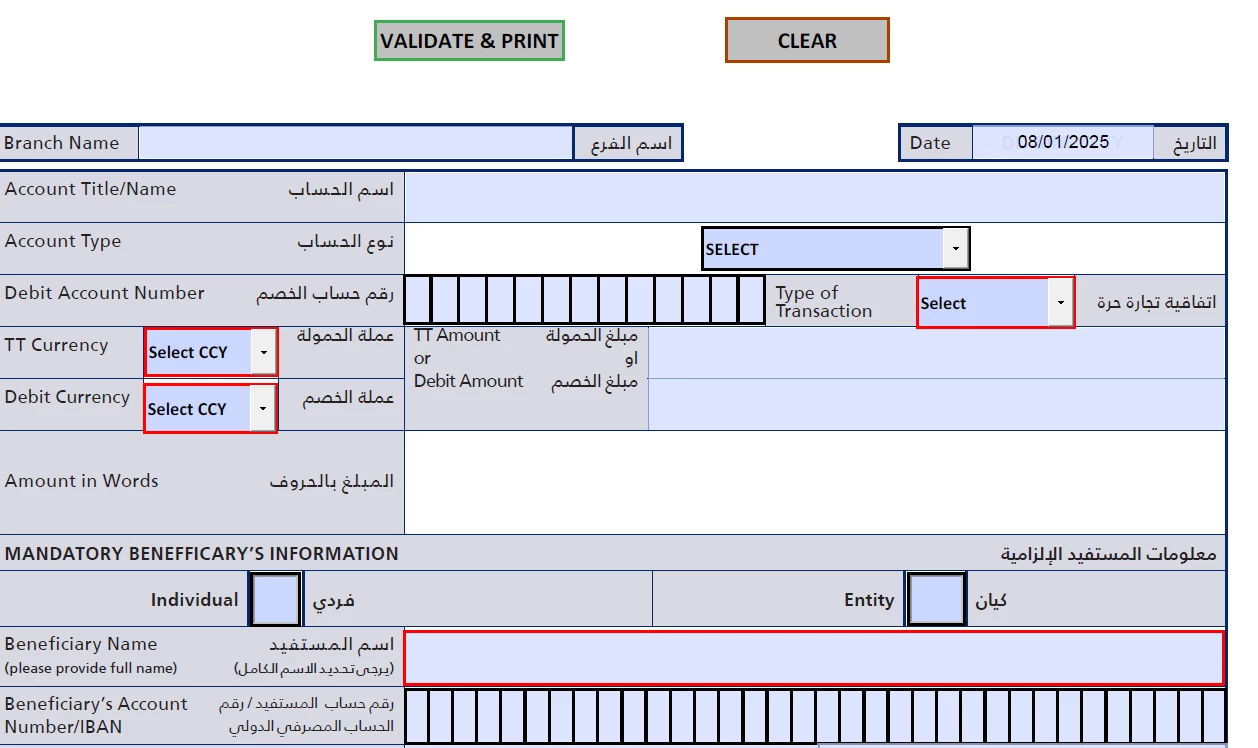
 

Validate and Print function is working perfectly. But when we do ctrl + P, then this validation don't work. How to invoke validation before ctrl+P or print symbol on the top.


Let me knwo any solution.

3 replies

PDF Automation Station
Community Expert
Community Expert
January 8, 2025

As already described, you can't prevent printing but you can add a warning with willPrint script.  You could have a big "VOID" watermark that does not show on the page but prints unless the fields are validated.  All of these solutions, however,  assume the user is printing the form with a PDF viewer that supports these scripts and does not have JavaScript disabled.

try67
Community Expert
Community Expert
January 8, 2025

You can't stop printing entirely, but you can force the printed copy to show an error message, or even to print without any of the values entered into the fields, unless all required fields are filled-in.

You can do that using this (paid-for) tool I've developed: https://www.try67.com/tool/acrobat-validate-required-fields-before-printing-or-saving


JR Boulay
Community Expert
Community Expert
January 8, 2025

Fortunately, you can't do this, as a user may have many good reasons for wanting to print a partially completed form.

What you can do is add an alert when saving or printing with a message such as: Any incomplete or illegible document will be returned without processing.

Acrobate du PDF, InDesigner et Photoshopographe