

Participant
December 24, 2018
Question

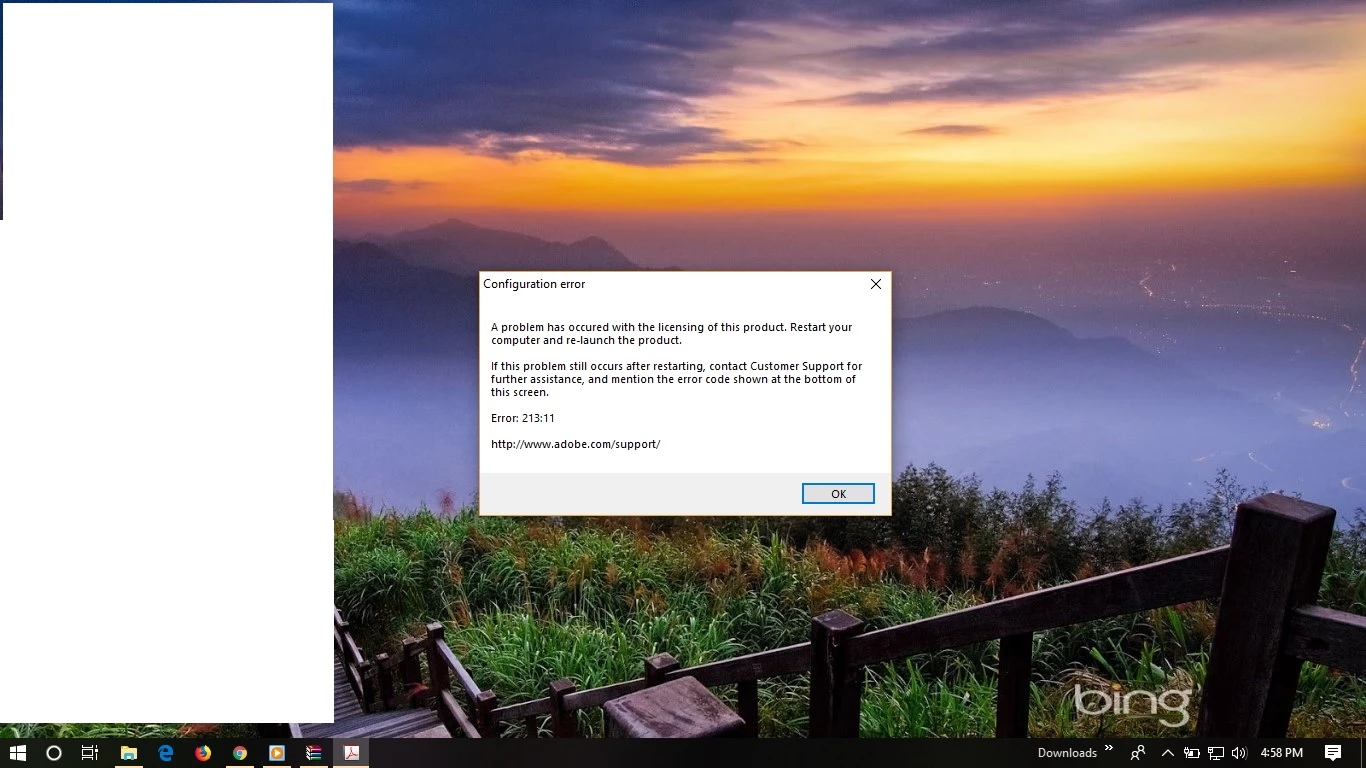
After installing Acrobat Pro X error of 213:11

  • December 24, 2018
  • 2 replies
  • 3289 views

After installing Adobe Acrobat X Pro, it shows Error 213:11. I already tried all the options of troubleshooting shown on site.

This topic has been closed for replies.

2 replies

Participant
December 27, 2018

yes. i have 3 user account and i repeat all the steps there. even i scanned laptop as to see if there is any virus or not but there is none.

my whole work is getting disturb. i dont know any other software which can have equal ocr effect as acrobat, so i can use temprory

Adorobat
Community Manager
Community Manager
December 27, 2018

As you have already tried the troubleshooting steps mentioned in the help document and the issue occurs in new user account as well, please contact support using this link: Contact Customer Care

-Shivam

kglad
Community Expert
Community Expert
December 24, 2018
Participant
December 25, 2018

I have already tried all the steps shown in this article. Still The issue exists

Participant
December 26, 2018

Hi kavanm,

As per the issue description mentioned above, you are getting error 213:11 after installing Acrobat Pro X on windows machine, is that correct?

As per the screenshot, It seems you are using windows 10 on the machine. Acrobat X is not compatible with windows 10, so problems with it are to be expected.  Refer: Older versions of Acrobat (XI, X, 9) system requirements

You may also refer to the following forum threads discussing the similar issue:

Error 213:11 A problem has occured with the licensing of this product

213:19 error code

error 213:11

Thanks,

Shivam


same issue in case of adobe acrobat pro dc