June 25, 2021
Answered

An error was encounted when I tried to reduce pdf file size

  • June 25, 2021
  • 1 reply
  • 5353 views

The pdf file is here: https://zzzhhh.egnyte.com/dl/gfXtIKJpi0

I want to save it as a reduced-sized version, but when I did it using File -> Save As -> Reduce File Size, I got an error as follows:
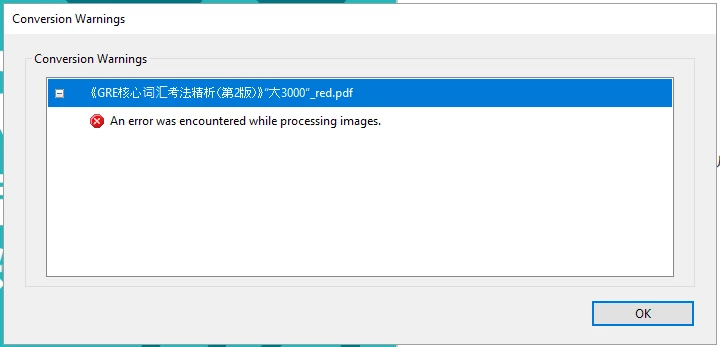
What is worse, Acrobat continues to save it and ends up with a file tens of bytes larger than the original one. I think even if Acrobat can't handle the image and skips it, the size should not increase. So my questions are: 1) How to fix the error above? 2) How to have a really smaller pdf, at leased as large as the original one? The Acrobat I am using is Acrobat Pro DC (32-bit). Thank you.
Correct answer Mike Bro

Hello,

I dowloaded the file and did some testing, Acrobat does not like something with the Image on page 1.

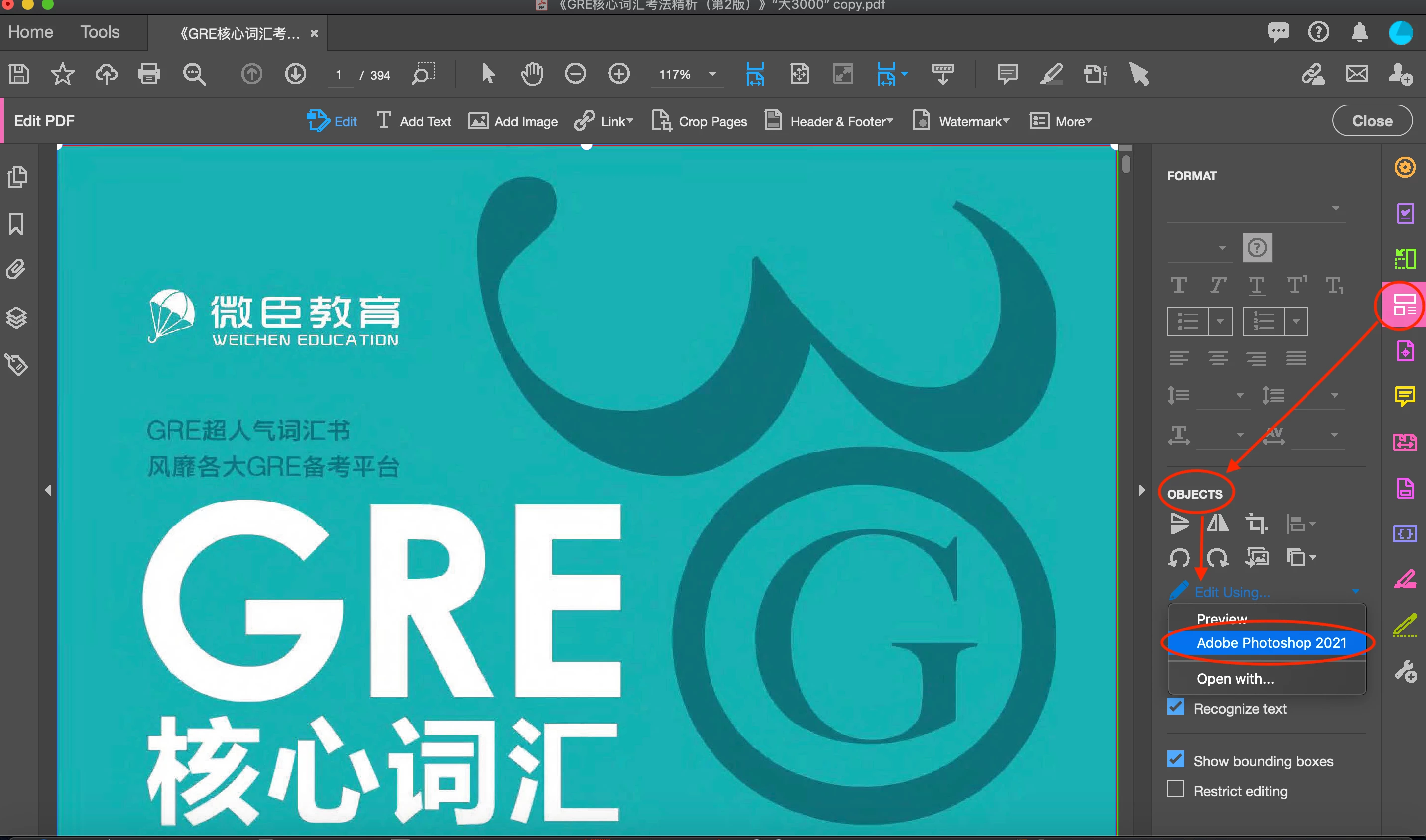
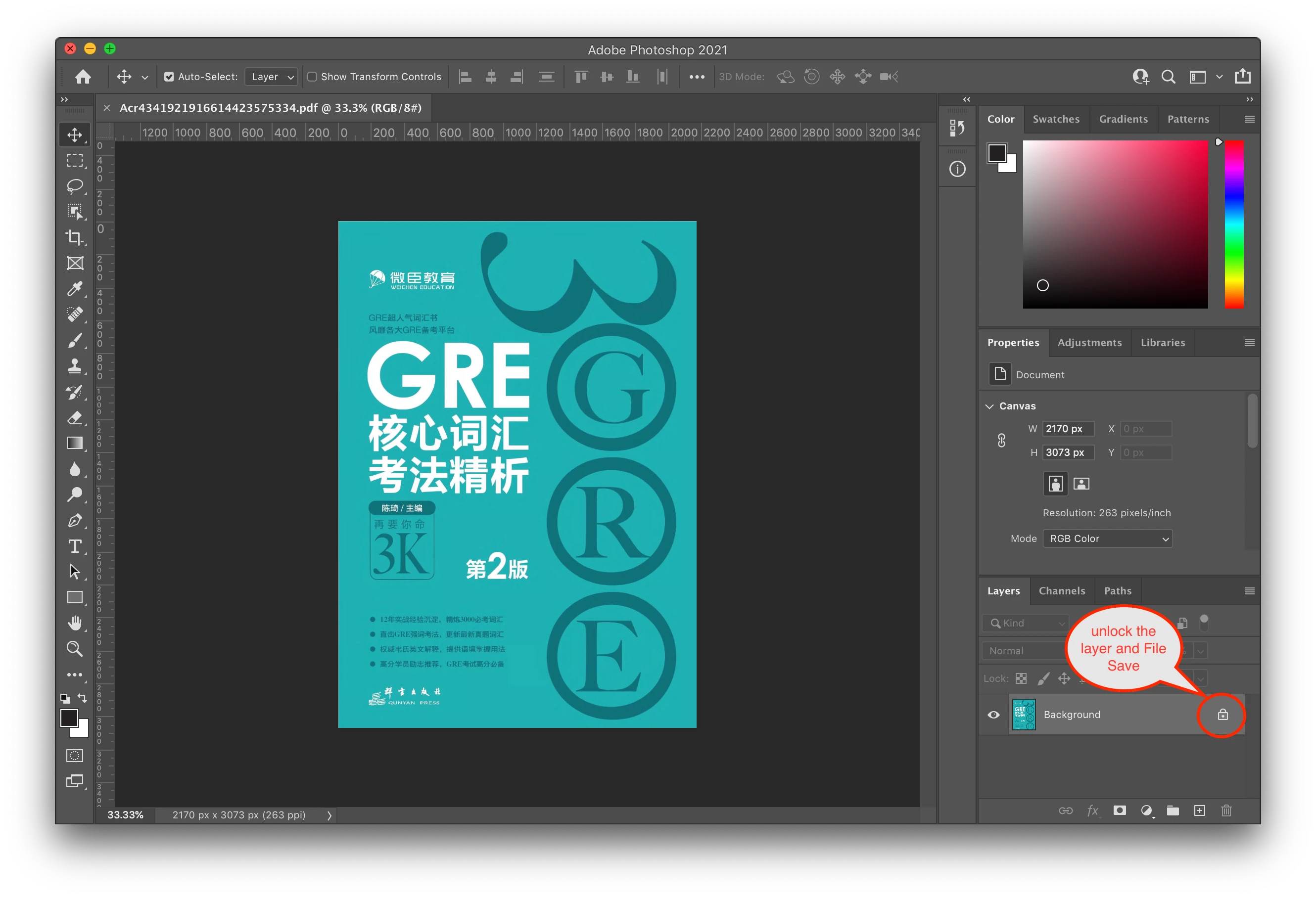
What I did to be able to save the file with File > Save As > Reduce File is I selected the image, and under Edit PDF tool > Objects > Edit Using... opend the image in Photoshop. In Photoshop all I did is hit the lock in the layers panel unlocking the layer to make a change to the temp file without effecting the image itself and once saved, the temp file will automatically update Acrobat with the modified image, then File > Save As > Reduce File worked.


The File > Save As > Reduce File results were....

Regards,

Mike


1 reply

Mike BroCorrect answer
Legend
June 26, 2021

Hello,

I dowloaded the file and did some testing, Acrobat does not like something with the Image on page 1.

What I did to be able to save the file with File > Save As > Reduce File is I selected the image, and under Edit PDF tool > Objects > Edit Using... opend the image in Photoshop. In Photoshop all I did is hit the lock in the layers panel unlocking the layer to make a change to the temp file without effecting the image itself and once saved, the temp file will automatically update Acrobat with the modified image, then File > Save As > Reduce File worked.


The File > Save As > Reduce File results were....

Regards,

Mike


June 26, 2021

Thank you for the reply. I cannot unlock the cover image in Photoshop by clicking the lock icon -- there is no response from Photoshop. Maybe the version of my Photoshop is too low (CS6 13.1.2 x64 Extended, yours is 2021). So, I had to duplicate a layer and deleted the locked one (I also tried Layer from background, Convert to Smart Object, but the ultimost results are the same). After saving in Photoshop and going back to Acrabat Pro to save as a reduced size pdf, the output file remains larger than the original one:

Since I am not going to upgrade PS in near future, do you mind sharing your reduced-sized PDF which is only 10.7 MB with me? Thanks a lot.

June 26, 2021

Here you go....


Regards,

Mike


Got it. Thank you very much!