

Participant
April 1, 2024
Question

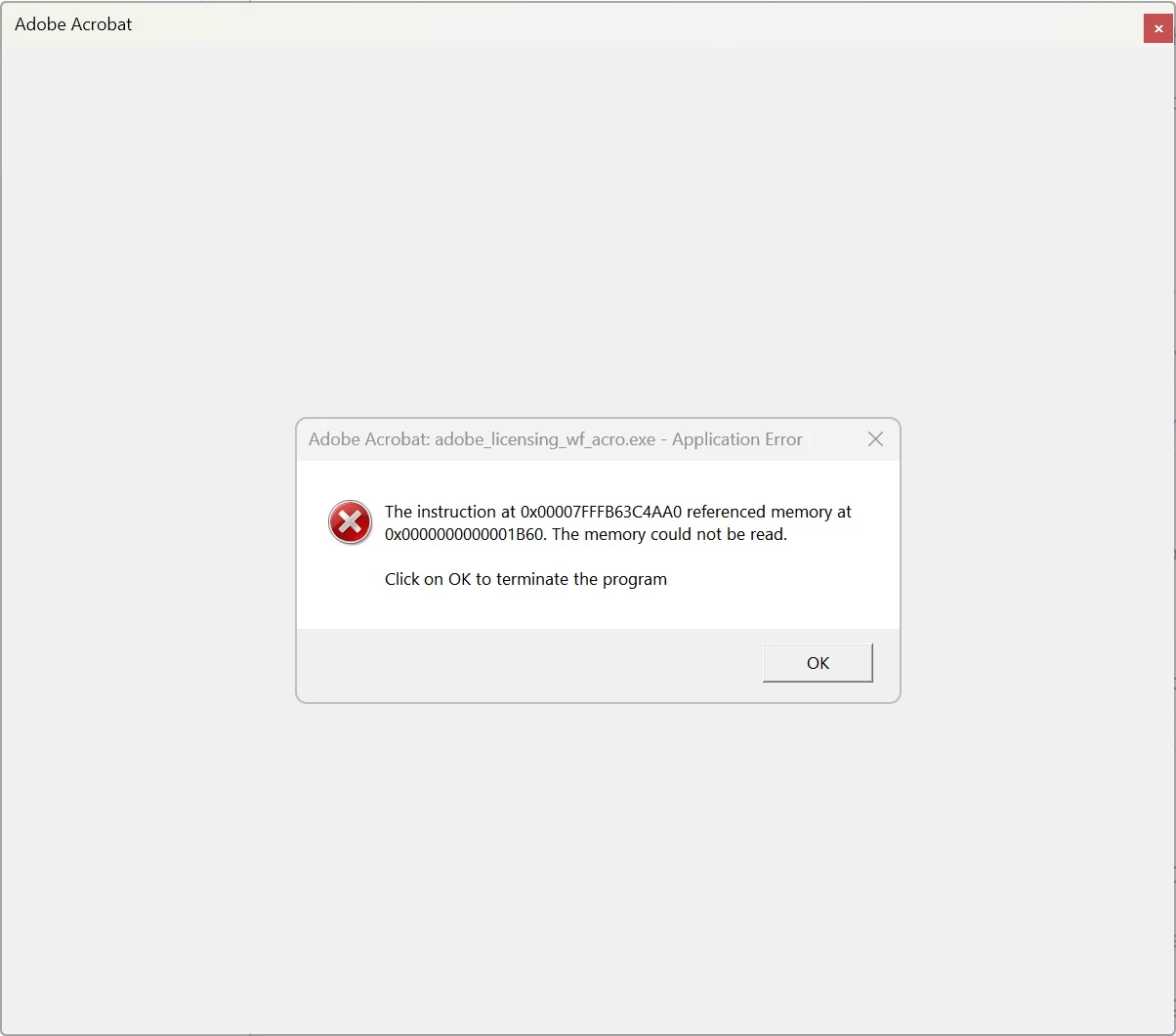
Application error to launch Acrobat Pro

  • April 1, 2024
  • 1 reply
  • 1316 views

I could not run Acrobat Pro on Microsoft Windows 11.  The system gave me an application error message and Acrobat just quitted.
 

This topic has been closed for replies.

1 reply

Amal.
Community Manager
Community Manager
April 1, 2024

Hi @IsaacF 


Hope you are doing well and sorry to hear that
 
Is this an issue with a particular PDF file or with all the PDFs? Please try with a different PDF file and check. If the file is stored on a shared network/drive please download it to your computer locally and then try again.
 
What is the version of the Acrobat DC you are using? To check the version go to Help > About Acrobat and make sure you have the recent version 24.01.206XX installed. Go to Help > Check for updates and reboot the computer once.
 
Try to repair the installation from the help menu (Win Only) and see if that works.
 

Also check the correct answer marked in the similar discussion https://community.adobe.com/t5/acrobat-reader-discussions/acrobat-reader-application-error-quot-the-memory-could-not-be-read-quot/td-p/8835670?linkId=100000252664863  and see if that works.


Let us know how it goes. 


~Amal


Got your issue resolved? Please label the response as 'Correct Answer' to help your fellow community members find a solution to similar problems.

IsaacFAuthor
Participant
April 2, 2024
Hi Amal,

I am using Acrobat Pro. It just quited automatically after I have launched
the application.

When I double-clicked a PDF file on my local drive, the file was opened for
a few seconds and then Acrobat just closed it automatically.

When I launched the application separately, it just opened for a few
seconds and it closed itself automatically.

So, I could not check the version number since the application closed
itself too fast.

I have uninstalled the application and re-installed it again. However, the
situation is the same.

The software was working correctly until recently but I do not know whether
it has updated itself or Windows 11 updated.

Thank you for your help.

Isaac
Amal.
Community Manager
Community Manager
April 2, 2024

Hi there,


We are sorry to hear that the issue still persists, please go through the help page https://helpx.adobe.com/acrobat/kb/acrobat-dc-crashes-on-windows-os.html and check if that works.


You may also try to remove the application using the Acrobat cleaner tool https://www.adobe.com/devnet-docs/acrobatetk/tools/Labs/cleaner.html , reboot the computer and reinstall the application using the direct link https://helpx.adobe.com/acrobat/kb/acrobat-dc-downloads.html and check.


~Amal
