Participant
April 24, 2018
Answered

Apply Un-Encryption Action Wizard to only PDFs in a large folder

  • April 24, 2018
  • 1 reply
  • 1406 views

Hello Everyone!

We have a large folder with hundreds of folders in it that contain a variety of files times like JPG and PDF. All our PDFs were encrypted at the time we uploaded them to secure them. We now want to Decrypt them using the action wizard. However when I run the decrypt with save it opens JPGs trys to unencrypt them and then saves them as a PDF.

What I would like to do is run the decryption on ONLY PDFs and save only the PDFs.

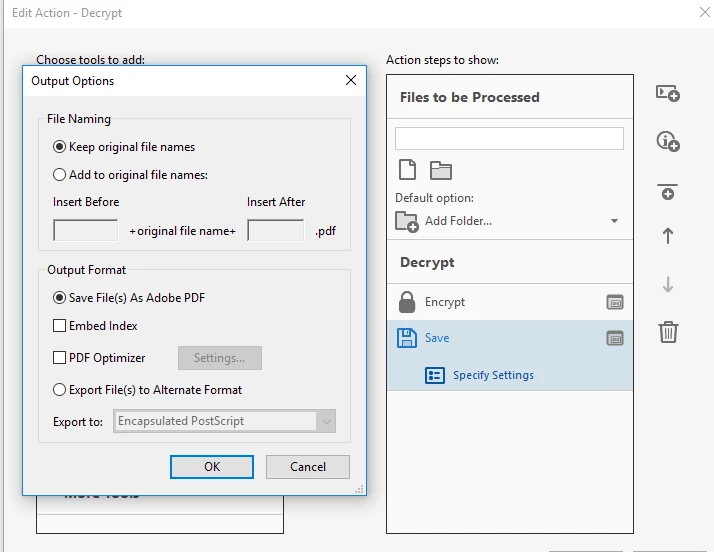
Any Ideas? I attached a screen shot of the decryption action wizard.

Running win 10 with latest version of Acrobat Pro.
This topic has been closed for replies.
Correct answer try67

Unfortunately, no. It used to be possible to tell the Action Wizard to ignore non-PDF files, but this feature was removed with the move to the new type of Actions in Acrobat XI.

1 reply

try67
Community Expert
try67Community ExpertCorrect answer
Community Expert
April 24, 2018

Unfortunately, no. It used to be possible to tell the Action Wizard to ignore non-PDF files, but this feature was removed with the move to the new type of Actions in Acrobat XI.

Participant
April 24, 2018

Do you know if I can use an older version of Acrobat to do this?

try67
Community Expert
Community Expert
April 24, 2018

If you have a license for one, yes... Adobe doesn't sell it any longer, though.