Participant
October 20, 2022
Answered

Atomatically description genered in Adobe Acrobat PRO

  • October 20, 2022
  • 2 replies
  • 6340 views

Hi everyone!

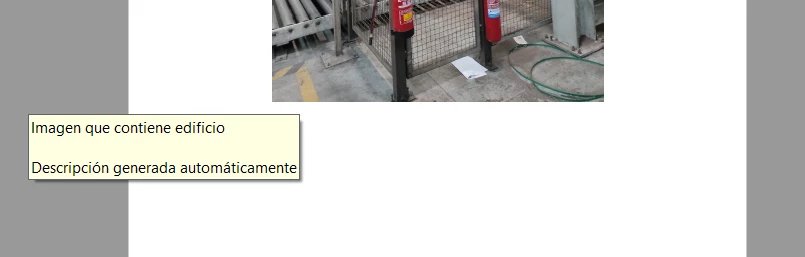
I have a problem with the automatic descriptions in PDF files while you are over an image or picture with your cursor. Do somebody know how to disable this option?


Thanks in advance.


This topic has been closed for replies.
Correct answer Álvaro26698796nspr

This is "alt text", an accessibility feature which allows somebody with assistive devices (e.g. a screen reader) to find out what the image is, without being able to see it. So in general, this is a good thing. In Word, when you right-click on the image, you can edit this alt text. If it's in the PDF file (as in, the PDF file is an accessible file), I don't think you can prevent this popup. 


Thanks so much!

That's a good way to delete this alternative text from Word, but it takes you much time (depending on the length of the file) if you have many pictures in your file.

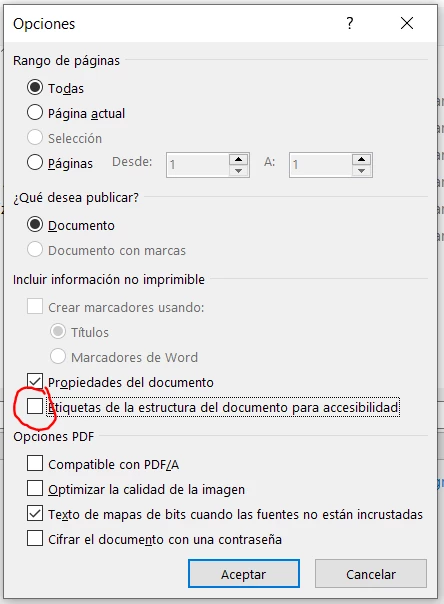
However, I think that I have found one solution (furthermore yours), that consist of deselect this part in the "Options" window when you are saving as PDF one Word file. I mean:
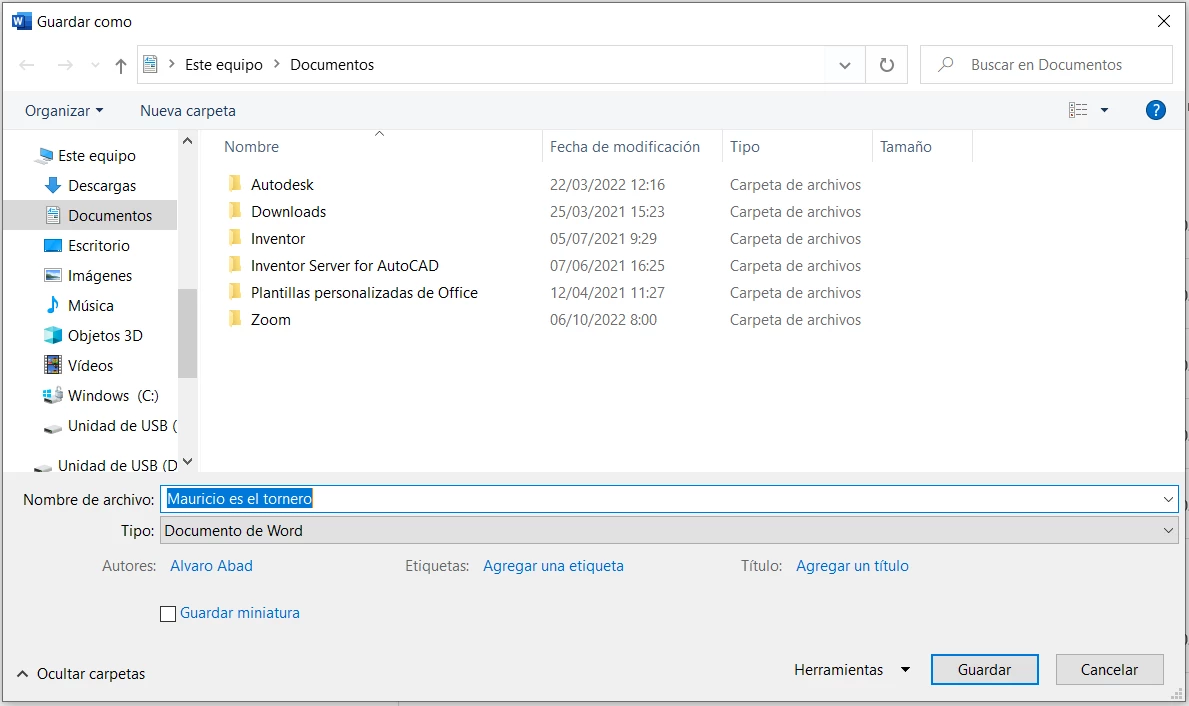
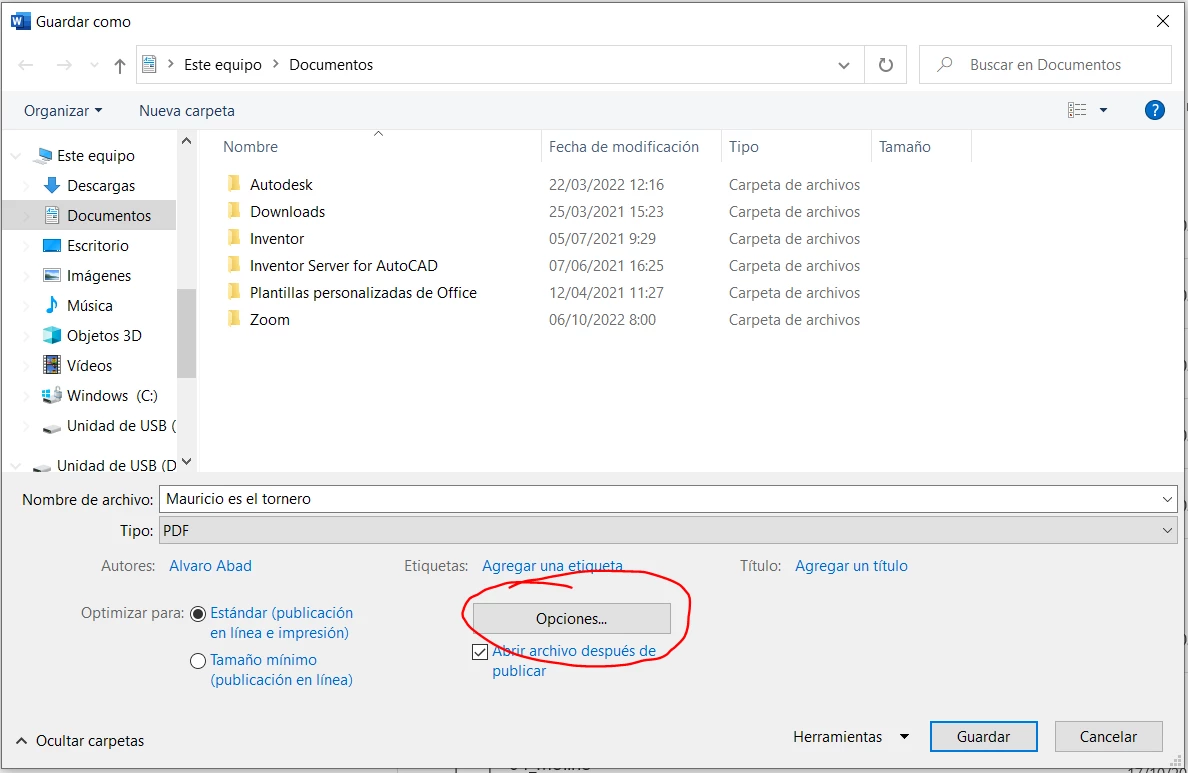
 

And when you do that, the file in PDF format is without any alternative text when your cursor is over an image.


Thanks for all Karl!

2 replies

Karl Heinz  Kremer
Community Expert
Community Expert
October 20, 2022

Does this happen with all PDF files, or just files from a certain source? Do you know how the file was created? 

Participant
October 20, 2022

I note that this only appears when I'm with a document in PDF from microsoft Word. In addition, I try to look for this action in another PDFs and they don´t show me this automatic description.


The file is created from microsoft word.

Do yo know how to put the parameters in Microsoft Word (probably) to avoid this phenomenon?

Thanks.

Karl Heinz  Kremer
Community Expert
Community Expert
October 20, 2022

This is "alt text", an accessibility feature which allows somebody with assistive devices (e.g. a screen reader) to find out what the image is, without being able to see it. So in general, this is a good thing. In Word, when you right-click on the image, you can edit this alt text. If it's in the PDF file (as in, the PDF file is an accessible file), I don't think you can prevent this popup. 

Abambo
Community Expert
Community Expert
October 20, 2022

That is probably your application adding this when creating the document. How did you create the document?

ABAMBO | Hard- and Software Engineer | Photographer
Participant
October 20, 2022

I create the document from Microsoft Word. Do you think that in Microsoft word can I change some parameters to avoid that?


Tkanks.