

New Participant
January 15, 2017
Answered

Autofill - how to turn off

  • January 15, 2017
  • 2 replies
  • 53647 views

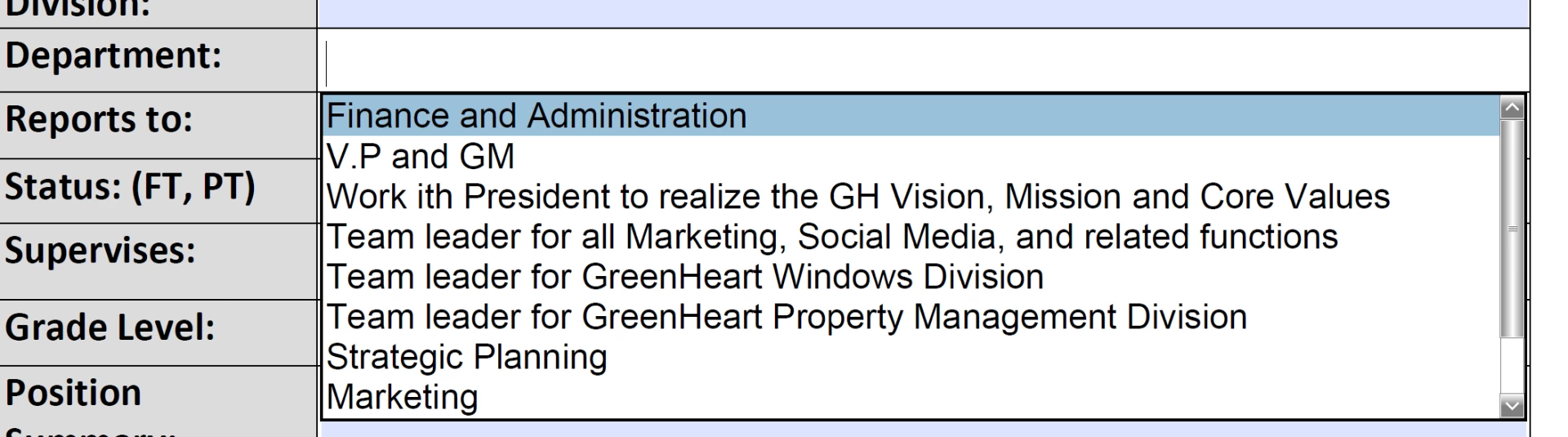
New user - just created my 1st fillable form and tested it out, and now I'm getting an autofill or suggestive fill box, how do i turn this off?

This topic has been closed for replies.
Correct answer try67

Go to Edit - Preferences - Forms and turn Auto Complete to Off.

2 replies

daleh26078327
New Participant
May 26, 2017

Regarding this answer, where can you turn this off, I cannot find Edit, Preferences, etc in the document or settings.  Please help.

Have a great day!

Bernd Alheit
Community Expert
May 26, 2017

It is available in Acrobat Reader and Adobe Acrobat.

New Participant
March 9, 2023

No, it's not. I'm up to date, and that is not an option.


Was there an answer to this question?  I did not get Edit, Preferences in the document or settings either.  There has to be another way to turn OFF the Fill and Sign.

try67
try67Correct answer
Community Expert
January 15, 2017

Go to Edit - Preferences - Forms and turn Auto Complete to Off.

Participating Frequently
April 13, 2024

This does not actually turn off Auto Complete!   you have to delete  the acrobat_fss_signature_initial**  files as this user suggested: https://community.adobe.com/t5/acrobat-reader-discussions/turn-off-all-autocomplete-and-autosuggestions-in-fill-amp-sign-mode/m-p/14413161