


New Participant
January 18, 2022
Answered

Best way to compress PDF without losing quality

  • January 18, 2022
  • 8 replies
  • 23230 views

I constantly have to export PDFs to upload to website, so in the end, they need to be small but keep good quality. Often, I use the 'Reduce File Size' tool, but sometimes the quality gets too bad. 

When I'm using InDesign, I export PDFs in lower DPI (around 150dpi), but depending on the layout this action is not enough. 


Does anyone have better ideas of how to compress big files without losing quality? 

Cheers. 
Correct answer JR Boulay

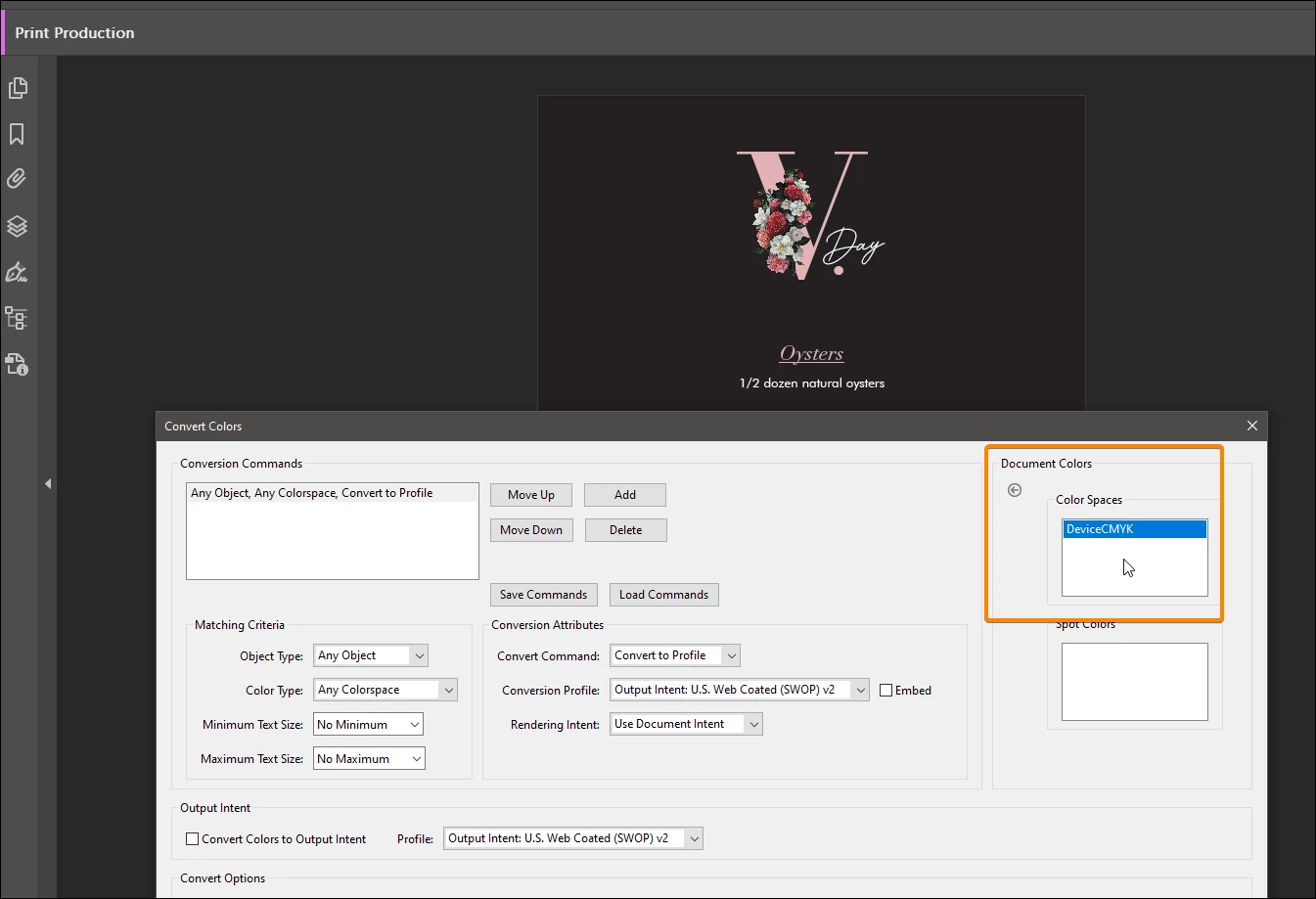
And also, you should export the PDF in RGB mode, the file will be smaller and CMYK is useless on the web.


8 replies

Zola JohnAuthor
New Participant
January 19, 2022

Thank you all for the help! 

Cheers. 

JR Boulay
Community Expert
JR BoulayCommunity ExpertCorrect answer
Community Expert
January 18, 2022

And also, you should export the PDF in RGB mode, the file will be smaller and CMYK is useless on the web.


Acrobate du PDF, InDesigner et Photoshopographe
JR Boulay
Community Expert
Community Expert
January 18, 2022

Now I can tell you why: the flower bouquet is not a pixel image, it's made of billions vectors, see it below when "Edited with Illustrator".


Pixels can be downsampled and compressed using a lossy format (JPEG).

Vectors can only be compressed without loss (ZIP) and therefore there is a low limit.

So, in InDesign you should replace this vector image by a pixel image before exporting to PDF.


Acrobate du PDF, InDesigner et Photoshopographe
gary_sc
Community Expert
Community Expert
January 18, 2022

Hi Zola,


I just had a chance to see your screenshot and can IMMEDIATELY see the issue: it's that dark gray background you have. Every pixel that makes up that background counts toward the total size of the document. If you were to use a white background, the size would go down exponentially. And going to a light gray would not make a difference: it's not the shade or hue, it's the fact that they exist.


On, in another way, if someone were to ask if they could use your printer to print this, and they wanted to print 100 copies, how fast would your ink supply hold up?


It's a beautiful design, if you want this to have a smaller storage size, come up with a beautiful design on white.

JR Boulay
Community Expert
Community Expert
January 18, 2022

PS : you should write "crémeux" not cremeux.

Acrobate du PDF, InDesigner et Photoshopographe
JR Boulay
Community Expert
Community Expert
January 18, 2022

I cannot tell you why but the problem is here:


Acrobate du PDF, InDesigner et Photoshopographe
Bernd Alheit
Community Expert
Community Expert
January 18, 2022

The content streams comes from the flowers.

Bernd Alheit
Community Expert
Community Expert
January 18, 2022

Try the PDF Optimizer of Acrobat Pro.

gary_sc
Community Expert
Community Expert
January 18, 2022

Not seeing the pdfs in question, it's hard to k ow the best strategy but images are the primary problem/issue with file size. When you push compression too much, that's when quality goes down the tubes. 

Was this pdf from scanning or what?

Zola JohnAuthor
New Participant
January 18, 2022

Mostly the PDF are menus that we upload to the company website. You can find one example attached.

Initially, it was 14MB and after reduced in Acrobat went down to 7MB. 

But it's still quite heavy for one page PDF which has only one image. 

Bernd Alheit
Community Expert
Community Expert
January 18, 2022

What happens when you use a image for the flowers?