


hellerkopf
Participant
February 21, 2017
Answered

Blurry pdf file, created from vector image

  • February 21, 2017
  • 3 replies
  • 11665 views

Dear all,

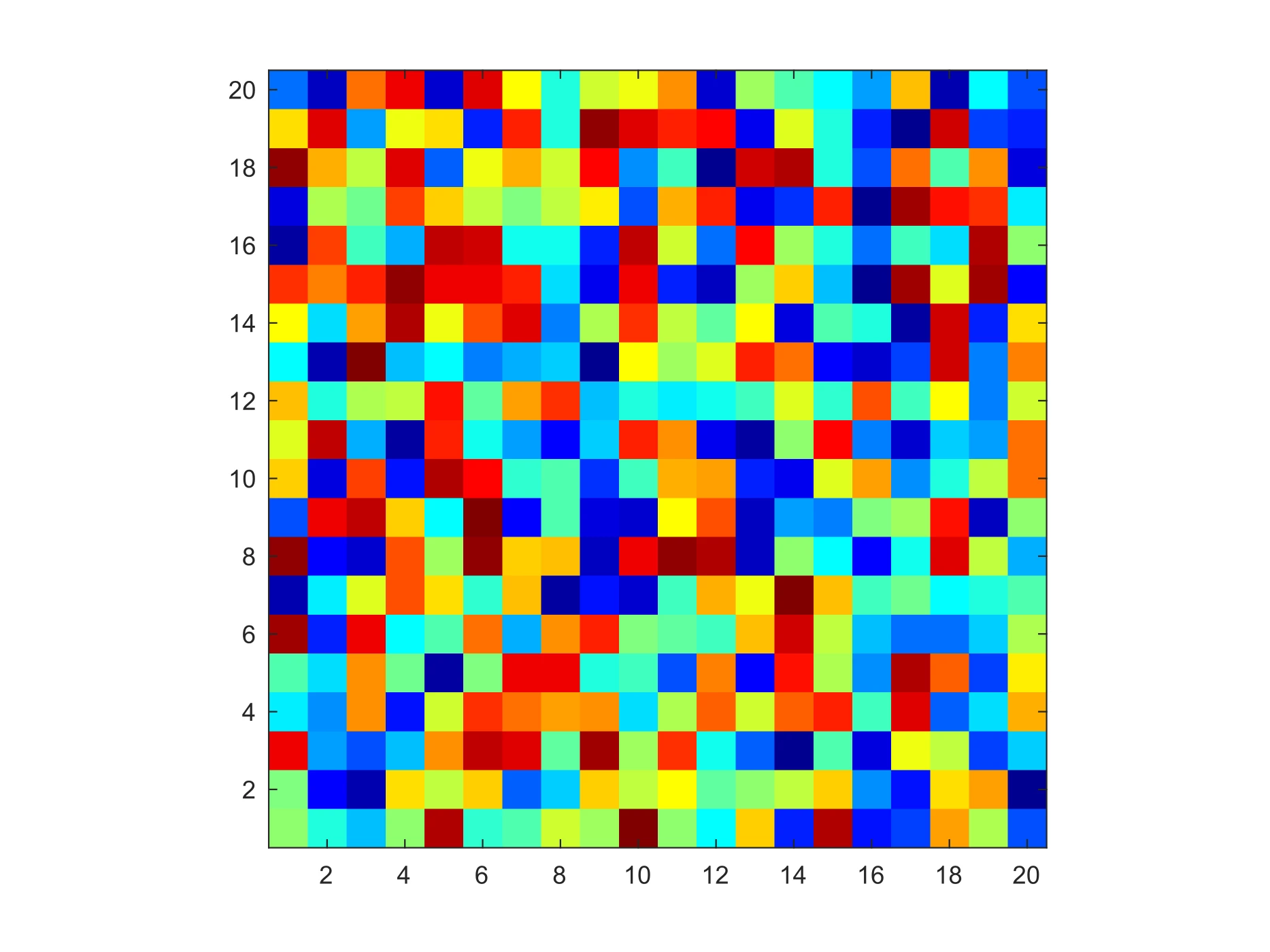
I have an example of a vector image, consisting of 20x20 coloured squares. Originally, it is a nicely looking .SVG file. Below is 300 dpi export version:
However, once I open a .pdf export of this file, it turns into a blurry image (see screenshot):
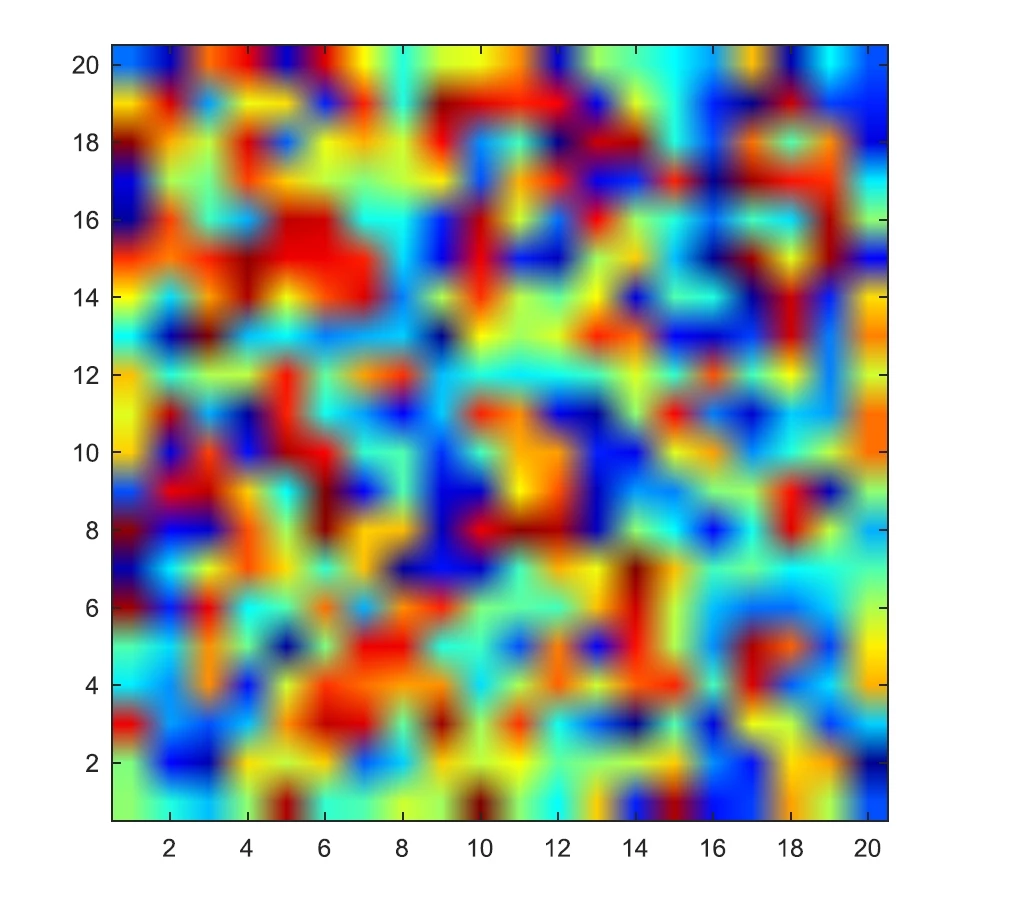
Moreover, original data are not lost, because, if I open .pdf file in any vector graphics editor (like Inkscape), it looks sharp again. It seems to be some sort of anti-aliasing feature inside Adobe Acrobat.

Did someone encouter the same issue and manage to fix it?

OS: Windows 7 x64 Enterprise,

Adobe Acrobat Pro DC.

I thank you in advance!

This topic has been closed for replies.
Correct answer Dov Isaacs

The basic problem is very simple.  Although you make think that you have a vector image, regardless of the content of the original document, the PDF file consists of a single, very low resolution image, 20 pixels by 20 pixels with an effective resolution of 5.248 pixels per inch!!!

To make matters worse, whatever created this PDF file (cairo 1.11.2) set the image interpolation option to on for the image, causing whatever the renderer of the image, if it properly follows the PDF specification, to apply an algorithm to interpolate and smooth the image as it is scaled. (Not all renderers really follow the PDF specification and especially for handling of the image interpolation option for images!)

A copy of the PDF file's report as well as the PDF file itself is attached.

Bottom line is that given how the PDF file was created, the behaviour you are seeing is to be expected. Assuming that your original artwork was indeed SVG vectors, the generated PDF file should have filled polygons, not an image. This you need to take up with the company whose software generates this PDF file.

This is not an issue caused by Acrobat or Adobe or that can be fixed by Adobe. Sorry!

          - Dov

3 replies

Dov Isaacs
Dov IsaacsCorrect answer
Legend
February 22, 2017

The basic problem is very simple.  Although you make think that you have a vector image, regardless of the content of the original document, the PDF file consists of a single, very low resolution image, 20 pixels by 20 pixels with an effective resolution of 5.248 pixels per inch!!!

To make matters worse, whatever created this PDF file (cairo 1.11.2) set the image interpolation option to on for the image, causing whatever the renderer of the image, if it properly follows the PDF specification, to apply an algorithm to interpolate and smooth the image as it is scaled. (Not all renderers really follow the PDF specification and especially for handling of the image interpolation option for images!)

A copy of the PDF file's report as well as the PDF file itself is attached.

Bottom line is that given how the PDF file was created, the behaviour you are seeing is to be expected. Assuming that your original artwork was indeed SVG vectors, the generated PDF file should have filled polygons, not an image. This you need to take up with the company whose software generates this PDF file.

This is not an issue caused by Acrobat or Adobe or that can be fixed by Adobe. Sorry!

          - Dov

- Dov Isaacs, former Adobe Principal Scientist (April 30, 1990 - May 30, 2021)
hellerkopf
Participant
February 22, 2017

Dear Dov,

Actually, you are absolutely right! Thank you very much. In the meantime I was checking the content of .SVG file, and the way it was created, and, indeed, this 20x20 matrix, which seemed to be a vectorial, was a 20x20 pixel image, instead of filled squares.

I do apologize for claiming the problem with Adobe Acrobat, and thank you, and all participants of the discussion.

Legend
February 21, 2017

You say it was vector, but the damage looks as if, at some point, it was turned into a raster. Did you originally make it? An SVG can contain raster graphics as well as vector. Either way, how did you turn it from SVG into PDF?

hellerkopf
Participant
February 21, 2017

I did open it in Inkscape, and save as .PDF. I would agree with you about the "damage", but once I open .pdf again in Inkscape, it looks sharp and clean again. So, it might be rather some sort of anti-aliasing.

Karl Heinz  Kremer
Community Expert
Community Expert
February 21, 2017

This is a weird one... Usually blurriness is something you can fix by changing the Page Display>Rendering options in Acrobat's Preferences:

Given the severity of what you are experiencing, I doubt that it's just the rendering settings. Would you be able to share this file?

hellerkopf
Participant
February 21, 2017

Well, I believe, I can not really attach the file, so I share a link to the Dropbox folder both with .SVG and .PDF files.

Dropbox - AdobeIssues

The file is created from MATLAB plot.