Known Participant
October 4, 2018
Answered

Bug in Output Intents after upgrade to Acrobat Pro DC 2019.008.20071

  • October 4, 2018
  • 2 replies
  • 1467 views

Hello,

a few days ago, Acrobat Pro DC was upgraded to version 2019 a

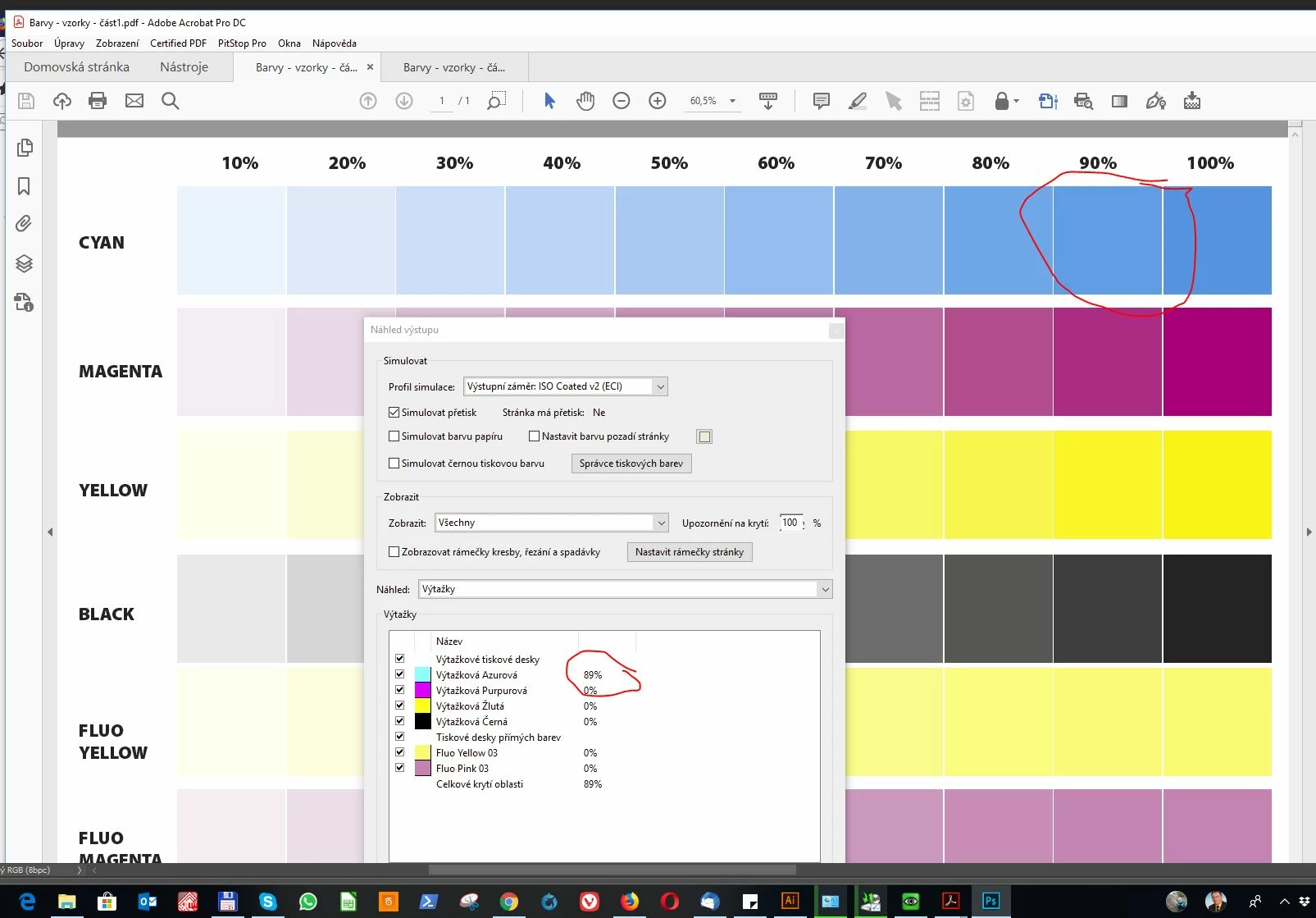
today I found that it shows the wrong CMYK values for Output Intents.

To calibrate RIP, I have created in Adobe Illustrator  PDF-X4 file with CMYK values. I checked out that Acrobat showed me poor CMYK values.
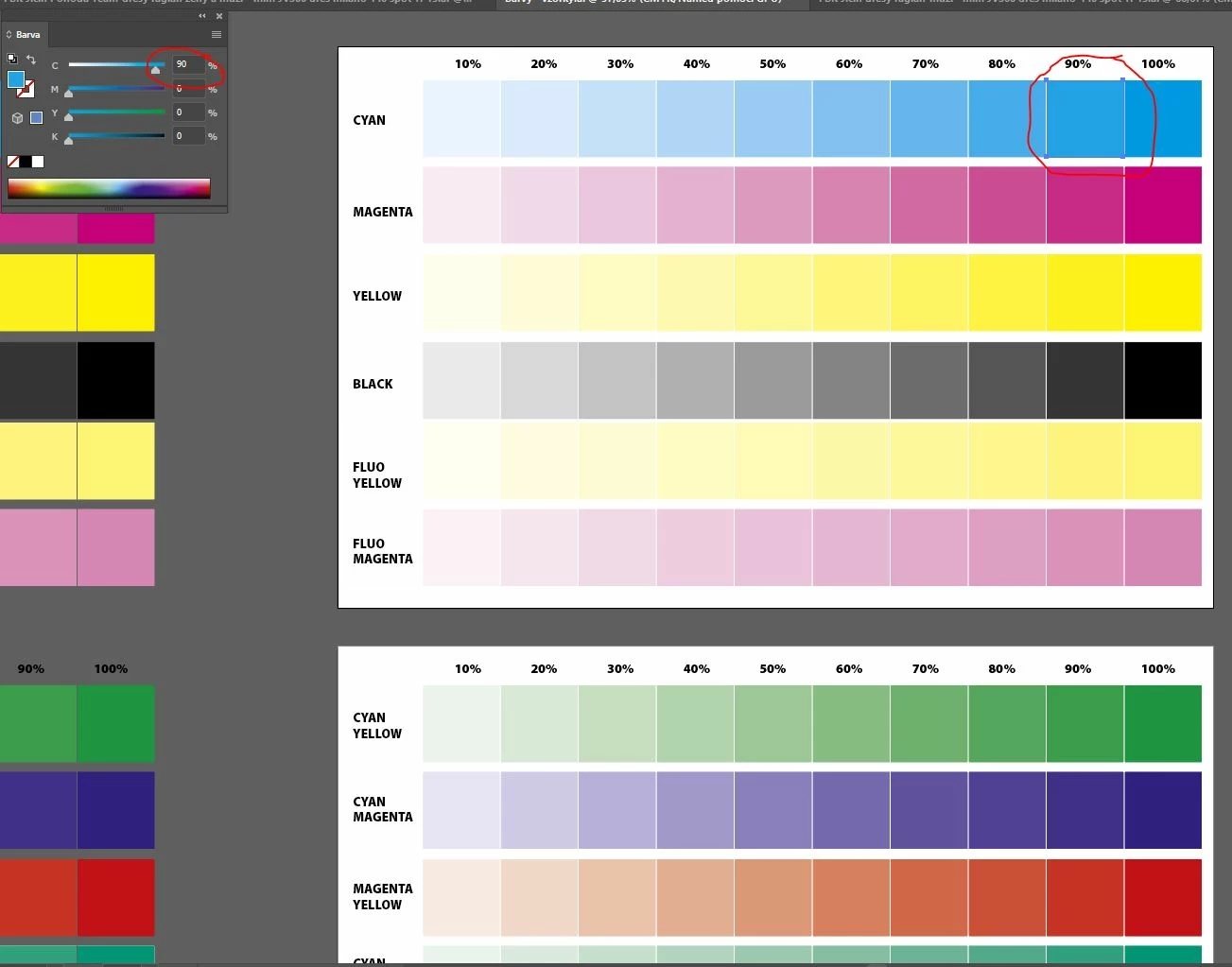
Here is source files:

Dropbox - Barvy - vzorky.ai

Dropbox - Barvy - vzorky - část1.pdf

Dropbox - Barvy - vzorky - část2.pdf

Regars

Ales Ulrych

We have this problem under Windows 10 x64 Czech,

on all computers where we use Acrobat Pro.

Is there anyone else who shows wrong CMYK values?

This topic has been closed for replies.
Correct answer Priyanja

Hi,

Adobe Acrobat official update (19.008.20074) containing the fix for this issue is now available. This update will be automatically pushed to all existing installations of Acrobat. If you want, you may also manually trigger the update early by opening the application and going to Help > Check for Updates.

More information about this release is here: https://helpx.adobe.com/acrobat/release-note/release-notes-acrobat-reader.html

Please try it out and let us know your feedback.

Thanks for your patience and support!

Regards,

Priyanka

2 replies

PriyanjaCorrect answer
Adobe Employee
October 8, 2018

Hi,

Adobe Acrobat official update (19.008.20074) containing the fix for this issue is now available. This update will be automatically pushed to all existing installations of Acrobat. If you want, you may also manually trigger the update early by opening the application and going to Help > Check for Updates.

More information about this release is here: https://helpx.adobe.com/acrobat/release-note/release-notes-acrobat-reader.html

Please try it out and let us know your feedback.

Thanks for your patience and support!

Regards,

Priyanka

Known Participant
October 9, 2018

Thanks,

after the update, everything seems to work as before.

Ales

AkanchhaS8194121
Legend
October 9, 2018

Thanks for the confirmation Ales.

Let us know if there is any further assistance is required.

-Akanchha

Adobe Employee
October 6, 2018

Hi,

Thanks for your report. We regret the inconvenience caused to you. We are working on the fix and would update you soon on this.

Regards,

Priyanka