


Participant
August 22, 2023
Question

Calculate Average from sum and also take into account when fields are blank.

  • August 22, 2023
  • 2 replies
  • 1112 views

Hello everyone, 

I need help with an Adobe Form. I'm pretty new to Adobe, so please be kind. 

I have created an Performance Evaluation Form for work, with different sections, each section has a total sum. Now I need to calculate an average rating of that total. (see below)
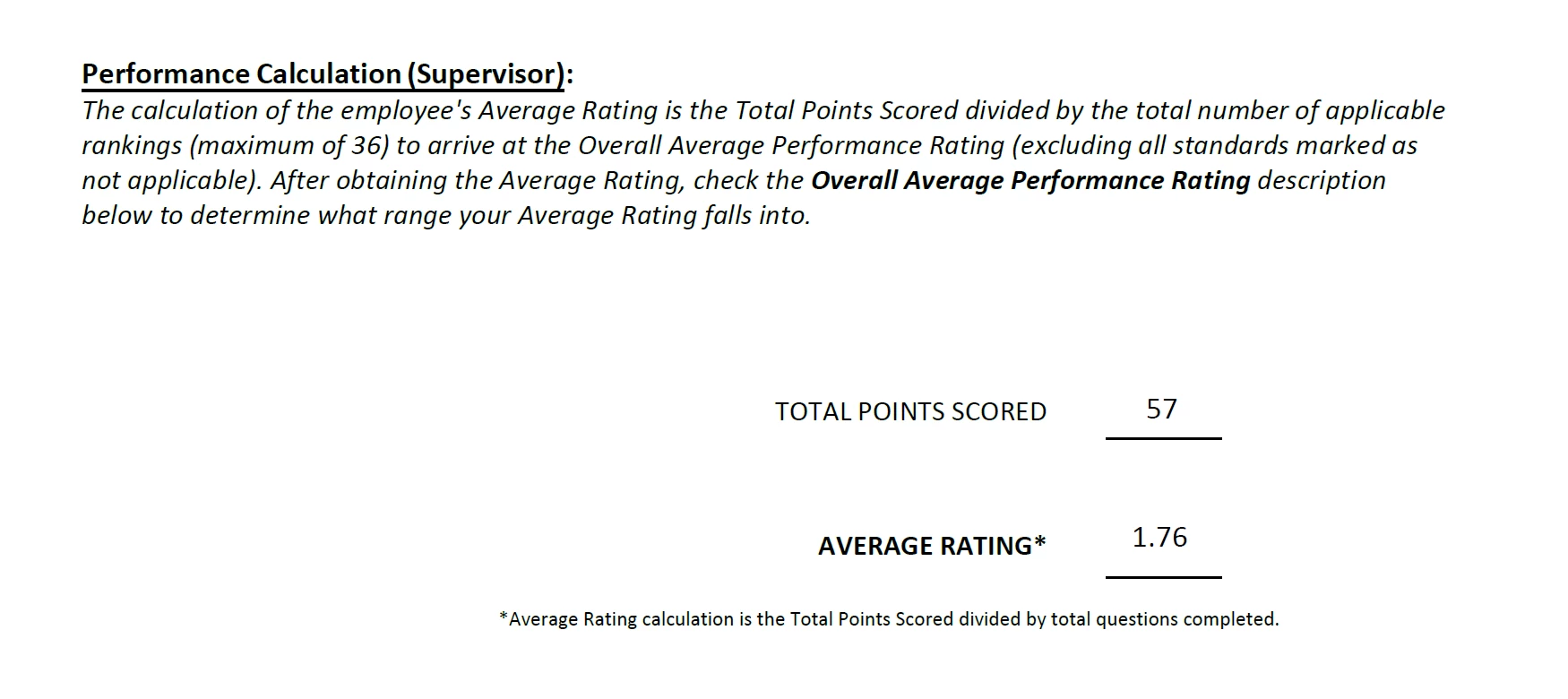
As you can see the calculation is not correct, 57/ 36 = 1.58 NOT 1.76! 

Also, I need to account if we only have 33 fields filled instead of 36. So account for "0" or blank fields.

This is the code I got from someone. I'm not sure why is not working. (see below)


var pG = this.getField("SUPERVISOR PRIOR YR SKILLS GOAL #34").value;
var RT = this.getField("RATING TOTAL").value;

var fAR = ((RT/36));
var hAR = ((RT/33));


if (pG == 0) event.value=((hAR));
else event.value=((fAR));


If anyone could, please help!

This topic has been closed for replies.

2 replies

try67
Community Expert
Community Expert
August 22, 2023

You will need to share the file for help with this, as the code looks fine.

If you want to ignore empty fields you can use a function to go over all the fields you want to add up, and check their values first. If they are not empty, add their value to the total and increment a counter by one.

At the end, divide the total by the counter, if the latter is not zero.

I've posted code that does just that multiple times here. Search the forum for "calcAverage".

Participant
August 22, 2023

Here is the file, if you think it helps. 

the sum of all the sections are working and adding it up fine..

try67
Community Expert
Community Expert
August 22, 2023

Check the JS Console. There are errors in your code.

Participant
August 22, 2023

Hi there, anyone see a mistake in the code posted?