


Calculating Employee Evaluation Ratings
Hi, i'm bit new to creating calculations in Acrobat, so I will need some (serious...or basic for you experts out there) help with this.
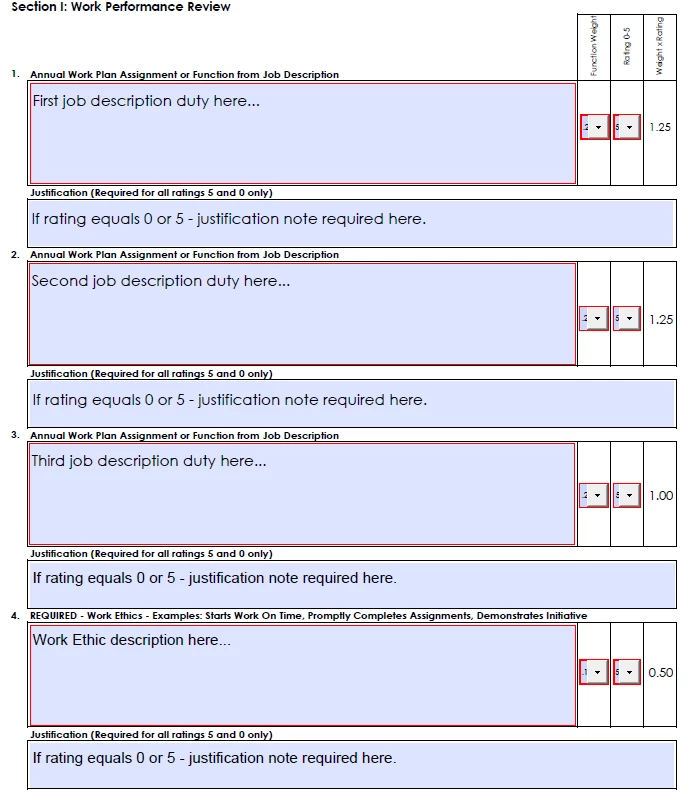
How do I calculate an overall (average) rating from multiple fields? For instance, a supervisor will choose the weight function of the specific job duty (.10 to 1.00 - I would rather this be displayed as a % rather than a decimal but couldn't figure it out), then assign a rating for that specific job duty (1-5), which then calculates the weighted rating.
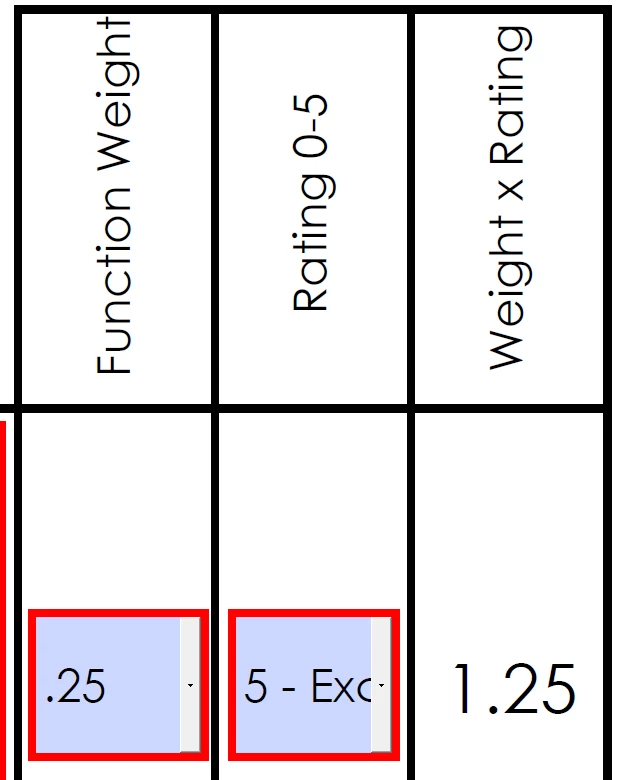
After ther supervisor goes through and completes the job duties, an overall rating is calculated in another field, as well as a field to show the total allocated job percentage that should equal 100%. This is where I am having problems as these two fields are not correct.
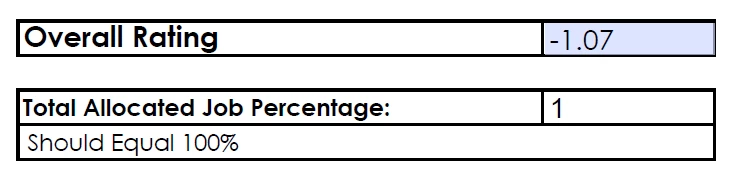
The overall rating is not coming out correct, it is also giving me a negative number, and the Total Allocated Job Percentage will not display as 100%. Do I take the weight rating and divide it by the total possible ratings? If so, how can I get it to recognize how many rating were used (since not all supervisors will use every job duty field provided). If rating equals 0 or 5, justification is required - how do I do that?
Here is what it looks like;


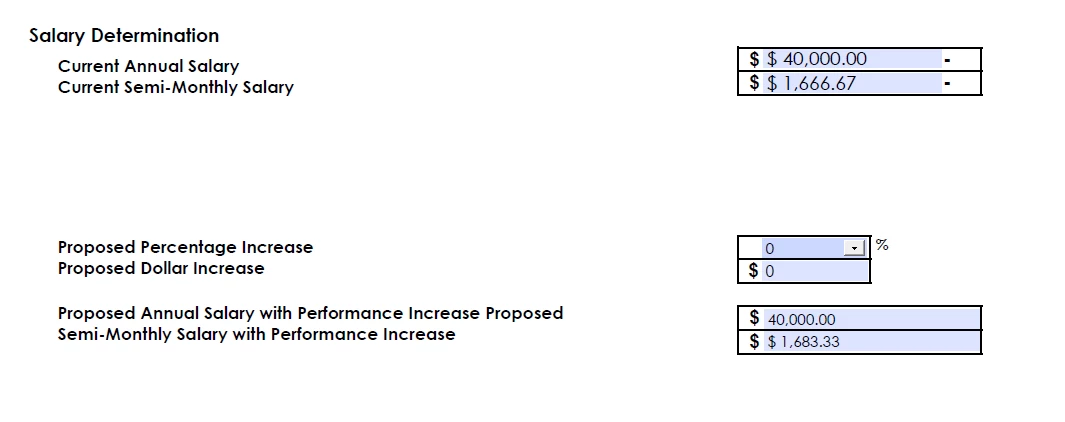
Finally, at the end of the form, I have created a drop down menu of number for the annual merit increase (0-10)%. When I select the proposed percentage increase, the proposed annual salary with performance increase proposed adds up correctly, but I have noticed that the semi-monthly salary with performance increase does not update automatically - it does update AFTER i select another proposed percentage increase, which then is the incorrect data shown. I have no clue why it is doing this.
Any help is greatly appreciated.
Thanks!
 AdChoices