Known Participant
February 8, 2024
Answered

Calculating the average – several variables to consider

  • February 8, 2024
  • 1 reply
  • 4268 views

Hi there,


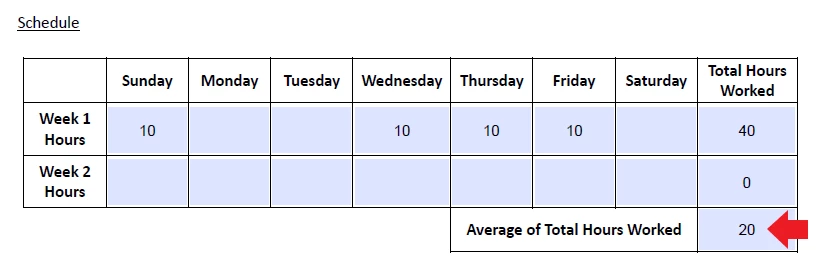
I’m trying to figure out how to properly calculate the average total hours worked in this table.



A few things to consider…


1.  Some individuals will only have hours entered for week 1. Therefore, if the individual only has hours entered in week 1, the cell beside “average of total hours worked” should only pull the average of week 1.
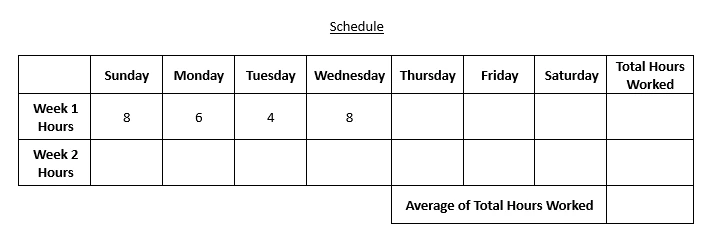


However, some individuals will have hours entered in both week 1 and week 2. Therefore, the cell beside “average of total hours worked” should pull the average of weeks 1 and 2.
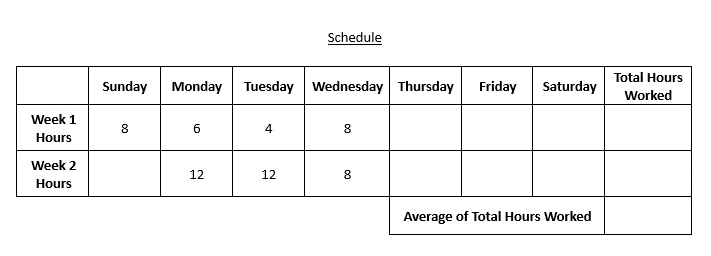


2. As displayed in the screenshots above, not all cells will be filled in. For example, depending on the individual, they may work Sunday, Monday, Tuesday, Wednesday during week 1; whereas some individuals may work Monday, Tuesday, Wednesday, Thursday during week 1 and then work Monday, Tuesday, Wednesday during week 2.


With these conditions in mind, and factoring in the variables, is it possible to create a script that will accurately calculate the average total hours worked?


Thanks!
This topic has been closed for replies.
Correct answer Nesa Nurani

Hi @Nesa Nurani,


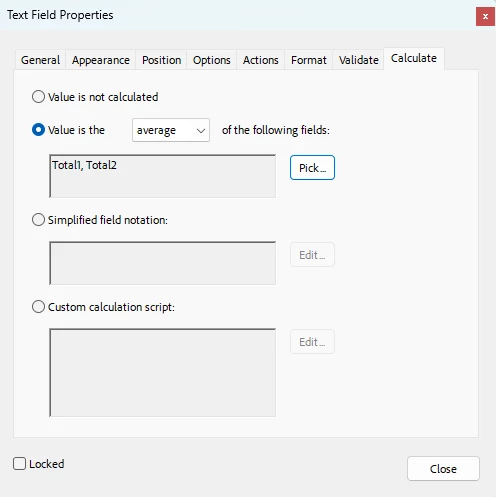
I think I'm making this more complicated than it needs to be. I currently have two calculation in place. The first calculates the sum of 'Week 1 Hours'; the second calculates the sum of 'Week 2 Hours'. I then added a third that calculates the average of 'Total Hours Worked'.


Is it possible to show the value of the 'Avg Total Hours' field only if hours are entered in both Week 1 and Week 2? In other words, if no hours are entered in the 'Week2' row, can the value of the 'Avg Total Hours' field be hidden? 


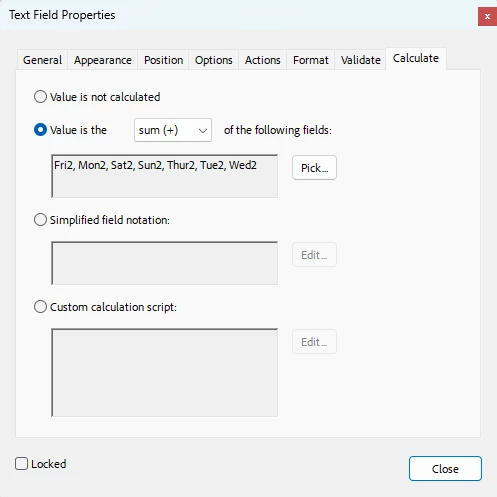
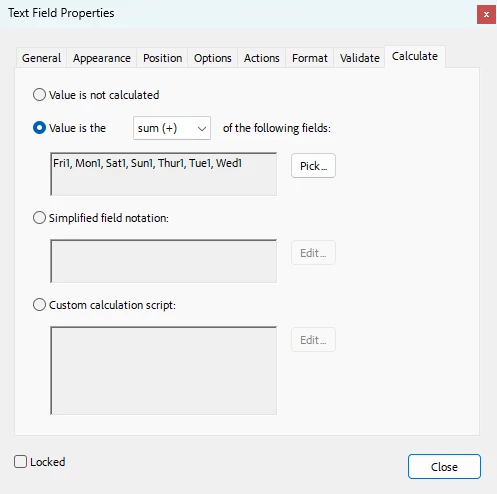
In that case for "Total1" and "Total2" fields you can use built in calculation, go to those fields properties and under 'Calculate' tab select 'Value is the' and pick fields you want to sum. Then as custom calculation script of total average field use this:

var total = 0;
var avg = 0;

for(var i=1; i<=2; i++){
 var f = Number(this.getField("Total"+i).valueAsString);
 if(!isNaN(f) && f !== 0){
  avg++;
  total += Number(f);}}

if(avg !== 0)
 event.value = total/avg;
else
 event.value = 0;


1 reply

Nesa Nurani
Community Expert
February 8, 2024

Yes, that is possible using JavaScript.

If you need help with the script, tell us field names or share your file.

jordanm14Author
Known Participant
February 9, 2024

Hi @Nesa Nurani ,


Please see below screenshot for the field names:


Let me know if you need anything else. Appreciate your help!

try67
Community Expert
February 27, 2024

Hi @try67 ,


I tried using your "calcAverage" script, however the average isn't appearing in the designated field - it's blank. I've included my custom calculation script below. Any idea why this is happening? I'm very new to this, so it's difficult for me to determine what's causing the error.


The last line should be:

event.value = calcAverage(...);