


June 12, 2022
Answered

Calculations not automatically update

  • June 12, 2022
  • 3 replies
  • 7533 views

Hi,

I'm trying to prepare a simple pdf with some calculation among fields but every field applies the calculation only after is filled the next.


Following example shows that the last total is not updated
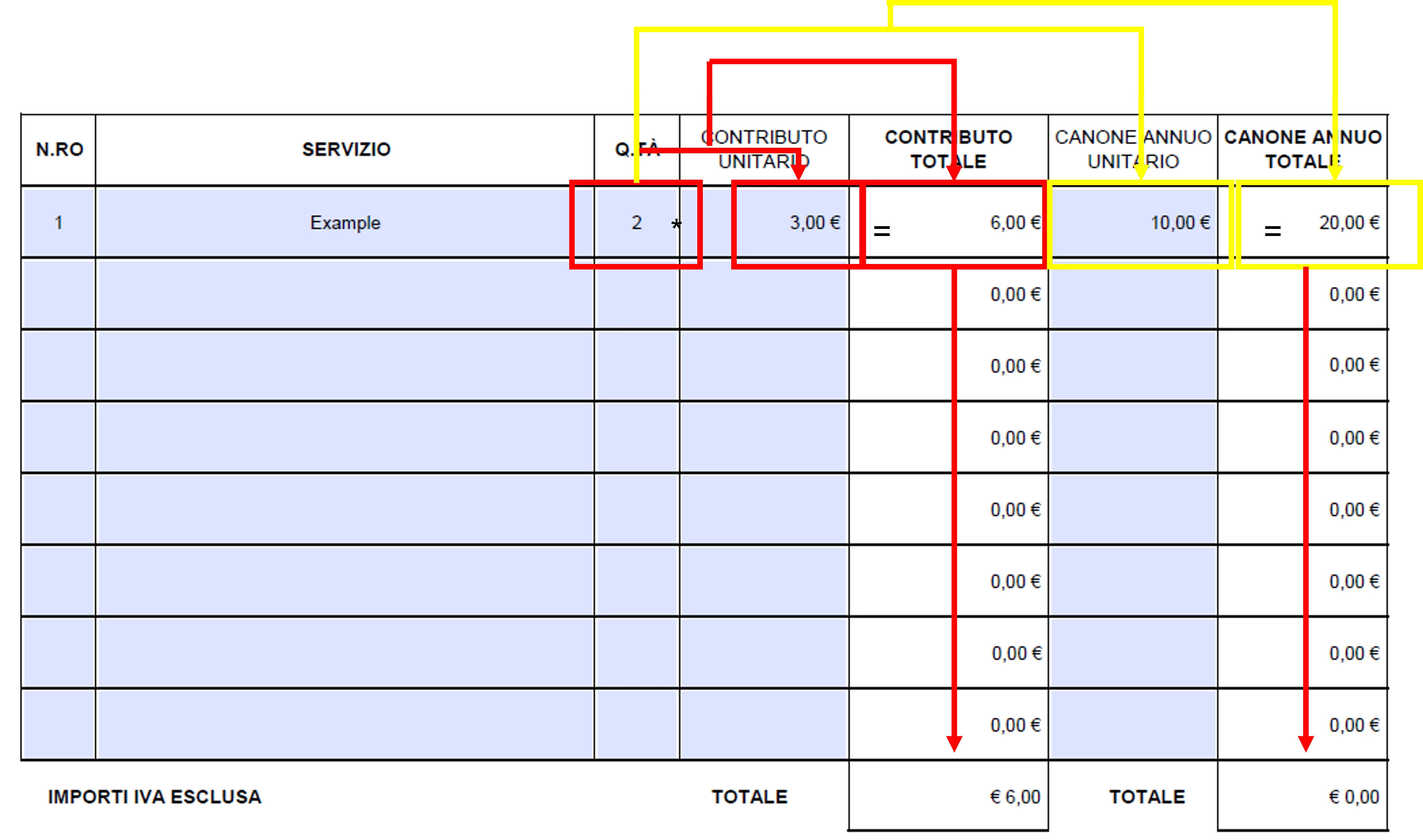
Thank you

Enrico 

Correct answer try67

You need to set the fields calculation order correctly, via Tools - Prepare Form - More - Set Fields Calculation Order.

3 replies

try67
Community Expert
June 29, 2025

[Moved to the Acrobat forum]

Participating Frequently
June 27, 2025

I am sharing this b/c I want to see if anyone else out there has experienced using Adobe ProDC forms with extensive formulas not working when you send the file to someone else.  Well, this is what I've found since the "Cloud" has been in extensive use by folks.  I develop lots of Adobe Pro Dc forms with extensive formulas.  If this file is sent from the Cloud/Google Drive/One Drive, the formulas do not work correctly *and* if the file is retrieved from Cloud/Google Drive/One Drive, the formulas will NOT work correctly.  However, if the file is saved/sent from your hard drive to another and the other party uses the form file from their hard drive, there are NO problems whatsoever and all the formulas work fine.  So what's the deal on this?  What is going on with Adobe Pro DC formulas seeming not being compatible with the Cloud/Google Drive/One Drive?   We know this is the issue, because we have tested it by asking others to NOT open the file or save the file in the Cloud/Google Drive/One Drive then use the form and it worked FINE.  Happens when these forms are sent, retrieved, or saved to the Cloud/Google Drive/One Drive.  Formulas do not work correctly.  Why is this happening?   Thanks. 

try67
Community Expert
June 28, 2025

The main question is what PDF plugin is used to view the files in the browser. If it's the Adobe one, then it should work. If it's anything else, all bets are off. There's nothing you (or Adobe) can do about that, though. You can only instruct the people using the form to save it locally and then open it in Adobe Reader for best results.

try67
try67Correct answer
Community Expert
June 12, 2022

You need to set the fields calculation order correctly, via Tools - Prepare Form - More - Set Fields Calculation Order.

June 13, 2022
Wow, thanks a lot!!!


___
The distribution list has been accurately verified in order to address only
interested people and avoid email overload.
If you think you should not be addressed by this email, please let me know
just replying with a void message.
I care about your time.