



Can I copy Drop Down lists in a PDF excel style form?
Hello community,
I created a PDF form from an excel spreadsheet. I would like to make all the fields in a colum a dropdown box with the same choices (each has about 12 choices). I created the first field as a drop down and populated it with the choices I wanted it to display. With the "Keep tool selected" option active I then
- chose the option to "Use current properties as new defaults". I then went to paste the dropdown in the next few fields but when I went back into document view the newer boxes have an arrow on the right side as if it is a drop down box but there is no list and it just gives me an audible error ding when I click in the box (top boxes in column 4)
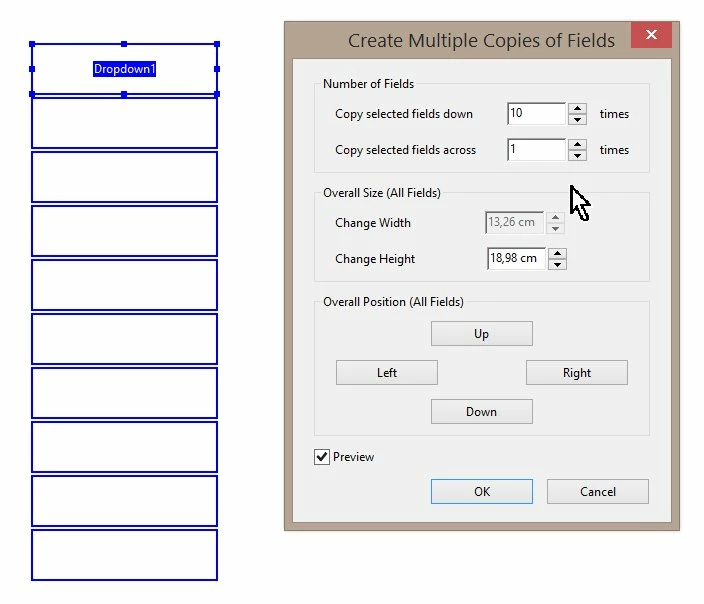
- Next I tried the option to "Make multiple copies" but it will only allow me to copy right 1 field (can not set that to zero) and down 4 fields at a time. Going down it copied correctly and allowed unique choices from the drop down in each copied box (see column 4 last 2 boxes) but
- when I get to the next page I have to create the list over and
- I also have to delete all the entires it created on the right of the cell
- Plus, since I tested in the bottom cell I can't copy up
Is there a way to fix this? Unlike in a spreadsheet, the verbiage does not repeat when you start typing so I wanted to create a drop down to ensure consistancy.
Same goes with the date field. If I set a field to be a date and chose the option to "Use current properties as new defaults" then input text boxes in the next fields the newer boxes are just boxes with no calendar and I can't figure out a way to format the boxes as a group vs individually.

I use these spreadsheets often in Excel but I really would like to create them in PDF forms format because it would be easier in my opinion to control the security on the form.
HELP! and Thank you so much!!
 AdChoices